

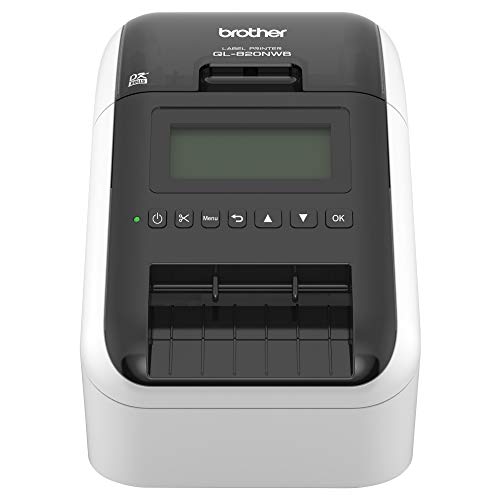
If you need to print labels for shipping, organizing, or barcodes, the right printer can save you hours. The Brother QL-820NWB is a professional label printer that offers multiple connectivity options and fast printing. In this review, we evaluate its key features, performance, and value for 2026. Whether you run a small business or need labels at home, this guide will help you decide. For more printer options, check out our Printers category.


Buying Guide: What to Look for in a Label Printer
Connectivity Options
Modern label printers offer various ways to connect. The Brother QL-820NWB includes Bluetooth, Ethernet, and wireless (802.11b/g/n), plus a USB host interface for peripherals like a scanner. This flexibility lets you print from multiple devices without swapping cables. If you often print from mobile devices, Bluetooth is especially convenient.
Print Speed and Quality
Speed matters in a busy environment. This model prints up to 110 standard address labels per minute at 300 dpi, delivering crisp black text. For color labels, it can print black/red using DK 2251 labels. The resolution ensures barcodes and small text remain legible. For photo-quality prints, see our guide on Best Large Format Photo Printers.
Label Size and Versatility
Label printers should handle a range of sizes. The QL-820NWB supports labels from small address sizes up to 3 feet long, making it suitable for shipping labels, name badges, and cable wraps. Its monochrome LCD screen allows standalone label creation without a computer, adding convenience.
Ease of Use
Setting up and operating the printer should be straightforward. The Brother QL-820NWB features an easy-to-read LCD and intuitive controls. It works with Windows, Mac, and mobile apps. For more tips on printer usability, visit our Blog for detailed guides.
Final Thoughts
The Brother QL-820NWB stands out as a top label printer for 2026 due to its flexible connectivity, fast output, and standalone operation. Whether you need a network label printer for a busy office or a reliable device for home labeling, this model delivers. For the best results, pair it with genuine Brother DK labels. Click the link below to check the current price on Amazon: Brother QL-820NWB.
Frequently Asked Questions
Can the Brother QL-820NWB print in color?
Yes, it can print black/red labels using the DK 2251 label roll. For full-color labels, consider a dedicated color label printer.
How do I connect the QL-820NWB to Wi-Fi?
Use the Brother iPrint&Label app or the printer’s LCD menu to scan for your wireless network. Enter your password, and the printer will connect. For detailed steps, see our best 4×6 photo printers guide for similar setup tips.
What label sizes does it support?
It supports DK rolls from 0.24 inches to 3 feet long, including address, shipping, and specialty labels. The maximum label length is 3 feet.
Is the Brother QL-820NWB compatible with Mac?
Yes, it works with macOS via Brother’s P-touch Editor software. You can also print from iOS and Android devices using the iPrint&Label app.


