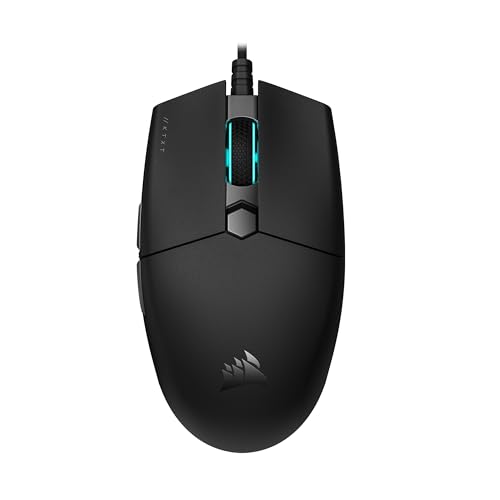
You just built your first gaming PC or picked up a laptop for some casual fragging. The monitor is set, the keyboard clicks, but your hand hovers over a generic office mouse. That won’t cut it. A proper gaming mouse can make or break your early experience, offering better tracking, comfort, and responsiveness. But with dozens of options, choosing the right one as a beginner can feel overwhelming. This guide cuts through the noise, focusing on the best gaming mouse for beginners in 2026. Whether you are on a tight budget or ready to invest a bit more, we have evaluated eight top models from trusted brands like Logitech G, Redragon, and BENGOO to help you start strong. If you plan to game on the go, check out our roundup of the best gaming mouse for laptop for portable picks.
![Redragon M602 Gaming Mouse, Ergonomic RGB Gaming Mouse Wired with 7200 Adjustable DPI, 9 Programmable Buttons, Professional Software for Gamer Office [Black]](https://m.media-amazon.com/images/I/4189L2UBl9L._SL500_.jpg "Redragon M602 Gaming Mouse, Ergonomic RGB Gaming Mouse Wired with 7200 Adjustable DPI, 9 Programmable Buttons, Professional Software for Gamer Office [Black]")


Buying Guide: What to Look for in a Beginner Gaming Mouse
Comfort and Ergonomics
Your hand will spend hours gripping this device, so comfort is non-negotiable. Look for a shape that suits your grip style: palm, claw, or fingertip. Many beginner-friendly mice, like the Redragon M602, feature an ergonomic contour that supports your palm and fingers, reducing fatigue during long sessions. The BENGOO gaming mouse also offers a skin-friendly surface that feels natural. A lightweight design (under 100 grams) helps you move swiftly without strain.
For left-handed users or those with smaller hands, check the dimensions before buying. Some models, such as the Logitech G305, have a compact ambidextrous shape that works well for most hand sizes. If you share your setup, consider a mouse with adjustable weight systems, like the Logitech G502 Hero, which lets you fine-tune balance.
DPI and Sensor Performance
DPI (dots per inch) determines how far the cursor moves per inch of physical movement. Beginners often start with lower DPI settings (400 to 800) for better control, then gradually increase. Most gaming mice offer adjustable DPI levels. For instance, the Redragon M612 provides five levels from 500 to 8000 DPI, while the Logitech G502 Hero reaches up to 25600 DPI, overkill for a newbie but great for growth.
Sensor quality matters too. Optical sensors from Pixart (found in many Redragon models) deliver consistent tracking without acceleration or smoothing. The Logitech HERO sensor is a standout for its precision and power efficiency. If you play fast-paced shooters, a high polling rate (1000 Hz) ensures near-instant response. For more on optimizing your aim, see our guide on the best gaming mouse for high CPS in 2026.
Programmable Buttons
Extra buttons let you bind actions like reload, crouch, or weapon switch without reaching for the keyboard. Beginners may not need a dozen buttons, but having a couple of side buttons is handy. The Redragon M908 packs 18 programmable buttons and a 12-button side panel, ideal for MMO players. Simpler options like the Logitech G305 offer two side buttons, which is plenty for most FPS and battle royale games.
Software customization is key. Brands like Redragon and Logitech provide drivers to remap buttons, adjust lighting, and create macros. For a beginner, a mouse with on-board memory (like the Redragon M810 PRO) lets you save profiles and take them to LAN parties without reinstalling software.
Wired vs. Wireless
Wired mice offer zero latency and no battery worries, just plug and play. The Logitech G502 Hero and Redragon M908 are excellent wired choices with braided cables for durability. Wireless mice, however, eliminate cable drag and keep your desk tidy. Modern wireless tech like Logitech’s LIGHTSPEED delivers a 1 ms response time, matching wired performance. The Logitech G305 Lightspeed runs up to 250 hours on one AA battery, making it a top pick for beginners who value freedom.
If you often switch between a desktop and a laptop, a wireless mouse is convenient. The Redragon M810 PRO offers a 2.4 GHz connection with a nano receiver stored inside the mouse. For Mac users, we have a dedicated list of the best gaming mouse for macbook that includes compatible wireless options.
Final Thoughts
Choosing your first gaming mouse is a personal journey, but the right pick can elevate your gameplay and comfort from day one. For a beginner who wants reliable wireless performance without breaking the bank, the Logitech G305 Lightspeed Wireless Gaming Mouse delivers incredible battery life, a top-tier HERO sensor, and a lightweight build that suits any grip. If you prefer a wired budget option with excellent ergonomics and customizable RGB, the Redragon M602 Gaming Mouse offers a proven design and adjustable DPI at an unbeatable value. Both models are validated by thousands of users and will serve you well as you sharpen your skills.
Frequently Asked Questions
What DPI is best for a beginner gamer?
Most beginners find a DPI between 400 and 800 comfortable for precise aiming. As you get used to the mouse, you can increase it gradually. Many gaming mice let you switch DPI on the fly, so you can experiment. In 2026, most entry-level mice offer adjustable DPI from 500 to 8000, giving you plenty of room to grow.
Are wireless gaming mice good for beginners?
Absolutely. Modern wireless gaming mice like the Logitech G305 have near-zero latency and long battery life, making them just as responsive as wired options. They also reduce cable clutter, which is helpful for beginners with smaller desks. Just ensure you choose a model with a reliable connection, such as 2.4 GHz or LIGHTSPEED technology.
How many buttons do I need as a beginner?
Two to four extra buttons are usually sufficient for most games. You can map common actions like melee, grenade, or push-to-talk. Mice with too many buttons, like the Redragon M908 with 18, can be overwhelming at first but offer room to expand your bindings as you improve.
What is the best budget gaming mouse for beginners in 2026?
The Redragon M602 is a top contender for its ergonomic design, 7200 DPI, and programmable buttons at a very low cost. Another great option is the BENGOO gaming mouse, which offers RGB lighting and four DPI levels for under $15. Both are widely recommended by the gaming community and are perfect for dipping your toes into PC gaming.