

Whether you are juggling back-to-back Zoom meetings, handling client calls, or collaborating on a virtual whiteboard, the right headset can transform your workday. A muddled microphone or uncomfortable ear cups quickly derail productivity, making it essential to choose a model that delivers clear audio and lasting comfort. In this guide, we evaluate the best computer headsets for work available today, covering both wired and wireless options for every workspace. For a broader look at setups that support remote workflows, explore our roundup of top headsets for remote work.






Buying Guide: What to Look for in a Work Headset
Noise Cancellation for Distraction-Free Calls
Background noise is the enemy of professional calls. Look for headsets with active noise cancellation (ANC) or environmental noise cancellation (ENC) that filter out keyboard clatter, office chatter, or household sounds. Models like the Logitech H390 and PrancyBt Wireless use rotating boom mics or dedicated ENC technology to keep your voice clear. If you frequently work from noisy environments, prioritize this feature.
Comfort for All-Day Wear
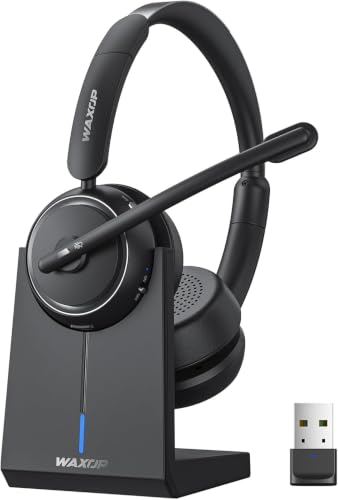
A headset that feels heavy after an hour will end up on your desk. Lightweight designs with plush memory-foam ear pads and adjustable headbands are critical for long sessions. The Lenovo USB-A Wired Stereo Headset weighs only 140 grams, while the JIAMQISHI USB Headset uses breathable protein leather. For wireless options, the Soothielec Wireless Headset and Waxop models emphasize ergonomic shapes that reduce pressure points. Consider your typical workday length and choose accordingly.
Connectivity: Wired vs. Wireless
Wired headsets offer plug-and-play simplicity with no battery concerns. USB-A and USB-C models like the Logitech H390 and Logitech H391 are ideal for desk-bound setups. Wireless headsets, on the other hand, give you freedom to move during calls or between rooms. Bluetooth 5.2 or 5.3 with a USB dongle ensures stable connections even on computers without built-in Bluetooth. The Sarevile Bluetooth Headset includes a dongle for seamless pairing, while the PrancyBt offers dual-mode connection. For more guidance on wireless options, see our list of top wireless office headsets.
Compatibility and Controls
Your headset must work with your primary software: Microsoft Teams, Zoom, Google Meet, and others. Most models listed here advertise wide platform support. In-line controls for volume and mute are handy for quick adjustments without reaching for the keyboard. Some headsets, like the Lenovo USB-A and Logitech H390, feature dedicated mute buttons with indicator lights. If you use a Chromebook, look for certified models such as the Logitech H390 and H391. For a deeper dive into office-ready headsets, check out our selection of top office headsets.
Final Thoughts
Choosing the best computer headsets for work depends on your priorities: budget, noise cancellation, comfort, or wireless freedom. If you prefer a reliable wired option with lightweight comfort and AI-enhanced noise cancellation, the Lenovo USB-A Wired Stereo Headset for PC/Laptop is an outstanding choice. For those who need flexibility and long battery life, the PrancyBt Wireless Headset with Noise Cancelling delivers up to 35 hours of talk time and dual-mode connectivity. Both models have earned high marks from our team for call clarity and all-day wear. Still uncertain? Our comprehensive guide to headsets for working from home can help narrow down your options.
Frequently Asked Questions
Are wired or wireless headsets better for work?
Wired headsets offer simple plug-and-play use with no battery worries, ideal for fixed desks. Wireless headsets provide mobility and are great for multitaskers who move around. Both types can deliver excellent audio quality; your choice depends on whether you value freedom from cables or constant uptime.
What is noise cancellation and do I need it?
Noise cancellation reduces background sounds so your voice comes through clearly. If you work in a noisy environment, ENC or ANC is a must. Many models in this guide, like the Lenovo USB-A and PrancyBt, feature advanced noise reduction to help you sound professional.
How do I choose a comfortable headset for all-day wear?
Look for lightweight builds (under 200g), soft memory-foam ear pads, and adjustable headbands. Over-ear designs generally offer more comfort than on-ear models. Check for padded leatherette or protein leather cushions, as seen on the JIAMQISHI and Logitech H390. Trying on a headset or reading verified user feedback can help confirm the fit.
Can I use a gaming headset for work calls?
Yes, but gaming headsets often emphasize bass and may not prioritize microphone clarity for speech. Work-specific headsets typically feature boom mics and fine-tuned drivers for voice pickup. For dedicated office use, a headset from our best wireless headsets for working from home list will likely serve you better.

