

🔥 TV Black Friday Deals 2026: picks worth watching →
Your Steam Deck is loaded with games, but storage fills up fast. You need a reliable microSD card to expand your library without slowing down load times. In this guide, we evaluate the top SD cards specifically for Steam Deck use in 2026, focusing on speed, capacity, and durability. Whether you prioritize massive storage or blazing read speeds, we have you covered.


Buying Guide: What to Look for in a Steam Deck SD Card
Read and Write Speeds
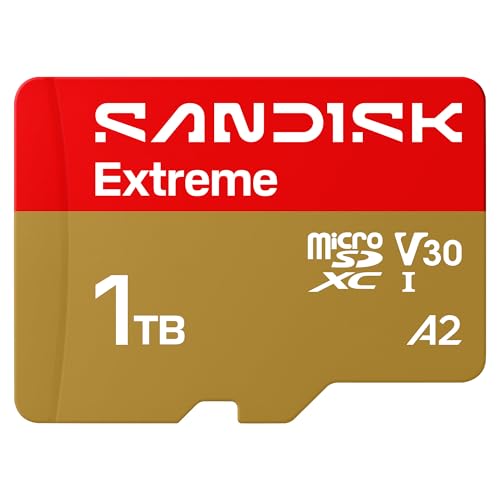
For seamless gameplay and quick game launches, read speed is crucial. Cards with UHS-I U3 and V30 ratings ensure smooth performance even with large open-world titles. The SanDisk Extreme offers up to 245MB/s read speeds, while the Lexar Play reaches 205MB/s. Both are well above the minimum needed for Steam Deck, so you can jump into your favorite games without long waits.
Write speed matters when downloading or transferring games. Faster write speeds reduce the time spent waiting for new installs. The SanDisk Extreme writes at up to 170MB/s, and the Lexar Play at up to 140MB/s. For reference, many security cameras also benefit from high write speeds, check our guide on Best SD Cards for Security Cameras for similar requirements.
Capacity and Durability
Steam Deck games can be large, so a 1TB card gives you plenty of room for dozens of titles. Both cards reviewed here offer 1TB capacity, letting you store your entire library without worrying about space. Durability is also key because you may carry your Deck on trips. The SanDisk Extreme is temperature proof, waterproof, shock proof, and magnet proof, making it a rugged choice for travel.
If you also use SD cards in other devices like trail cameras, you know the importance of reliability. For more on that, see our Best SD Cards for Trail Cameras in 2026 guide.
A2 Rating and App Performance
An A2 rating means the card is optimized for running apps and games directly from the card. Both the SanDisk Extreme and Lexar Play are A2-rated, ensuring minimal lag when loading game assets. This is especially important for the Steam Deck, where you often run games directly from the microSD card. Faster random read/write speeds translate to smoother gameplay and quicker level loads.
For other devices like Wyze cameras, similar performance criteria apply. Check out our best SD cards for wyze cameras for more insights on A2 and video speed classes.
Final Thoughts
After careful evaluation, the SanDisk 1TB Extreme microSD UHS-I Card stands out for its exceptional read speeds up to 245MB/s, making it ideal for large game files and quick loading. For a more budget-friendly option with reliable performance, the Lexar 1TB Play Micro SD Card, 205MB/s Read, 4K offers solid 205MB/s read speeds and is optimized for gaming devices like the Steam Deck. Both cards provide ample 1TB capacity and are backed by strong warranties. Choose the SanDisk if you demand top-tier speed, or the Lexar for a great balance of performance and value.
Frequently Asked Questions
What is the best SD card for Steam Deck in 2026?
The best SD card depends on your needs. For maximum speed, the SanDisk 1TB Extreme is unbeatable with 245MB/s reads. If you want a more affordable option with solid performance, the Lexar 1TB Play is a great choice. Both are A2-rated and U3/V30, perfect for gaming.
Can I use any microSD card with Steam Deck?
You can use any standard microSD card, but for the best experience, choose a card with at least UHS-I U3 speed class and A2 rating. Lower-speed cards may cause longer load times or stuttering in demanding games. Both cards we recommend meet these criteria.
How do I install an SD card on Steam Deck?
Insert the microSD card into the slot located on the bottom of the Steam Deck. The system will prompt you to format it. After formatting, you can set it as your default install location in Storage settings. It is a simple process that takes less than a minute.
Do I need a UHS-I or UHS-II card for Steam Deck?
The Steam Deck supports UHS-I cards. UHS-II cards are faster but not compatible with the Deck’s hardware, so stick with high-quality UHS-I cards. Both the SanDisk Extreme and Lexar Play are UHS-I and deliver excellent performance. For more on card compatibility, visit our Cards category page.


