

🔥 Webcam Black Friday Deals for 2026: picks worth watching →
Whether you are leading a virtual team meeting, streaming your latest gameplay, or recording a YouTube tutorial, the quality of your video can make or break your connection with your audience. Grainy, blurry images and poor lighting immediately undermine your credibility. A true 4K webcam solves these issues, delivering sharp, lifelike video that elevates every call. In this guide, we have assessed five of the best 4K webcams available, focusing on autofocus speed, low-light performance, audio clarity, and build quality. If you are exploring options, our webcams category offers more recommendations.




Buying Guide: What to Look for in a 4K Webcam
Resolution vs. Frame Rate Balance
True 4K at 30 frames per second (fps) offers stunning detail for static or moderate motion scenes, like presentations or talking head videos. For fast‑paced gaming or dynamic streams, 1080p at 60fps is often preferred. Many of the webcams we reviewed allow you to switch between these modes, so consider your primary use case before deciding.
Autofocus Technology: Why PDAF Matters
Phase Detection Autofocus (PDAF) locks onto your face faster and maintains focus more reliably than standard autofocus, especially when you lean in or move around. Models like the Acer and EMEET webcams with PDAF eliminate the annoying blur that plagues older cameras, making you look professional at all times.
Audio Quality and Noise Reduction
Built‑in microphones on webcams vary widely. The best 4K webcams include dual omnidirectional mics with noise‑canceling algorithms that filter out keyboard clicks, fan hum, and background chatter. If clear audio is a priority for you, prioritize models with dedicated noise‑reduction features and consider a separate microphone for studio‑grade sound.
Privacy and Build Quality
A physical privacy shutter is essential for peace of mind when the camera is not in use. Look for all‑metal or reinforced plastic bodies that feel sturdy and can withstand daily adjustments. Magnetic covers, like those on the Acer model, offer convenient, secure protection without adding bulk.
Final Thoughts
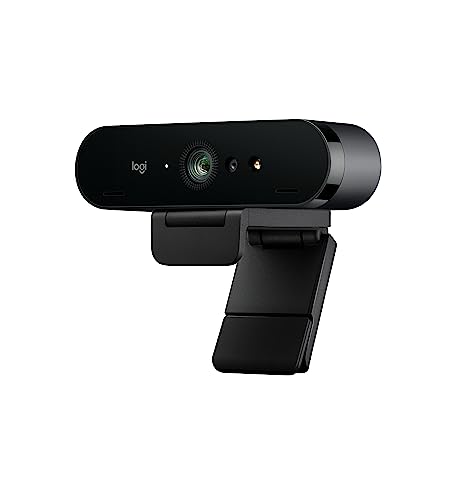
After evaluating each model across image quality, autofocus accuracy, audio performance, and overall value, two webcams stand out for different needs. For professionals and creators who demand premium build and sharp PDAF autofocus at an attractive price, the Acer 4K Webcam for PC/Mac with All-Metal Unibody is our top recommendation. If you need a proven, versatile option with excellent software support and a wide field of view for group calls, the Logitech 4k Webcam remains a reliable choice. Both deliver true 4K clarity that will upgrade your video presence immediately.
Frequently Asked Questions
Do I really need a 4K webcam for Zoom calls?
Zoom and most video conferencing platforms currently max out at 1080p for standard accounts, but a 4K webcam provides superior low‑light performance and a higher quality image when downscaled. If you plan to record local videos or stream, 4K gives you future‑proof clarity.
What is the difference between PDAF and regular autofocus?
Phase Detection Autofocus (PDAF) is faster and more stable than contrast‑based autofocus. It uses dedicated pixels on the sensor to calculate focus distance instantly, reducing hunting and keeping you crisp even during movement.
Can I use a 4K webcam with older computers?
Yes, most 4K webcams like the EMEET C960 and Acer webcam connect via USB‑A (with included adapters) and work on Windows, Mac, and ChromeOS. However, achieving full 4K may require a USB 3.0 port and sufficient CPU/GPU resources for encoding.
Which webcam is best for low‑light environments?
The Acer 4K Webcam with its large Sony 1/2″ sensor and the EMEET S600 with automatic light correction handle dim conditions exceptionally well. For rooms with uneven lighting, choose a model with HDR or RightLight technology.

