

Do you often feel cramped in video calls, showing only half your face or a cluttered desk corner? A wide angle webcam solves that by capturing a broader view, making you look more natural and professional. Whether you are a remote worker, a streamer, or a teacher, these cameras let you include more of your background or group members without sacrificing image quality. In this guide, we have reviewed six of the best wide angle webcams for 2026 to help you choose the right one for your setup. For those concerned about privacy, check out our roundup of the best webcams with privacy shutter to keep your lens covered when not in use.


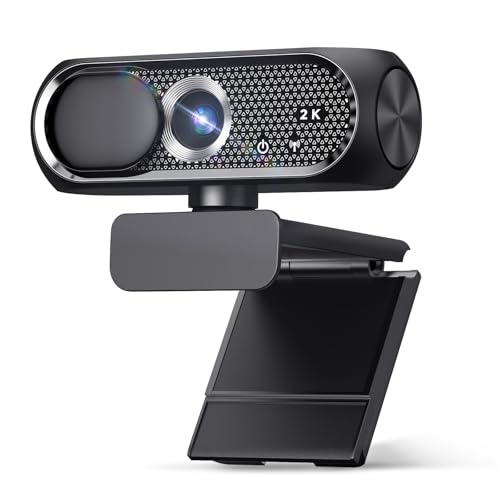


Buying Guide: What to Look for in a Wide Angle Webcam
Field of View (FOV)
The field of view determines how much of your surroundings the camera sees. Standard webcams often have a narrow 60 to 70 degree FOV, while wide angle models range from 90 to 120 degrees or more. For solo calls, a 90-degree lens is usually enough, but for group meetings or showing your workspace, a 110 to 120 degree FOV is ideal. If you need flexible framing, consider a pan tilt zoom webcam that lets you adjust the view remotely.
Resolution and Frame Rate
Wide angle lenses can introduce distortion, so a higher resolution helps maintain clarity. Look for at least 1080p Full HD, which is standard for crisp video calls. Some models offer 2K or 4K for sharper detail, especially if you plan to crop or zoom in. Frame rate matters too: 30 fps is fine for most uses, but 60 fps provides smoother motion for streaming or fast-paced demos.
Microphone and Noise Cancellation
Audio quality is just as important as video. Built-in microphones vary widely; many budget webcams include dual mics with noise reduction to filter out background hum. For professional calls or streaming, ensure the model you pick has a noise-canceling mic so your voice stays clear even in noisy environments. Some high-end webcams even let you adjust audio settings via software.
Autofocus and Low-Light Performance
A wide angle webcam should keep you in focus whether you lean in or step back. Autofocus (especially PDAF) ensures sharp images without manual tweaking. Low-light correction is also vital if you work in dim rooms or rely on window light. Many modern webcams automatically adjust brightness and color to make you look your best. For seamless framing, explore face tracking webcams that follow your movements.
Final Thoughts
Choosing the right wide angle webcam depends on your specific needs: for a premium streaming setup with dual cameras and 4K clarity, the EMEET C60E Dual 4K Webcam for Streaming delivers exceptional versatility with its telephoto lens and RGB lighting. If you prefer a budget-friendly option that still offers solid 1080p wide angle video and a privacy cover, the Gohero Full HD 1080P Video Webcam is a reliable choice for everyday video calls and online meetings. Both models include noise-canceling mics and easy plug-and-play setup, making them great additions to any home office.
Frequently Asked Questions
What is a wide angle webcam?
A wide angle webcam has a lens that captures a broader field of view than standard webcams, typically 90 degrees or more. This allows you to show more of your room, include multiple people, or present physical objects without moving the camera.
How wide should the field of view be for video calls?
For solo video calls, a 90-degree FOV is usually sufficient. If you often have group meetings or want to display your workspace, consider a 110 to 120 degree lens. Wider angles may cause some distortion, but modern software can correct it.
Do I need 4K for a wide angle webcam?
Not necessarily. 1080p Full HD is the standard for most video conferencing platforms and provides sharp images. 4K is beneficial if you plan to crop, zoom, or stream in higher quality, but it requires more bandwidth and processing power.
Can I use a wide angle webcam for streaming?
Yes, many wide angle webcams are designed for streaming with features like autofocus, noise cancellation, and adjustable mounts. For more control, consider a PTZ webcam that allows remote pan, tilt, and zoom during your streams.


