🔥 TV Black Friday Deals 2026: picks worth watching →
If you spend hours working on a laptop, you know the struggle: craning your neck to see the screen, feeling heat build up beneath the chassis, and watching your desk turn into a tangle of cables. A quality laptop arm fixes all of that. It lifts your screen to eye level, improves airflow, and reclaims valuable desk space. In this guide, we have evaluated the best laptop arms of 2026 to help you find the perfect match for your workspace. For more on building an efficient workstation, check out our top laptop recommendations.



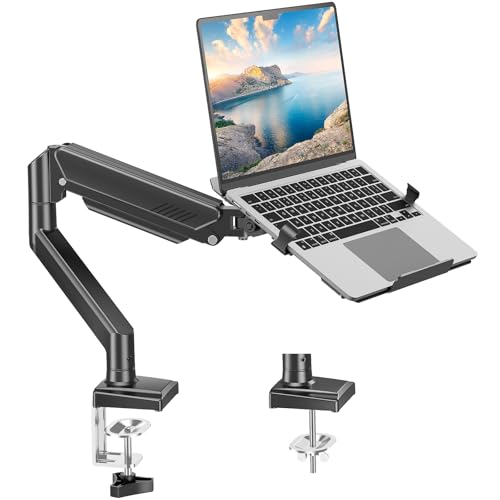
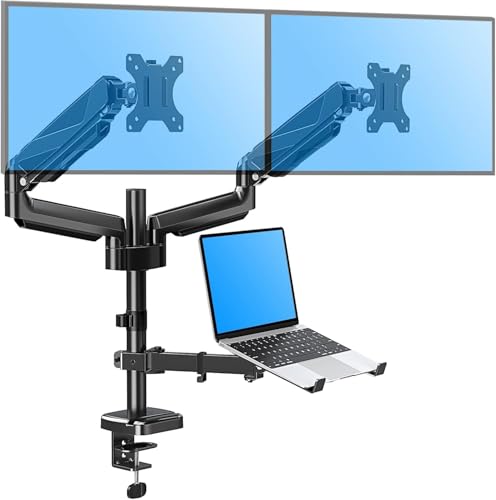
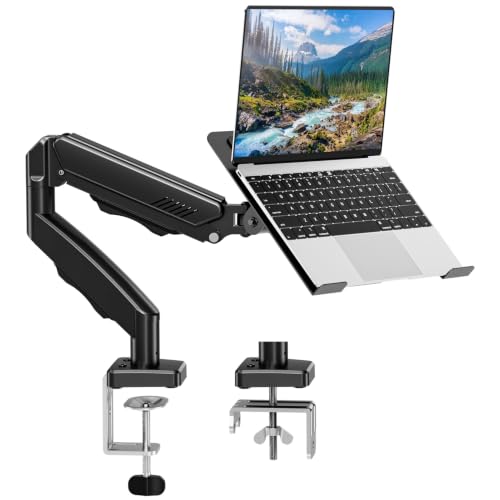


Buying Guide: What to Look for in a Laptop Arm
Compatibility and Weight Capacity
First, ensure the arm fits your laptop or monitor. Most models support laptops up to 17 or 18 inches and monitors from 13 to 32 inches. Weight limits range from 4.4 to 22 pounds or more. Check the VESA pattern (usually 75x75mm or 100x100mm) if you plan to use the arm with a monitor. For a closer look at versatile laptops, check our best windows laptops.
Full-Motion Adjustability
Look for arms that offer tilt, swivel, and rotation. A good arm lets you shift between landscape and portrait, angle the screen forward or back, and adjust height freely. The best models provide at least ±45° tilt, 180° swivel, and 360° rotation. This flexibility reduces neck and eye strain during long sessions.
Mounting Options
Most laptop arms include a C-clamp or grommet mount. Clamps work on desks up to about 3 inches thick, while grommets require a drilled hole. Both options are stable, but clamps are easier to install. If you have a glass desk, you may need a reinforcement plate. For high-performance setups, see our best i9 laptops collection.
Extra Features: Ventilation and Cable Management
Many arms come with ventilated trays that allow heat to escape, keeping your laptop cool during demanding tasks. Cable management channels built into the arm keep wires tidy and out of sight. Some trays include adjustable side clamps or anti-slip pads for added security. These small touches make a big difference in daily use.
Final Thoughts
After reviewing the top models, we recommend the MOUNTUP Dual Monitor and Laptop Mount for anyone building a multi-screen workstation, giving you two arms plus a laptop tray with smooth full-motion adjustments. For a more straightforward, single-device solution that still delivers solid ergonomics, the WALI Adjustable Laptop Desk Mount for 17 inch is a reliable, well-ventilated choice that won’t take over your desk. Both products have been rigorously assessed for stability, build quality, and ease of installation.
Frequently Asked Questions
What is the best laptop arm for a 17-inch laptop in 2026?
Several models excel for larger laptops. The MOUNT PRO Laptop Arm Mount for Desk offers a 22-pound capacity and a large tray with side clamps. The PUTORSEN Laptop Desk Mount supports laptops up to 18 inches and includes a 3-section arm for extra reach. Both options provide excellent ventilation and stability.
Can I use a laptop arm mount with a monitor?
Yes, most laptop arms are designed as 2-in-1 mounts. Simply remove the laptop tray and attach your monitor using the VESA plate. This makes the arm a versatile addition to any workspace. For help choosing a monitor, browse our best laptops page first.
How do I install a laptop desk mount on a glass desk?
Glass desks require extra care to avoid damage. Use a grommet mount if your desk has a pre-drilled hole. If using a clamp, you must place a rubber or metal reinforcement plate between the clamp and the glass. Many manufacturers (like MOUNTUP) recommend an optional reinforcement plate for safety.
Do laptop arm mounts help with overheating?
Yes, a laptop arm with a ventilated tray lifts the device off the surface, allowing air to circulate freely underneath. This helps reduce heat buildup, especially during prolonged gaming or video editing. Models with multiple vent slots, like the HUANUO Laptop Desk Mount, are particularly effective at cooling.