

🔥 TV Black Friday Deals 2026: picks worth watching →
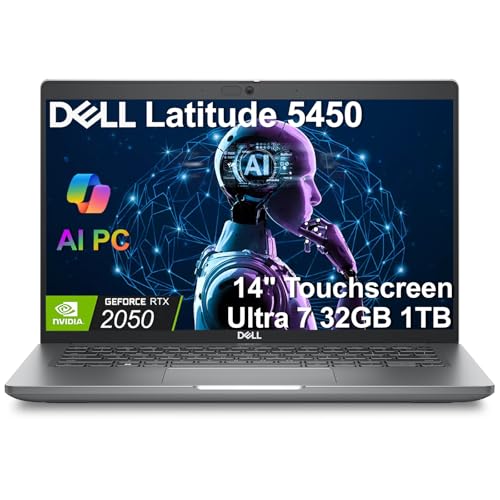
If you are a creative professional, a student juggling design projects, or a casual gamer who values the flexibility of a touchscreen, finding a laptop that pairs a responsive display with dedicated graphics can feel like a challenge. Most touchscreen models rely on integrated graphics, which struggle with video editing, 3D modeling, or modern games. That is why we have curated a list of the top touch screen laptops with dedicated graphics for 2026. Our picks include the powerhouse Dell Latitude 5450 Laptop, 14″ Touchscreen with NVIDIA RTX 2050 graphics, as well as capable alternatives from HP that deliver excellent value. Whether you need raw GPU muscle or a balanced daily driver, this guide will help you decide.
Before we dive into the reviews, consider checking our guide on best lightweight touch screen laptops if portability is your top priority. For those who prefer a backlit keyboard, our top touch screen laptops with backlit keyboard roundup may also be useful.




Buying Guide: What to Look for in a Touch Screen Laptop with Dedicated Graphics
Graphics Performance: Dedicated vs. Integrated
The most critical factor is the graphics processor. Dedicated GPUs like the NVIDIA GeForce RTX 2050 found in the Dell Latitude 5450 offer significantly better performance for rendering, video editing, and gaming compared to integrated solutions like AMD Radeon 610M. Integrated graphics share system memory and lack dedicated VRAM, which limits their ability to handle complex textures and high frame rates. For heavy creative workloads, a dedicated GPU is non-negotiable.
If your tasks are lighter—streaming, office work, or photo editing—integrated graphics in the HP OmniBook models can still deliver a smooth experience. However, for 2026 demands, we recommend prioritizing a dedicated GPU if you plan to work with 4K video or modern 3D applications.
Display Quality: Resolution, Brightness, and Touch Responsiveness
A touchscreen laptop should excel in both visual clarity and tactile response. Look for IPS panels with at least 1920×1200 (2K) resolution, like the HP OmniBook 3’s 2K display, which offers 11% more vertical space than standard 1080p. Brightness around 300 nits ensures usability in well-lit environments. Anti-glare coatings reduce reflections, and DC dimming (as seen on the HP OmniBook) minimizes flicker for eye comfort during long sessions.
Touch responsiveness should be accurate and support multi-touch gestures. All four models in our lineup feature responsive touchscreens, but the Dell Latitude 5450 adds an anti-glare finish that reduces fingerprints and glare.
Performance and Memory: CPU, RAM, and Storage
For multitasking and demanding apps, pair a powerful CPU with ample RAM. The Dell Latitude 5450 boasts an Intel Core Ultra 7 165H with 32GB DDR5 RAM, making it ideal for virtual machines, large datasets, and heavy multitasking. The Dell 16″ Touchscreen Laptop 2026 offers 16GB DDR5 with an AMD Ryzen 7 250, which is sufficient for most creative work. Budget-conscious buyers can consider the HP OmniBook models with 8GB RAM, suitable for lighter tasks.
Storage speed matters: PCIe NVMe SSDs (256GB to 1TB) ensure fast boot times and quick file access. For large media libraries, opt for at least 512GB. Our best 1440p gaming laptops guide offers additional insights on performance requirements for gaming.
Build Quality, Portability, and Connectivity
A touchscreen laptop should be sturdy yet portable. The Dell Latitude 5450 weighs around 3.5 pounds with a 14-inch chassis, while the HP OmniBook 3 is slightly larger at 16 inches but still manageable at about 4 pounds. Backlit keyboards, fingerprint readers, and webcam privacy shutters add convenience. Connectivity is key: Thunderbolt 4 (USB4) on the Dell Latitude enables fast data transfer and external 4K monitor support, while Wi-Fi 6E ensures future-proof wireless speed.
For gamers who value large screens, our best large screen gaming laptops article covers bigger options. If you prefer a more compact device, the top 1080p gaming laptops list might suit you.
Final Thoughts
After evaluating these four touch screen laptops, our top recommendation for users who truly need dedicated graphics is the Dell Latitude 5450 Laptop, 14″ Touchscreen. Its NVIDIA RTX 2050 GPU, 32GB RAM, and 1TB SSD make it a powerhouse for creative professionals and gamers alike. For those on a tighter budget who still want a vibrant touchscreen and all-day battery life, the HP OmniBook 3 16″ 2K IPS Touchscreen Laptop offers excellent value with its AMD Ryzen 5 processor and integrated Radeon graphics—enough for everyday productivity and light creative work. Whichever you choose, you will enjoy the convenience of a responsive touchscreen paired with capable graphics.
Frequently Asked Questions
What is the difference between integrated and dedicated graphics?
Integrated graphics share system memory and are built into the CPU, offering basic performance for web browsing and office tasks. Dedicated graphics have their own VRAM and processing unit, delivering much higher performance for gaming, 3D rendering, and video editing. For 2026, dedicated GPUs like the NVIDIA RTX 2050 are essential for demanding creative workflows.
Can I play modern games on these touch screen laptops?
Only the Dell Latitude 5450 with its NVIDIA RTX 2050 can handle modern games at medium settings and 1080p resolution. The HP OmniBook models with integrated Radeon 610M are limited to older or less demanding titles such as League of Legends or indie games. For serious gaming, a dedicated GPU is a must.
Is a touchscreen worth it for productivity?
Yes, especially for creative tasks like photo editing, note-taking, or navigating complex software interfaces. Touchscreens allow intuitive zooming, scrolling, and direct interaction. In 2026, most professional laptops include touch support, and models like the Dell Latitude 5450 combine it with anti-glare technology for comfortable use.
How much RAM do I need for creative work?
For video editing, 3D modeling, or heavy multitasking, 16GB is the minimum, and 32GB is recommended for professionals. The Dell Latitude 5450 offers 32GB DDR5, while the Dell 16″ Touchscreen Laptop 2026 provides 16GB. If your work is lighter, 8GB in the HP OmniBook models may suffice, but consider upgrading if you run multiple large applications.
For more guidance on choosing the right laptop, visit our laptops category page.




