🔥 TV Black Friday Deals 2026: picks worth watching →
As a busy professional, you need a device that adapts to your day—from drafting reports at your desk to presenting proposals in client meetings. Windows tablets offer the full desktop experience in a portable form, making them ideal for business use. In November 2026, we’ve evaluated the top models to help you choose the best Windows tablet for your workflow.
Whether you prioritize raw performance, durability, or value, our curated list covers six standout devices. For more options, check out our guide on the best Windows tablets with detachable keyboards for versatile productivity.


Buying Guide: What to Look for in a Business Windows Tablet
Performance and Processor
For business applications like Microsoft Office, video conferencing, and multitasking, a capable processor is essential. The Microsoft Surface Pro for Business packs Intel Core Ultra processors with AI-boosted NPU, ideal for intensive tasks like data analysis or virtual meetings. Meanwhile, the Fusion5 rugged tablet uses an Intel N100 chip that balances power and efficiency for fieldwork. Most models in our list come with 8GB to 16GB RAM, ensuring smooth operation. Look for at least 8GB RAM for smooth multitasking; 16GB or more ensures future-proofing.
Display and Build Quality
A crisp, responsive touchscreen improves note-taking and presentations. 10.1 to 13-inch screens are common. The Surface Pro’s 13-inch PixelSense offers vivid colors and high resolution, while the Fusion5’s 10.1-inch full HD display reaches 500 nits for outdoor readability. Touchscreens with active pen support (like Surface Pen) enhance note-taking and document annotation. Build quality matters for daily commuting—aluminum chassis and sturdy kickstands add durability. For fieldwork, consider rugged options like the Fusion5 tablet with shockproof and dustproof design.
Battery Life and Portability
All-day battery life lets you work without hunting for an outlet. Battery life varies from 8 to 14 hours. The Surface Pro leads with up to 14 hours, and its fast charging gets you back to work quickly. The Fusion5’s 6000mAh battery with FusionCharge is reliable for long shifts. Lightweight designs under 2 lbs make these tablets easy to carry. Portable chargers can extend runtime when you need extra power.
Connectivity and Accessories
USB-C, USB-A, HDMI, and microSD slots expand your options. Look for USB-C, USB-A, HDMI, and headphone jacks. The Surface Pro offers two USB-C ports with Thunderbolt 4 support for high-speed data transfer. The Fusion5 includes a full-size USB port and microSD slot. A detachable keyboard and stylus can transform your tablet into a laptop replacement. For more on accessories, read our roundup of top Windows tablets with keyboards.
Final Thoughts
Choosing the right Windows tablet for business comes down to your specific needs and budget. For uncompromising performance and premium build, the Microsoft Surface Pro for Business 2-n-1 is our top recommendation for professionals who demand the best. If you need a rugged, affordable workhorse that can handle tough environments, the Fusion5 Built in USA 10.1” Windows 11 offers exceptional value with its durable design and solid warranty. Both devices will keep you productive wherever work takes you.
Frequently Asked Questions
Can a Windows tablet replace a laptop for business?
Yes, with the right accessories like a keyboard and mouse, many Windows tablets offer the same functionality as a laptop. Models with Intel Core processors and adequate RAM can run full business software, making them suitable for most office tasks.
What is the best budget-friendly Windows tablet for business in 2026?
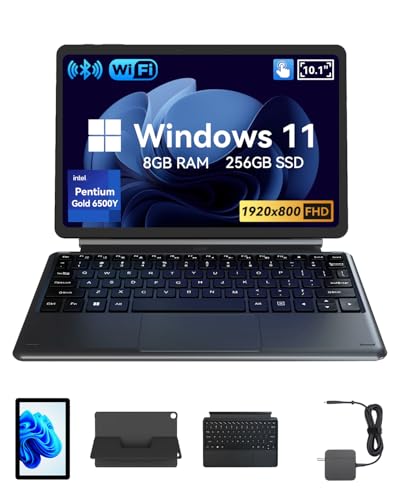
For professionals on a budget, the QAZIPO 2-in-1 Laptop/Tablet provides solid performance with an Intel Pentium processor and full Windows 11 at an affordable price. It includes a year of Office 365, adding extra value. See our best windows tablets for more options.
How much RAM do I need for business use?
8GB RAM is the minimum for smooth multitasking with office suites and web browsers. For heavy tasks like data analysis or virtual machines, 16GB or more is recommended. Future-proof your device by choosing a model with upgradeable RAM if possible.
Are Windows tablets secure for business data?
Windows 11 Pro includes enterprise-grade security features like BitLocker encryption, Windows Defender, and remote management capabilities. Many business tablets also support biometric authentication like Windows Hello for fingerprint or facial recognition.