

🔥 TV Black Friday Deals 2026: picks worth watching →
You care about your digital privacy. Every text, every photo, every login credential deserves protection. But with so many Android phones on the market, how do you choose one that genuinely keeps your data safe? This guide cuts through the noise and focuses on the best Android phones for security in 2026. Whether you are a privacy enthusiast or just want a device that won’t leave you vulnerable, we have selected models that excel in biometric authentication, software update policies, and built-in security layers. For a deeper dive into privacy features, check out our roundup of best Android phones for privacy.




Buying Guide
Biometric Authentication
Your phone should only unlock for you. Look for devices that offer fingerprint sensors or AI-driven face unlock. Fingerprint readers, whether side-mounted or under-display, provide fast and reliable access. Face unlock using infrared or advanced camera algorithms adds convenience without sacrificing security. The BLU Bold K12 and Motorola Moto G Play LTE both include dedicated fingerprint sensors, while the BLU G35 uses AI Face ID for a glance-based unlock.
Software Update Commitment
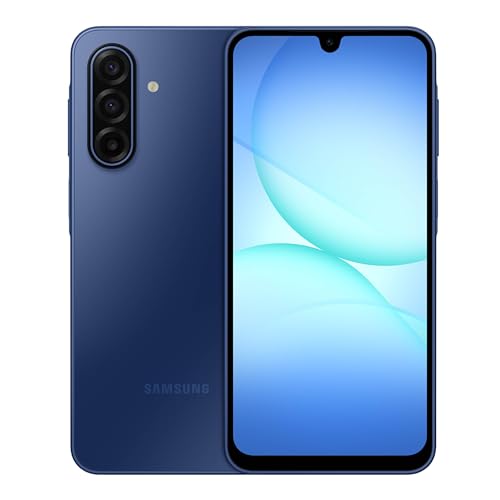
Security is not a one-time feature; it requires ongoing updates. Samsung leads the industry with its promise of six years of security updates for the Galaxy A17 5G. That means your phone stays protected against new threats long after purchase. Budget models from BLU and Motorola typically receive updates for two to three years, which is still valuable for cost-conscious buyers. For more on update policies, see our guide on best android phones for app development.
Privacy-Focused Hardware and Software
Beyond updates, hardware-level security matters. Samsung’s Galaxy A17 5G includes Samsung Knox, a defense-grade platform that isolates sensitive data. Devices like the BLU Bold K12 offer a side-mounted fingerprint sensor that keeps your biometric data local. Also consider physical durability: an IP54 rating (like the Galaxy A17) protects against dust and splashes, reducing the risk of water damage that could compromise data integrity.
Storage and Expandability
Encrypted storage is a must. All phones here support encryption, but having room for files without cloud dependence adds privacy. The Samsung Galaxy A17 5G supports up to 2TB of expandable storage, letting you keep sensitive data offline. The Motorola Moto G Play LTE also accepts microSD cards up to 1TB. For more on storage considerations, visit the Phones category page.
Final Thoughts
After evaluating the top contenders, two phones stand out for different needs. If you want the longest security update window and robust hardware protection, the Samsung Galaxy A17 5G Smart Phone 128GB is your best bet, with six years of updates and Samsung Knox. For a budget-friendly option that still includes a dedicated fingerprint sensor and a large battery, the BLU Bold K12 | 2025 | Unlocked delivers excellent value without cutting corners on basic security. Both keep your data safe while meeting your daily needs.
Frequently Asked Questions
How often do Android phones get security updates?
It depends on the manufacturer. Samsung now offers six years of security updates for many models, including the Galaxy A17 5G. Budget brands like BLU and Motorola typically provide updates for two to three years. Always check the update policy before buying if long-term protection matters to you. For more tips, read our blog on smartphone maintenance.
Which Android phone brand is best for security?
Samsung is widely considered the leader due to its Knox security platform and extended update commitments. Google Pixel phones also receive timely updates, though they are not included here. For a balance of price and security, BLU offers modern biometrics like AI Face ID and fingerprint sensors.
Do budget Android phones have good security features?
Yes, many budget phones now include fingerprint sensors, face unlock, and encryption. The BLU G35 and BLU Bold K12 both offer biometric authentication. However, they may receive fewer software updates than premium models. For a budget pick with strong security, consider the best Android phones for developers guide.
What is the importance of biometric authentication on phones?
Biometrics like fingerprint scanning and face recognition provide a fast, unique way to secure your device. They prevent unauthorized access even if your phone is lost or stolen. Combined with encryption, biometrics form the first line of defense for your personal data.
