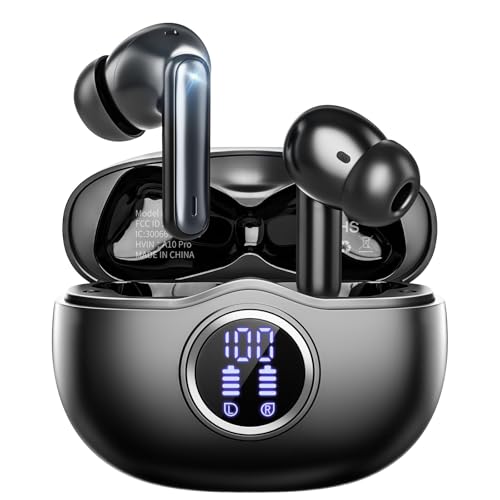
Whether you are deep into a competitive gaming session or grinding through a busy workday, the right pair of wireless earbuds can transform your PC experience. Wired headsets can feel restrictive, and bulky over-ear models might not suit everyone. That is where the best wireless earbuds for PC come in, offering freedom of movement, low latency, and clear communication. In this guide, we have evaluated nine top models from brands like AOC, ASUS, Razer, and Middle Rabbit to help you find the perfect audio companion for your desktop or laptop setup. For more audio upgrades, check out our picks for top portable chargers with built-in cables.




Buying Guide: What to Look For in Wireless Earbuds for PC
Latency and Connection Type
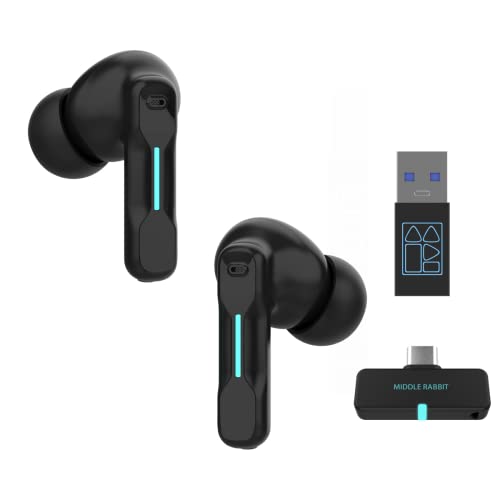
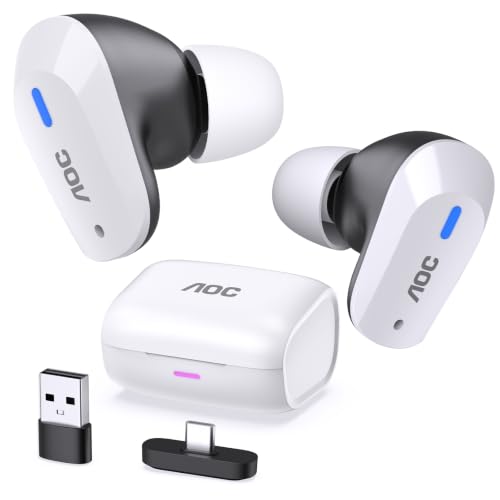
For PC use, especially gaming, low latency is critical. Look for earbuds that support a dedicated 2.4 GHz wireless dongle, as this connection type typically delivers the lowest delay, often around 20 milliseconds. This ensures your audio stays perfectly synced with on-screen action, giving you a competitive edge in fast-paced games. Bluetooth can be fine for music or calls, but for serious gaming, a dongle-based connection is a must. Many models like the AOC Wireless Gaming Earbuds for PS and the Middle Rabbit SW5 offer dual-mode connectivity, letting you switch easily between low-latency gaming and everyday Bluetooth use.
Microphone Quality for Communication
If you plan to use your earbuds for team chat, voice calls, or streaming, a good microphone is essential. Many gaming earbuds now include built-in microphones with noise cancellation features. The ASUS ROG Cetra models use bone-conduction AI microphones that isolate your voice from background noise, while the FEDIKER SW4 Pro and Middle Rabbit SW4 Pro feature multiple microphones for clear vocal pickup. For the best results, look for earbuds that specifically mention noise-cancelling or AI-enhanced microphones. This can make a huge difference in how clearly you are heard by teammates or colleagues.
Battery Life and Charging Case
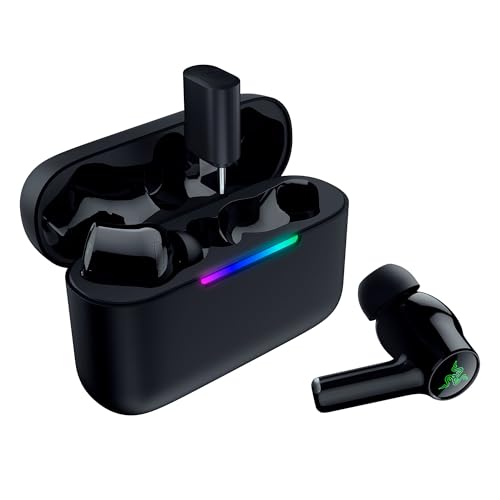
Long gaming sessions or workdays require earbuds that can keep up. Battery life varies widely among models. Some offer around 6 to 8 hours per charge, while premium options like the ASUS ROG Cetra SpeedNova can deliver up to 46 hours in Bluetooth mode. The charging case is also important; look for one that provides multiple full recharges and supports quick charging. For instance, the Razer Hammerhead V3 offers a total of 40 hours with its case, and the Middle Rabbit Rampage 2 uses a neckband design that eliminates the need for a case during use, which can be convenient for all-day wear. For more on compact audio solutions, see our guide on best wireless earbuds for small ear canals.
Final Thoughts
Choosing the best wireless earbuds for your PC comes down to your primary use case. For competitive gamers who demand the lowest latency and premium features like adaptive ANC and high-resolution audio, the ASUS ROG Cetra True Wireless SpeedNova is an outstanding choice. If you need a versatile, budget-friendly option that handles both gaming and daily calls with ease, the FEDIKER SW4 Pro Wireless Earbuds offer excellent value and reliable performance. Both models provide the low latency and clear communication you need for a seamless PC experience.
Related Guides
Frequently Asked Questions
Can I use Bluetooth earbuds for gaming on PC?
Yes, you can use standard Bluetooth earbuds for casual gaming, but they may introduce noticeable audio lag. For competitive gaming in 2026, it is better to choose earbuds with a 2.4 GHz wireless dongle, which offers ultra-low latency (around 20ms) for real-time audio sync. Many models in this guide support both modes for flexibility.
Do wireless earbuds work with PC for voice chat?
Absolutely. Many wireless earbuds designed for PC include built-in microphones that work for voice chat, online meetings, and streaming. Models like the Middle Rabbit SW5 and the FEDIKER SW4 Pro feature multiple microphones with noise cancellation, ensuring your voice is heard clearly. Be sure to check compatibility with your PC’s operating system, but most are plug-and-play.
What is the difference between 2.4 GHz and Bluetooth for PC earbuds?
The main difference is latency and range. A 2.4 GHz connection via a USB dongle provides much lower latency (around 20ms) and a more stable connection, making it ideal for gaming and real-time audio. Bluetooth is more convenient for everyday listening and connecting to multiple devices, but it often has higher latency (typically 100 to 200ms) that can cause audio lag in games. Many top earbuds now offer both modes for the best of both worlds.
How long do wireless earbuds for PC typically last on a single charge?
Battery life varies by model. Most gaming earbuds offer between 6 and 10 hours of continuous playback per charge. Premium models like the ASUS ROG Cetra SpeedNova can last up to 46 hours in Bluetooth mode with RGB lighting off. The charging case usually provides multiple full recharges, extending total playtime significantly. For example, the AOC Wireless Gaming Earbuds for PS offer up to 32 hours total with the case. For more on portable power, see our guide on top portable chargers with built-in cables.