You just ran out of ink on a Sunday afternoon, and the only way to reorder is through a mandatory subscription plan that bills you monthly whether you print or not. Sound familiar? Many modern printers push subscription services, but you don’t have to be locked in. This guide covers the best printer for home without subscription, focusing on models that give you the freedom to buy supplies when you need them, not when a plan dictates.
We’ve evaluated a range of Brother printers, known for reliability and low running costs, to help you find the perfect match for your home office, student needs, or everyday family printing. Whether you need a compact monochrome laser for documents or a color inkjet for photos and school projects, we’ve got you covered. Let’s dive into the top choices that respect your wallet and your independence. For more insights, check our printers category for additional reviews.




Buying Guide: What to Look For in a No-Subscription Printer
When you’re searching for a printer that doesn’t force a subscription, you need to focus on a few key aspects that ensure you get the best value and performance without hidden strings. Here are the essential criteria we used to shortlist the best options.
1. Cost per Page and Ink or Toner Yield
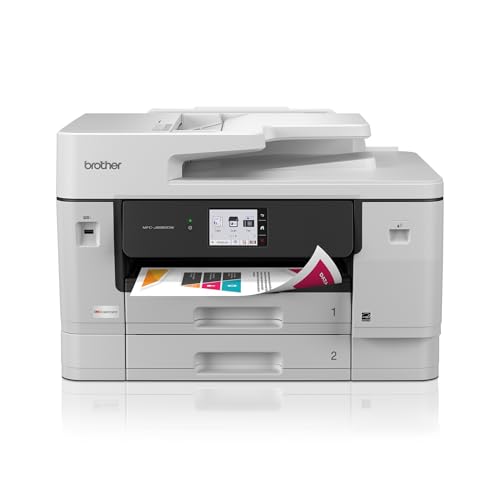
The real cost of a printer isn’t the purchase price; it’s the ongoing expense of ink or toner. Look for models with high-yield cartridges or toner that can print thousands of pages before needing replacement. Brother’s INKvestment series, for example, includes cartridges that yield up to 1,800 pages in black, which drastically reduces your per-page cost. This is crucial for a no-subscription setup because you want to buy supplies infrequently and at a reasonable price. For more on this, see our guide on best brother printer ink to understand cartridge options.
2. Connectivity and Mobile Printing
In a modern home, you’ll likely print from laptops, smartphones, and tablets. Ensure the printer offers robust wireless connectivity, including Wi-Fi, and ideally Wi-Fi Direct for printing without a network. Look for support for Apple AirPrint, Google Cloud Print (though deprecated, many apps now handle cloud printing), and a dedicated mobile app like Brother Mobile Connect. This flexibility means you can print from anywhere in your home without being tethered to a USB cable.
3. Print Speed and Duplexing
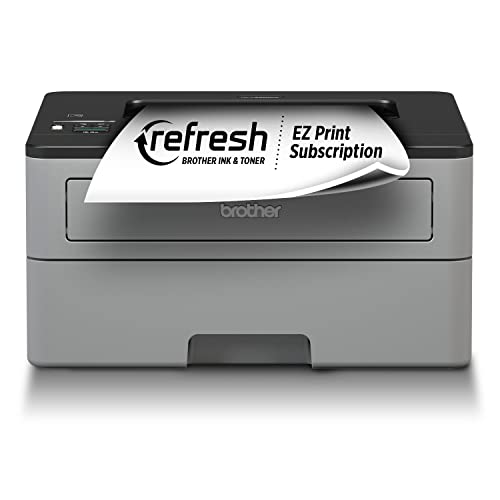
If you often print multi-page documents, speed matters. A printer that churns out 30+ pages per minute (ppm) will save you time. Automatic duplex (two-sided) printing is another must-have; it cuts paper usage in half and makes your printing more eco-friendly. Brother’s laser models, like the HL-L2350DW, offer fast speeds and automatic duplexing, making them ideal for busy households. For a detailed look at a compact laser option, read our Brother HL-L2405W review.
4. Multi-Function Capabilities
Consider whether you need a printer that also scans, copies, and possibly faxes. An all-in-one (AIO) printer can replace multiple devices, saving space and money. If you have a home office, a model with a flatbed scanner and an automatic document feeder (ADF) for multi-page scanning is invaluable. Brother’s MFC series offers these features in compact designs, as highlighted in our Brother MFC-L2820DW review.
Final Thoughts
Choosing the best printer for home without subscription comes down to your specific needs: for straightforward, high-speed monochrome printing, the Brother Compact Monochrome Laser Printer is an unbeatable choice, while if you need color printing and copying with low running costs, the Brother INKvestment 6560 Wireless Color Inkjet offers exceptional value. Both models give you the freedom to purchase supplies as needed, without any mandatory subscription, ensuring you stay in control of your printing costs.
Frequently Asked Questions
Can I use a Brother printer without signing up for Refresh subscription?
Absolutely. Brother printers come with a trial for their Refresh subscription, but it’s entirely optional. You can simply decline the trial and use standard Brother ink or toner cartridges purchased from any retailer. This gives you complete control over your supply purchases.
What is the cheapest way to print at home without a subscription?
The cheapest way is to choose a laser printer with high-yield toner cartridges, as they offer the lowest cost per page. Models like the Brother HL-L2350DW use toner that lasts thousands of pages, so you won’t need to buy replacements often. Also, use duplex printing to halve your paper costs.
Are there any hidden fees with no-subscription printers?
No, there are no hidden fees. You pay for the printer and then only for ink or toner when you run out. Some printers may come with a trial subscription, but you can cancel before it ends without any charges. Always check the product details to ensure you’re not auto-enrolled.
Do Brother printers work with third-party ink cartridges?
Brother printers are designed to work with Brother Genuine supplies for optimal performance. While third-party cartridges may be cheaper, they can sometimes cause quality issues or void the warranty. For reliable results, we recommend using Brother Genuine ink or toner, especially if you want to avoid troubleshooting. In 2026, Brother continues to offer some of the most affordable genuine supplies on the market.