

🔥 TV Black Friday Deals 2026: picks worth watching →
Picture this: you are on a critical conference call, and a jackhammer starts up right outside your window. Or you are driving to a client meeting, and the in-car speaker system makes your voice sound like you are underwater. These are the daily battles of professionals who rely on clear, reliable communication. The right headset can be the difference between closing a deal and losing a connection. This guide is designed for busy professionals, remote workers, and road warriors who need a dependable Bluetooth headset for business calls, whether you are in a noisy office, a home workspace, or on the move.
We have evaluated a range of models to help you find the perfect fit for your workflow. From industry-leading noise cancellation to all-day comfort and multi-device versatility, we have considered what matters most for professional use. We also consider how each headset handles background noise, battery life for long hauls, and how easily it connects to your laptop, phone, and other devices. By the end, you will have a clear picture of which Bluetooth headset for business is right for you.




Buying Guide: What to Look for in a Business Bluetooth Headset
Choosing the right Bluetooth headset for business goes beyond just picking the first one you see. To ensure you get a model that truly fits your professional needs, consider these key factors. We have broken down the most important aspects to help you make an informed decision, focusing on the features that have the biggest impact on your daily work life.
Noise Cancellation: Your Key to Clear Calls
The single most important feature for a business headset is how well it handles background noise. Look for headsets with dual or multiple microphones that use digital signal processing to isolate your voice from ambient sounds. This is especially critical if you take calls from busy places like coffee shops, co-working spaces, or while traveling. A headset that blocks out 90% or more of background noise will make sure the person on the other end hears you, not the chaos around you.
Consider the environment where you will use the headset most. If you are often in extremely loud settings, you might want a model with advanced active noise cancellation (ANC) that also reduces noise reaching your own ears. For more typical office settings, a good noise-cancelling microphone might be all you need. Think about your daily commute and office environment to determine the level of noise blocking that is right for you. For more tips on clear calls, check out our guide on computer headsets with a microphone.
Battery Life and Charging: Keeping Up With Your Day
Battery life is a non-negotiable for professionals who are constantly on the move. A headset that dies in the middle of a long conference call is a major productivity killer. Look for a model that offers at least 20 hours of talk time on a single charge, and consider a charging case if you often forget to plug in overnight. Fast-charging capabilities are also a huge plus, giving you several hours of use from just a 15-minute charge.
Also, think about the charging port. USB-C is becoming the standard, so you can use the same cable for your phone, laptop, and headset. Some headsets even offer the ability to be used while charging, which is a lifesaver during a busy day. If you frequently travel, a headset with a long battery life and a portable charging case will be your best ally. For more options on long-lasting headsets, you might want to explore our roundup of wireless headsets for computer use.
Comfort and Fit: For All-Day Wear
Since you will likely be wearing your headset for hours at a time, comfort is paramount. Look for a headset with plush ear cushions, a padded headband, and a lightweight design. Over-the-ear models tend to be more comfortable for long periods, while on-ear models are more portable. If you prefer an earbud style, consider options that come with multiple ear tip sizes to ensure a secure and comfortable fit. A headset that is too heavy or tight will distract you from your work and cause fatigue.
Consider the weight distribution. A well-balanced headset will feel barely there, even after hours of use. Additionally, think about the microphone boom. A flexible boom that can be adjusted to sit near your mouth will pick up your voice better and reduce the need to speak loudly. For those who wear glasses, make sure the ear cushions are soft enough not to cause pressure points. Your comfort directly impacts your focus and productivity.
Connectivity and Multipoint: Seamless Switching
Modern business headsets offer multipoint connectivity, allowing you to connect to two devices simultaneously. This is a game-changer, as you can seamlessly switch between your laptop and your smartphone. For example, you can be listening to a meeting on your laptop and answer a call on your phone without missing a beat. Look for headsets with Bluetooth 5.0 or newer for a stable, reliable connection with a long range.
Some headsets also come with a USB dongle that provides a more robust connection, especially for computers that have poor Bluetooth hardware. This can also help reduce latency and improve audio quality during video calls. When choosing a headset, consider how many devices you use daily and whether you need the flexibility of multipoint. For more insights on headsets that work well across multiple platforms, check out our guide on PC headsets with a mic.
Final Thoughts
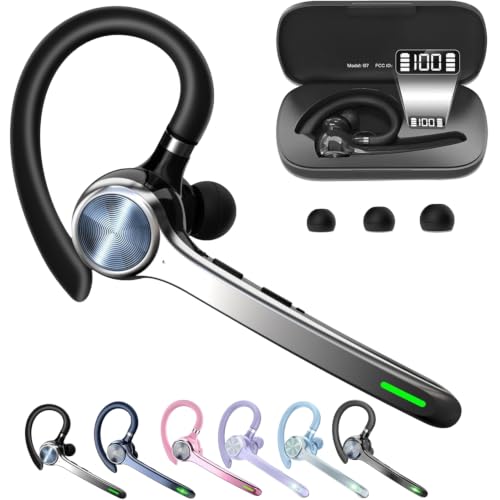
Choosing the right Bluetooth headset for business is a personal decision that depends on your specific needs, work environment, and budget. For those who demand the absolute best in noise cancellation and durability, the BlueParrott B450-XT Bluetooth Headset is a top-tier choice, engineered for the toughest conditions. If you are looking for a versatile, feature-packed option that offers excellent value, the COMEXION Bluetooth Headset V5.3 stands out with its dual mics, portable charging case, and long battery life. No matter which you choose, investing in a quality headset will transform your communication and help you maintain a professional edge in every conversation.
Frequently Asked Questions
What is the best Bluetooth headset for business calls in 2026?
The best Bluetooth headset for business calls in 2026 depends on your needs, but top contenders include the BlueParrott B450-XT for its industry-leading noise cancellation and the COMEXION V5.3 for its excellent balance of features and portability. Look for models with strong noise-cancelling mics and long battery life to keep you productive all day.
Can I use a Bluetooth headset with my computer for work calls?
Yes, most modern Bluetooth headsets are compatible with computers, but you may need to ensure your PC has Bluetooth capability. For computers without built-in Bluetooth, many headsets, like the COMEXION V5.3, include a USB dongle that provides a reliable wireless connection. This allows you to use the headset with your laptop, desktop, and smartphone seamlessly.
How do I choose a headset that blocks out background noise?
To block out background noise, look for a headset with multiple microphones and digital noise cancellation technology. Features like environmental noise cancelling (ENC) or dual-mic beamforming help isolate your voice from ambient sounds. For extremely noisy environments, consider a headset with active noise cancellation, which also reduces noise reaching your ears.
How long does the battery last on a typical business Bluetooth headset?
Battery life varies by model, but most quality business Bluetooth headsets offer between 20 and 40 hours of talk time on a single charge. Some models, like the Soothielec Wireless Headset, feature a charging stand or case that provides additional charges, making them perfect for all-day use. Always check the product specifications to ensure the battery life meets your daily requirements.


