

🔥 TV Black Friday Deals 2026: picks worth watching →
You are in the heat of a battle royale, and your aim needs to be pixel-perfect. Every millisecond counts, and the wrong mouse can mean the difference between victory and defeat. This guide covers the best gaming mouse for PC in 2026, helping you cut through the noise to find a mouse that matches your grip style, game genre, and budget. Whether you are a competitive FPS player or a casual MMO enthusiast, we have you covered.
Our team has reviewed dozens of models, focusing on sensor accuracy, build quality, and comfort for long sessions. We have included options from top brands like Razer, Logitech G, Redragon, and BENGOO, ensuring there is something for every gamer. If you are exploring specialized options, check out our guide to gaming mice with joysticks for unique control schemes.




Buying Guide
Sensor Accuracy and DPI
The sensor is the heart of any gaming mouse. Optical sensors like the Razer Focus+ 26K DPI or Logitech HERO offer flawless tracking with no smoothing, ensuring every flick shot registers. Look for a DPI range that suits your playstyle, but avoid chasing ultra-high numbers since most gamers play between 800 and 3200 DPI.
For competitive gamers, a high IPS (inches per second) rating is crucial for fast movements. Models with 400 IPS or more, like the Logitech G305, handle rapid swipes without skipping. For more on sensor technology, see our razer basilisk V3 pro review.
Ergonomics and Grip Style
Your hand size and grip style determine which shape works best. Palm grippers need a larger mouse with a thumb rest, like the Razer Basilisk V3, while claw or fingertip grippers prefer smaller, lighter mice such as the Logitech G305. An ergonomic design reduces fatigue during marathon sessions.
Ambidextrous shapes are rare but exist for left-handed gamers. Most right-handed models offer sculpted contours that support the thumb and ring finger. If you play MMOs, consider a mouse with extra side buttons for quick ability access. Our best gaming mouse for WoW guide covers this in depth.
Wired vs. Wireless
Wireless technology has come a long way. Logitech’s LIGHTSPEED and Razer’s HyperSpeed offer latency that rivals or beats wired connections, with 1 ms report rates. Wireless mice like the Razer Basilisk V3 X HyperSpeed give you freedom of movement without performance loss.
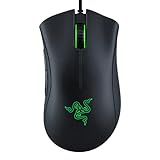
Wired mice remain a solid choice for budget-conscious gamers or those who never want to worry about battery life. Models like the Razer DeathAdder Essential offer reliable performance at a low cost. For a deep dive into wireless options, read our best gaming mouse with infinite scroll guide.
Build Quality and Durability
A gaming mouse should withstand years of clicks and drops. Look for optical switches rated for 70 million clicks, like those in the Razer Basilisk V3, or mechanical switches with proven longevity. The shell material matters too, with matte finishes resisting fingerprints and textured grips improving control.
Cable quality is often overlooked. Braided cables resist tangling and reduce drag, while paracord-style cables feel nearly wireless. For budget picks, the Redragon S101-3 PRO combo offers surprising durability for its price. Check our Redragon M612 review for more on Redragon’s build quality.
Final Thoughts
Choosing the best gaming mouse for PC comes down to your personal preferences and gaming habits. For a premium wired experience with exceptional customization, the Razer Basilisk V3 Customizable RGB Wired Ergonomic stands out with its 11 programmable buttons and HyperScroll tilt wheel. If you prefer wireless freedom without sacrificing performance, the Logitech G305 Lightspeed Wireless Gaming Mouse offers incredible battery life and a lightweight design at an accessible price point. Both options represent the best in their class and will elevate your gameplay immediately.
Frequently Asked Questions
What DPI is best for gaming?
Most professional gamers use a DPI between 800 and 1600, combined with a low in-game sensitivity. Higher DPI settings above 3200 can cause jittery cursor movement. The best DPI depends on your game genre and personal preference, but starting at 800 DPI is a safe bet.
Is a wireless gaming mouse worth it in 2026?
Absolutely. Modern wireless technology like Logitech LIGHTSPEED and Razer HyperSpeed delivers latency that is indistinguishable from wired connections. The added freedom and lack of cable drag make wireless mice a top choice for competitive gamers. Battery life has also improved, with many models lasting over 200 hours on a single charge.
How many buttons do I need on a gaming mouse?
For most games, 6 to 8 buttons (including left, right, scroll, and two side buttons) are sufficient. MMO and MOBA players benefit from 12 or more side buttons for quick ability casting. FPS players often prefer fewer buttons to avoid accidental presses. Choose based on your primary game genre.
Can I use a gaming mouse for work?
Yes, many gaming mice have programmable buttons that can be mapped to productivity shortcuts like copy, paste, or volume control. Ergonomic designs with thumb rests also reduce strain during long work hours. For a versatile option, consider the Razer Basilisk V3, which excels in both gaming and office tasks.


