

Running a business, school, or organization means you need reliable ID badges for employees, students, or members. Printing them in-house saves time and money, and the right printer can deliver crisp, durable cards in minutes. If you’re also setting up remote employee onboarding, a quality webcam for photo capture can streamline the process. Check out our guide to the best webcams for first-time buyers to complete your setup. In this guide, we’ll review the best ID card printers of 2026, covering everything from compact single-sided models to high-speed dual-sided workhorses.




Buying Guide: How to Choose the Best ID Card Printer
Print Speed and Volume
Before you invest, consider how many cards you’ll print per hour. For occasional use, a manual feed printer is sufficient, but if you’re issuing hundreds of badges daily, you need a model with faster throughput. Most entry-level printers produce around 150 to 300 color cards per hour, while high-end models can exceed 500. Assess your peak demands and choose accordingly.
For high-volume environments, look for printers with automatic feeders and higher ribbon yields. A dual-sided printer might be slower than a single-sided one, but it saves time on the back side. Always match the printer’s speed to your real-world workflow.
Single-Sided vs. Dual-Sided
Single-sided printers print only on the front of the card, which is perfect for basic identification. Dual-sided models add a layer of security and professionalism, allowing you to put important data, logos, or signatures on the back. If you need access control encoding or want to use both sides for branding, a dual-sided printer is worth the extra investment.
However, dual-sided printing typically costs more and may have a slower speed. Weigh the benefits against your specific needs. For many small businesses, single-sided is enough, but schools and larger organizations often prefer dual-sided.
Software and Ease of Use
The included software can make or break your experience. Look for intuitive programs with pre-designed templates, drag-and-drop features, and database import capabilities. You don’t want to spend hours learning complex design tools. A good software suite will let you create professional cards in minutes.
To run the design software without hiccups, a capable laptop is essential. If you’re a student or professional, you might already have one, but for recommendations, see our top laptop picks for MATLAB for performance guidance. Similarly, for more demanding design tasks, you might need extra processing power, and our laptops for ArcGIS roundup can help you choose a robust machine.
Compatibility and Connectivity
Check that the printer works with your operating system, whether Windows, macOS, or Linux. Most models support multiple platforms, but some are limited. Also, consider how you’ll connect: USB is standard, but network printing lets you share the printer across a team. A stable network ensures smooth communication, so investing in a reliable router is wise. Check out our best routers for First-Time buyers to upgrade your office network.
Some printers also offer optional Wi-Fi or Ethernet modules, which are great for centralizing printing. Make sure the printer’s driver is up to date and that the software is compatible with your setup. A little forethought now saves headaches later.
Final Thoughts
For most small businesses and schools, the Cardholdir ID Easy Badges Solid 210 ID Badge offers an all-in-one solution with everything you need to start printing right away. If you need double-sided printing and faster speeds, the Zebra ZC350 Dual Sided ID Card Printer is a professional-grade choice that won’t disappoint.
Frequently Asked Questions
What is the difference between single-sided and dual-sided ID card printers?
Single-sided printers print only on the front, while dual-sided models can print on both sides. Dual-sided is ideal for adding security features like signatures or barcodes on the back, but it typically costs more and prints a bit slower.
How many ID cards can I print per hour with these printers?
Most entry-level printers, like the Cardholdir and IDP SMART-21S, can produce around 150 to 300 color cards per hour. Higher-end models like the Zebra ZC350 and Magicard 300 can exceed 500 cards per hour, depending on the complexity and whether you print single or dual sided.
Do I need special software to design ID cards?
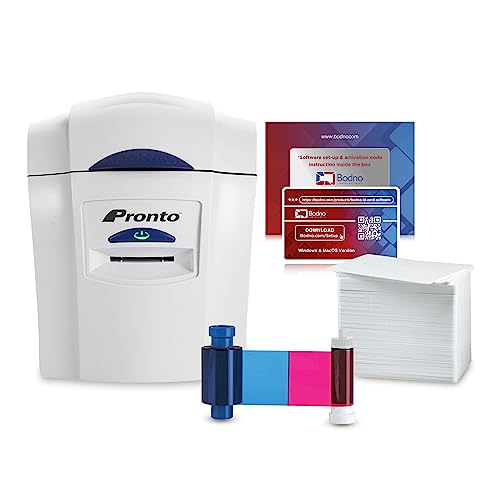
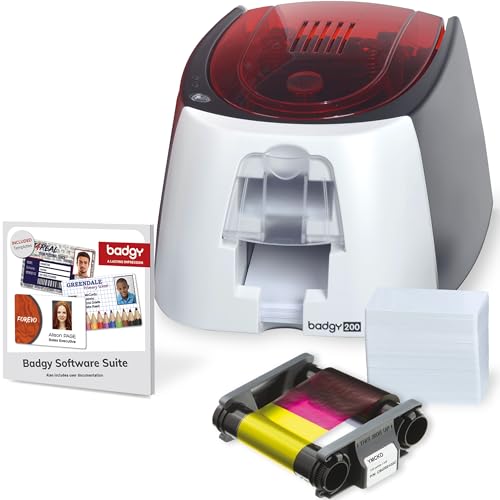
Yes, you’ll need ID design software, but many printers come with a starter version that includes templates and drag-and-drop tools. For example, the Badgy200 includes Badge Studio+, while the Bodno packages include the Bronze Edition with lifetime support. These are perfect for beginners.
Can I print ID cards on a Mac or Linux system?
Most modern printers support macOS and many also work with Linux. The Bodno Seaory S25, for instance, is compatible with Windows, Mac, and Linux. Always check the product specifications. And if you’re using a smartphone to capture photos for your IDs, you might prefer a device without bloatware; our list of smartphones without bloatware can help you choose a cleaner option.


