🔥 TV Black Friday Deals 2026: picks worth watching →
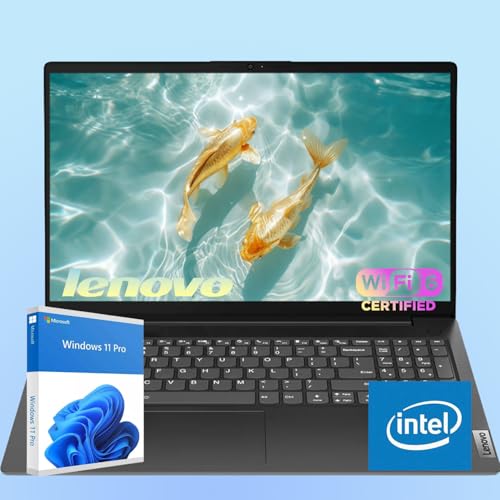
You have a vision for your home studio: crisp vocals, clean instrumentals, and a workflow that never stutters. But without the right laptop, even the best microphone or headphones can’t shine. Whether you’re recording podcasts, mixing tracks, or producing beats, your laptop is the command center. It needs enough processing power to handle multiple tracks and plugins, ample RAM for smooth multitasking, and the right ports to connect your gear. In this guide, we explore what makes a laptop ideal for home studio recording and highlight the accessories that elevate your sound. If you’re still deciding on a laptop, our best laptops for home studio recording roundup covers top models for 2026.





Buying Guide: What to Look for in a Home Studio Laptop
Processor and RAM for Audio Production
Audio recording and mixing are CPU-intensive tasks, especially when you run multiple virtual instruments or effects. Look for a laptop with at least an Intel Core i5 or AMD Ryzen 5 processor, ideally i7 or Ryzen 7 for heavier projects. RAM is equally critical: 16GB is the sweet spot for most home studios, while 32GB future-proofs your setup for large sample libraries. For more on choosing a powerful laptop, check our guide on best laptops for digital art, which shares similar performance needs.
Storage and Connectivity
Fast storage reduces load times for samples and projects. A solid-state drive (SSD) is essential, aim for at least 512GB, with 1TB or more if you record many tracks. Connectivity matters too: USB-C or Thunderbolt ports allow low-latency connections to audio interfaces and external drives. A mix of USB-A ports is still handy for older microphones and MIDI controllers. If you also edit video alongside audio, the best laptops for YouTube editing offer similar storage and port requirements.
Audio Interface Compatibility and Low Latency
For professional recording, you’ll likely use an external audio interface. Ensure your laptop has the right ports (USB or Thunderbolt) and that the interface drivers are compatible with your operating system. Low-latency performance is crucial for real-time monitoring without crackles or delays. Some laptops with dedicated audio chipsets or ASIO support perform better out of the box. If you’re also into photo editing, the best laptops for Photoshop share similar demands for responsive performance.
Portability and Build Quality
If you record in different rooms or travel to sessions, a lightweight laptop with a sturdy chassis is key. Look for models under 4 pounds with good battery life, at least 8 hours for untethered recording sessions. A quiet cooling system is a bonus, as fan noise can bleed into sensitive microphone recordings. For creators on the go, our best laptops for YouTube picks also prioritize portability and reliability.
Final Thoughts
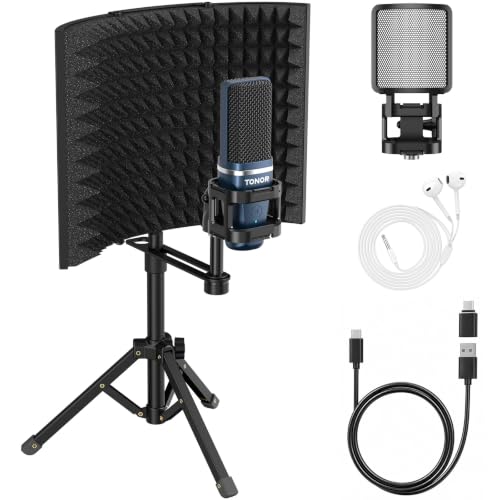
The perfect home studio starts with a capable laptop, but the accessories you pair with it define your sound. And for capturing vocals or instruments, the FIFINE T669 Studio Condenser USB Microphone offers plug-and-play simplicity with studio-quality results. Together with a well-chosen laptop, these tools will have you producing professional-grade recordings in no time.
Frequently Asked Questions
What laptop specs are best for home studio recording in 2026?
Look for a quad-core processor (Intel Core i5 or AMD Ryzen 5 and up), 16GB RAM, and a fast SSD. A dedicated graphics card isn’t necessary unless you also do video work. Prioritize USB-C/Thunderbolt ports for low-latency audio interfaces.
Do I need a separate audio interface if my laptop has a headphone jack?
Yes, for professional recording. Built-in audio jacks often introduce noise and latency. An external audio interface provides cleaner preamps, multiple inputs, and dedicated monitoring. Many USB microphones, like the FIFINE T669, bypass the need for an interface by connecting directly via USB.
Can I use a USB microphone with any laptop for recording?
Most USB microphones are plug-and-play and work with Windows, macOS, and Chrome OS laptops. They don’t require additional drivers. However, for the best performance, ensure your laptop has a USB 3.0 port or higher. Some microphones also come with adapters for smartphones.
Are studio headphones necessary for home recording?
Absolutely. They also prevent audio bleed into your microphone during recording.