

🔥 TV Black Friday Deals 2026: picks worth watching →
Late nights in the physics lab, complex simulations running on your screen, and a backpack full of textbooks. You need a laptop that can keep up with your coursework, from quantum mechanics problem sets to data analysis with Python. The right machine can be the difference between smooth sailing and constant frustration.
This guide is designed for physics students at any level, from undergraduates to PhD candidates. We’ve evaluated a range of laptops and essential accessories to help you make an informed choice. Whether you need a budget-friendly workhorse for lectures or a powerful machine for intensive research, we have you covered. We also explore some fun and practical add-ons that can make your study sessions more organized and personal.
Looking for more options? Check out our top picks for online students for additional reliable choices that excel in virtual learning environments.



Buying Guide
When you’re picking a laptop for physics, you need to think beyond just the specs. The right choice depends on your specific courses, research needs, and daily habits. Here are the key factors to consider before you buy.
Processing Power
For physics, the processor (CPU) is the heart of your machine. You’ll be running simulations, using computational tools, and analyzing large datasets. A multi-core processor, like an Intel Core i5 or i7 (or AMD equivalents), can handle these demanding tasks without slowing you down.
For most physics students, a modern quad-core processor is a great starting point. If you’re into computational physics or machine learning, consider stepping up to a higher-end chip with more cores and threads. This will save you time when running complex models.
RAM and Storage
Random Access Memory (RAM) is your computer’s short-term memory. For physics, 8GB is the absolute minimum, but 16GB is recommended for smooth multitasking with multiple applications, like having a simulation running while you write up your report.
For storage, a Solid-State Drive (SSD) is non-negotiable. It boots up your system and loads software much faster than traditional hard drives. Aim for at least 256GB of storage, but 512GB or more is better if you plan to store large datasets or software.
Portability and Battery Life
You’ll be carrying your laptop to lectures, labs, and study groups. A lightweight and slim design makes it easier to take everywhere. Look for a laptop that weighs around 3 to 4 pounds, so it won’t be a burden on your shoulders.
Battery life is equally important. You don’t want to be hunting for an outlet between classes. Look for a laptop that can last at least 8 to 10 hours on a single charge, ensuring it gets you through a full day of classes and study sessions.
Build Quality and Keyboard
A sturdy build is essential for a laptop that will endure daily commutes and occasional drops. Look for models with an aluminum or magnesium alloy chassis, which offer better durability than plastic. A spill-resistant keyboard is a great feature to have for those late-night coffee sessions.
Since you’ll be typing a lot of notes and reports, a comfortable keyboard is a must. Look for keys with good travel and tactile feedback. A backlit keyboard is also a great feature for typing in dark lecture halls. To keep your laptop protected and organized, consider a camera-ready laptop backpack that offers extra padding and compartments.
Final Thoughts
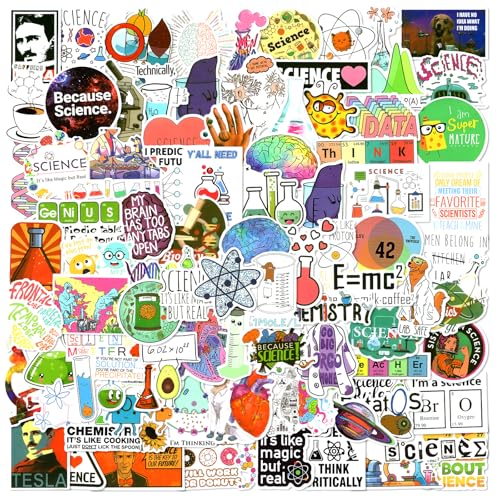
Choosing the right laptop for your physics studies is a personal decision that hinges on your specific needs and budget. For a reliable and affordable option that handles everyday coursework and basic simulations, the LPNAWZ 15.6″ Student Laptop Computer, Core i3 is an excellent starting point. If you want to personalize your new machine and show off your passion for science, consider adding the Aowplc 100 Pcs Natural Sciences Stickers Pack to your setup, making your laptop uniquely yours.
Related Guides
Frequently Asked Questions
What specs do I need for a physics degree in 2026?
For a physics degree, you should aim for a laptop with at least 8GB of RAM, a modern quad-core processor, and a 256GB SSD. These specs will handle most coursework, including data analysis and basic simulations. For more intensive computational work, consider upgrading to 16GB of RAM and a faster processor.
Can I use a basic laptop for all physics classes?
Yes, a basic laptop with an Intel Core i3 processor and 8GB of RAM can handle most introductory physics coursework, such as writing lab reports, browsing research articles, and using spreadsheet software. However, for upper-level courses that require running complex simulations or using computational tools, you may need a more powerful machine.
Do I need a dedicated graphics card for physics?
For most physics students, a dedicated graphics card is not essential. Integrated graphics are sufficient for standard 2D applications and even some 3D visualization. However, if you plan to do a lot of 3D modeling, or work with GPU-accelerated computing, a dedicated GPU will be beneficial.
Are science stickers a good way to personalize my laptop?
Absolutely! Science stickers are a fun and affordable way to make your laptop feel like your own and show your passion for the subject. They can also help you quickly identify your laptop in a shared study space or lab. Look for durable, waterproof vinyl stickers that won’t leave residue when removed.


