🔥 TV Black Friday Deals 2026: picks worth watching →
You finally got your Nintendo Switch Lite, and you are ready to dive into Hyrule or the Mushroom Kingdom. But after downloading just a few digital titles, that 32GB of internal space fills up fast. Screenshots, game updates, and DLC all compete for room. The solution is simple: a high-performance microSD card. This guide covers the best micro SD cards for Switch Lite in 2026, focusing on officially licensed Sandisk options and the reliable Gigastone alternative. Whether you need a budget-friendly 128GB card or a massive 1TB library, we have you covered. For more on memory cards across different devices, check out our Cards category page for related insights.



Buying Guide
Capacity: How Much Space Do You Need?
The Switch Lite supports microSD cards up to 2TB, but most gamers find 256GB or 512GB to be the sweet spot. A 128GB card holds around 15 to 20 average-sized games, while 256GB doubles that. If you plan to download many AAA titles or keep a large library of indie games, 512GB or even 1TB gives you room to grow. For reference, similar capacity considerations apply to other devices; see our guide on Best SD Cards for Trail Cameras for capacity tips in a different context.
Speed: Read and Write Performance
For the Switch Lite, read speeds matter most because you load games from the card. Look for cards with read speeds of at least 100MB/s. Write speeds become relevant when saving screenshots or video captures. All the Sandisk licensed cards offer up to 100MB/s read and 90MB/s write, which is plenty fast. The Gigastone Gaming Plus card also delivers 100MB/s read. Avoid slower U1 cards; aim for U3 or V30 ratings for smooth performance. For more on speed classes in recording scenarios, explore our best micro SD cards for security cameras article.
Official Licensing vs. Third-Party Cards
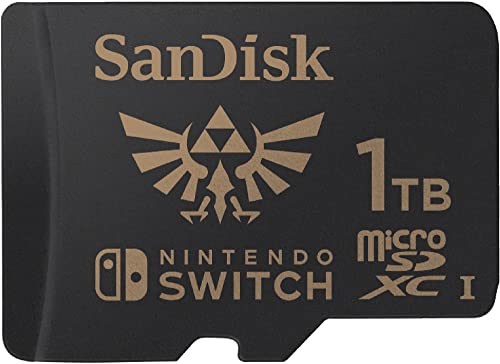
Nintendo officially licenses Sandisk microSD cards with themed designs like Legend of Zelda, Super Mario, and Animal Crossing. These cards are guaranteed to work perfectly with the Switch Lite and include optimized firmware. Third-party cards like Gigastone also work well, but they may lack the same level of compatibility assurance. If you want peace of mind, stick with the licensed options. For a broader look at memory card reliability, visit our best SD cards for wyze cameras guide.
Compatibility: Switch Lite vs. Switch 2
The Switch Lite uses standard microSD UHS-I cards. It does not support the newer microSD Express format designed for the Switch 2. The Sandisk microSD Express cards (ASIN B0DTQ35NH6 and B0GRWN18WL) are not compatible with the Switch Lite. Always verify that the product description states compatibility with Nintendo Switch (including Switch Lite) and not exclusively Switch 2. The Gigastone card explicitly says “for Switch 1 Only,” which is a clear match for your Lite.
Final Thoughts
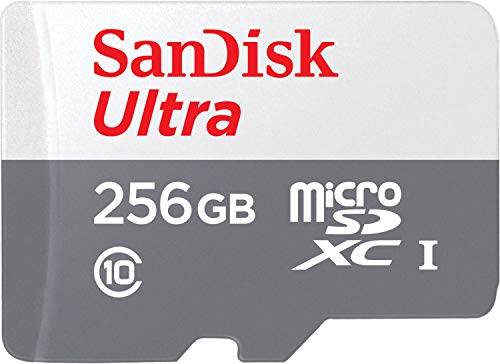
After evaluating all options, we recommend two cards that cover different needs. For a balance of affordability and official Nintendo licensing, the SANDISK 256GB microSD Card gives you plenty of room for a solid game collection. If you need more space for a large digital library, the SANDISK 512GB microSD Card (Animal Crossing Leaf Edition) offers double the capacity with the same fast speeds and trusted compatibility. Both cards are verified to deliver reliable performance on your Switch Lite.
Related Guides
Frequently Asked Questions
How much storage do I need for my Switch Lite in 2026?
For most players, 256GB is a great starting point. If you plan to download many large games like The Legend of Zelda: Tears of the Kingdom or sports titles, consider 512GB. The 1TB option is overkill for most but ideal for digital collectors.
Are all microSD cards compatible with the Nintendo Switch Lite?
Not all cards work perfectly. The Switch Lite supports microSD, microSDHC, and microSDXC cards with UHS-I speed. Cards designed for Switch 2 or microSD Express will not fit or function. Stick to cards clearly labeled for Nintendo Switch or Switch Lite. For more on card types, read our best SD cards for CCTV cameras guide, which covers similar compatibility factors.
What is the difference between UHS-I and UHS-II for Switch Lite?
The Switch Lite only supports UHS-I cards. UHS-II cards have extra pins and are physically different; they will not work in the console. Always choose UHS-I cards with a U3 or V30 speed class for optimal game loading.
Can I use a microSD Express card for my Switch Lite?
No. MicroSD Express cards are designed for the Nintendo Switch 2 and other devices with a PCIe interface. The Switch Lite lacks the necessary hardware, so these cards are incompatible. Stick to standard UHS-I microSD cards.