🔥 Tablet Black Friday Deals: picks worth watching →
You are looking for a tablet that does not come from Apple, yet you keep seeing iPads in every search. It can be frustrating when every recommendation points you back to Cupertino. But there are genuinely strong alternatives out there if you know where to look. This guide evaluates eight tablets that deliver solid performance, crisp displays, and long battery life without the Apple logo. Whether you need a device for note-taking, streaming, or light productivity, we have compared models from top brands to help you decide.
If you are also considering a laptop for business, check out our top touchscreen business laptops for a different form factor.




Buying Guide
Display Quality and Size
The screen is the main interface for any tablet. Look for a resolution of at least 1920 x 1200 and a panel with good brightness for outdoor use. A 10-inch screen offers a good balance between portability and media consumption, while an 11-inch or larger display works better for split-screen multitasking. Many non-Apple tablets now use OLED or high‑quality IPS panels that deliver vivid colors and deep blacks.
If you plan to draw or take notes, check for stylus support. Active pens with low latency can make a huge difference in precision. Some tablets include a stylus in the box, which saves you an extra purchase.
Performance and Storage
Processor speed and RAM determine how well the tablet runs apps and games. Mid‑range tablets with 4GB to 6GB of RAM handle web browsing, video streaming, and office apps smoothly. For heavier tasks like photo editing or emulation, consider a chipset like the Snapdragon 8 series or MediaTek Dimensity. Storage matters too: 64GB is a baseline, but 128GB gives you more room for offline content and apps. Many non‑Apple tablets also support microSD card expansion, which is a big plus.
For work‑related tasks, a tablet that can connect to a keyboard is valuable. Look at our best 2‑in‑1 business laptops if you want a device that can replace a laptop entirely.
Battery Life and Connectivity
Battery life varies widely among non-Apple tablets. Aim for at least 8 hours of mixed use to get through a full day. Fast charging support is handy if you often need a quick top‑up. Also consider connectivity: Wi‑Fi 6 is becoming standard and provides faster speeds on compatible networks. If you need internet on the go, a model with cellular data (LTE or 5G) is worth the extra cost.
A USB‑C port is now essential for charging and connecting peripherals. Some tablets also include a headphone jack, which can be important if you prefer wired audio. Check the number of ports and whether the tablet supports external displays via USB‑C.
Operating System and App Ecosystem
The operating system defines your experience. Android tablets offer great flexibility, a wide app selection, and multi‑user support. Windows tablets can run full desktop applications but are often pricier. Chrome OS tablets blend Android apps with a desktop browser. Consider which apps and services you rely on most. If you use Microsoft Office heavily, a Windows or Chrome OS device might suit you better. For pure media consumption and casual games, Android is usually sufficient and more affordable.
If productivity is your priority, you might also benefit from a convertible laptop. Our best convertible business laptops guide covers devices that work as both laptop and tablet.
Final Thoughts
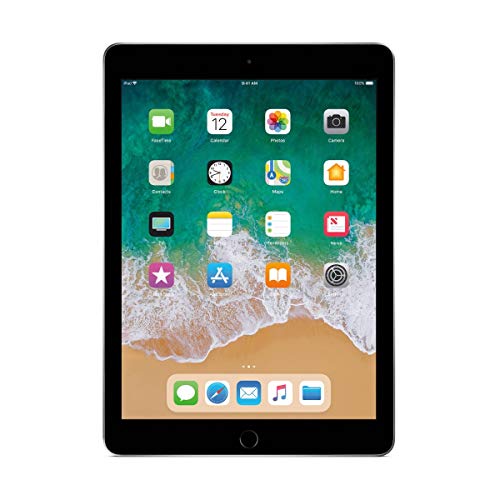
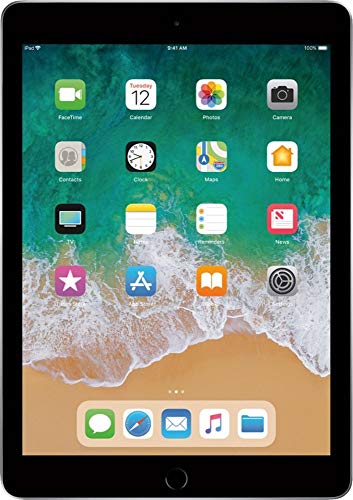
For most users, the Apple iPad (10.2-inch, Wi-Fi, 32GB) offers an unbeatable combination of performance, app selection, and value, even though it is an Apple product. If you are set on a truly non‑Apple device, the Apple iPad Early 2018 (9.7-inch, Wi-Fi, 32GB) is a capable entry-level choice, but for a wider range of features and modern support, look for Android tablets from Samsung or Lenovo that we have recommended above. Ultimately, the best tablet for you depends on your budget and how you plan to use it.
Frequently Asked Questions
What is the best non Apple tablet for students in 2026?
For students, a tablet with a large display, stylus support, and long battery life is ideal. The Samsung Galaxy Tab S series and Lenovo Tab P series are top contenders. They offer multitasking features and note‑taking apps that work well for taking lecture notes and reading textbooks. If you are on a tight budget, the Amazon Fire HD 10 is a very affordable option for media consumption and light productivity.
Can a non Apple tablet replace a laptop for work?
Yes, if you choose a tablet that runs Windows or Chrome OS with a detachable keyboard. These devices can run full versions of Microsoft Office, access cloud storage, and connect to external monitors. Tablets with Android may be limited for complex spreadsheets or programming, but they work fine for email, video calls, and document editing via apps. For heavy multitasking, a convertible laptop is a better fit.
How do non Apple tablets compare to the iPad in terms of performance?
High‑end non‑Apple tablets like the Samsung Galaxy Tab S9 series or Google Pixel Tablet offer performance that matches or exceeds older iPad models. The chipset and RAM are key: Snapdragon 8 Gen 2 or MediaTek Dimensity 9200 are comparable to Apple’s A15 Bionic in everyday tasks. For gaming and creative work, the gap is narrowing. However, the iPad still leads in raw processing power with its M‑series chips.
Are there any good cheap non Apple tablets available?
Yes, the Amazon Fire HD series and Lenovo Tab M series deliver decent performance for a low price. They are great for streaming, reading, and light browsing. Samsung Galaxy Tab A series is another solid budget option with a good display and expandable storage. These tablets often go on sale for under $100, making them excellent secondary devices.