

You are a remote worker, a digital nomad, or a student who needs extra screen space without the bulk. A portable monitor can transform your workflow in coffee shops, co-working spaces, or even on a plane. But finding one that fits a budget under $200 while still delivering solid performance is a challenge. In this review, we focus on the cocopar Portable Monitor 15.6 Inch 1080P FHD 60Hz, a strong contender for the title of best portable monitor under $200 in 2026. We break down its design, connectivity, and usability to help you decide if it is the right second screen for your laptop. For more options in this category, check out our guide on best budget gaming monitors.

Pros
- Extremely lightweight and thin, easy to slip into a laptop bag.
- Single USB-C cable simplifies setup and reduces cable clutter.
- Good color accuracy with 85% sRGB for photo editing and content creation.
- Includes a protective smart cover stand that doubles as a case.
- VESA mount compatibility adds flexibility for permanent setups.
Cons
- Brightness is not specified, may be average for indoor use but not ideal for very bright environments.
- Requires a device with USB-C video output (Thunderbolt 3/4 or DP Alt Mode) for single-cable operation; otherwise, HDMI and external power are needed.
- No built-in battery, so it must draw power from the connected device or a separate power source.
The cocopar 15.6-inch portable monitor is a sleek and versatile second screen designed for professionals, remote workers, and gamers who need extra display real estate on the go. With a 1080P IPS panel that covers 85% of the sRGB color space, it delivers sharp and reasonably accurate colors for productivity tasks, presentations, and light content creation. The 60Hz refresh rate is standard for a portable monitor, suitable for office work and casual gaming.
One of its standout features is the plug-and-play USB-C functionality. A single cable provides both power and video signal, making setup effortless. The monitor also supports power pass-through, so you can charge your laptop while using the display. However, this requires a device with Thunderbolt 3/4 or USB-C DP Alt Mode. For older devices, the included HDMI port works with a separate power source. The monitor also has built-in speakers, which are adequate for alerts and casual video calls but lack depth for immersive media.
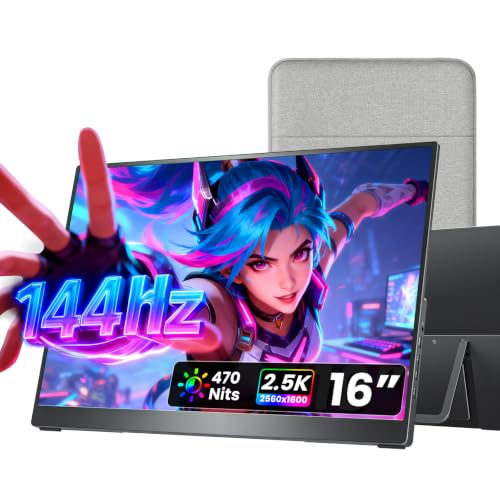
Design and build quality are impressive for the price. At just 4mm thick at its slimmest point and weighing only 1.5 pounds without the cover, it is one of the more portable options available. The magnetic smart stand case is a thoughtful addition, offering protection and multiple viewing angles in both landscape and portrait orientations. The VESA mount holes add further versatility, allowing you to attach it to a monitor arm or desk stand for a permanent dual-screen setup.
Potential drawbacks include the lack of a stated brightness rating, which means it may struggle in direct sunlight or very bright rooms. Additionally, the monitor does not have a built-in battery, so it always relies on an external power source or the host device. Some users may find the color accuracy slightly below professional-grade monitors, but for general use and most work tasks, it performs well.
Overall, the cocopar portable monitor offers excellent value for anyone seeking a lightweight, easy-to-use second screen. Its combination of USB-C connectivity, VESA mountability, and the included smart cover make it a strong contender for travelers, remote workers, and gamers alike. If you need a reliable travel monitor that doesn't break the bank, this is a solid choice.


Buying Guide
Resolution and Color Accuracy
When you are working with spreadsheets, editing documents, or even light photo work, a crisp display makes all the difference. The cocopar screen offers 1080p Full HD resolution with an 85% sRGB color gamut. This ensures text is sharp and colors are reasonably accurate for a portable panel. Look for monitors with at least 72% NTSC or 85% sRGB if you value visual fidelity. The 178-degree viewing angle also means you can share your screen with a colleague without losing clarity.
A higher color gamut reduces eye strain over long sessions and makes content more enjoyable. If you are considering alternatives, we have compared other streaming devices under $100 that also prioritize display quality.
Connectivity and Compatibility
One of the biggest frustrations with portable monitors is dealing with messy cables and driver issues. The cocopar monitor eliminates that with dual full-featured USB-C ports and a standard HDMI port. You can connect it to a modern laptop via a single USB-C cable that carries both video and power, supporting reverse charging for your device. Just ensure your laptop supports Thunderbolt 3, 4, or USB 3.1 Type C with DP Alt Mode. This plug and play design works with MacBooks, Surface devices, and even gaming consoles like PS4 or PS5.
Portability and Build Quality
At only 0.2 inches at its thinnest point and weighing just 1.5 pounds without the cover, this monitor is genuinely travel friendly. The included magnetic smart cover doubles as a stand, providing multiple viewing angles without adding bulk. It also protects the screen during transit. For those who need even more flexibility, the VESA mount holes let you attach the monitor to a desk arm or a wall mount for landscape or portrait orientation.
Solid build quality is essential for a device that moves with you. The aluminum alloy body feels premium and adds durability without excessive weight. If you are always on the go, these features make it a reliable second screen for any setup.
Final Thoughts
The cocopar Portable Monitor 15.6 Inch 1080P FHD 60Hz proves that you do not have to overspend to get a capable, travel-friendly screen. It delivers a sharp image, simple connectivity, and a lightweight design that fits neatly into your bag. If you are after a reliable secondary display for work or gaming, we strongly recommend the cocopar Portable Monitor 15.6 Inch 1080P FHD 60Hz as a top contender for the best portable monitor under $200. For users who need added versatility like touch input or 4K resolution, explore other options from our Electronics category to find the perfect match for your needs.
Frequently Asked Questions
Can this monitor work with a MacBook Air?
Yes, the cocopar monitor works with MacBook Air models that have USB-C ports supporting DisplayPort Alt Mode or Thunderbolt 3/4. Just plug in a single USB-C cable, and it will detect the screen automatically.
Does the cocopar portable monitor require external power?
Not always. If your laptop provides enough power via USB-C, the monitor runs without a separate power adapter. However, for devices with limited output, you can use the included USB-C cable for data and a secondary power source for charging.
Is this monitor suitable for gaming?
With a 60Hz refresh rate and 5ms response time, it handles casual gaming on PS4, PS5, and Xbox well. For fast-paced competitive titles, consider a higher refresh model. The low blue light mode also helps reduce eye fatigue during longer sessions.
How do I choose between a 15.6-inch and a larger portable monitor?
Think about your primary use case. A 15.6-inch screen balances portability and screen real estate. If you need more workable area for design or coding, a 17-inch model may be worth the extra weight. But for most travelers, the 15.6-inch size is ideal for slipping into a laptop bag.
