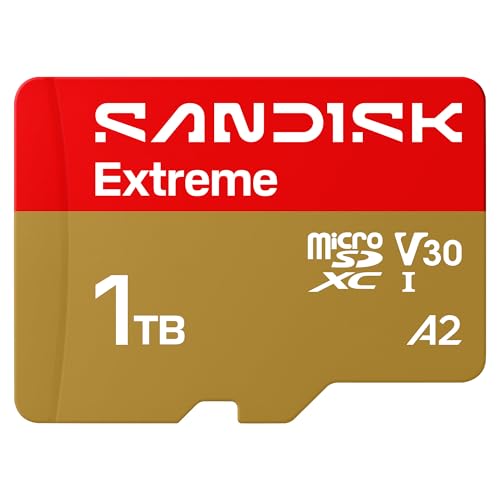
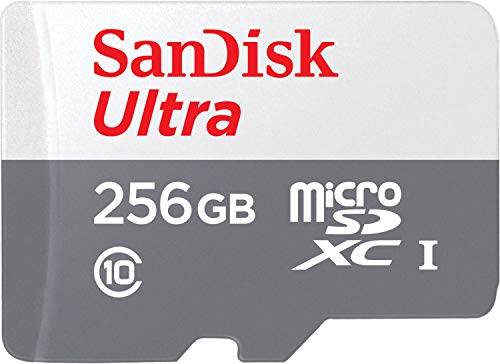
Your tablet is a powerhouse for work, entertainment, and creativity, but limited internal storage can quickly become a bottleneck. Whether you are downloading movies for a long flight, installing graphic-intensive games, or storing high-resolution photos, running out of space is frustrating. The solution is simple: a high-quality microSD card. In this guide, we review the best SD cards for tablets in 2026, focusing on models from Sandisk that deliver fast read speeds, reliable performance, and ample capacity. We also include a versatile card reader from Acer to streamline file transfers. This guide is perfect for Android tablet users, Chromebook owners, and anyone using a Windows slate who wants to expand storage without breaking the bank.
For a deeper look at expanding storage on mobile devices, check out our top microSD cards for Android guide, which covers similar principles for smartphones and tablets alike.


Buying Guide: What to Look for in an SD Card for Your Tablet
Read and Write Speeds
Speed determines how quickly your tablet can access files, launch apps, and save data. For smooth Full HD video playback and app loading, look for cards with at least 100MB/s read speeds. The Sandisk Ultra models we evaluated offer up to 195MB/s read speeds, which is more than sufficient for most tablet tasks. Write speeds matter less for casual use but become important if you record video directly to the card. Cards rated UHS-I U1 or U3 are ideal. For a broader perspective on speed requirements, our top microSD cards for single board computers guide discusses similar performance metrics.
Capacity: How Much Storage Do You Need?
Tablet storage needs vary widely. A 128GB card can hold dozens of movies, thousands of photos, and plenty of apps. For heavy users who store large game libraries or 4K video, 256GB or even 512GB is worth considering. The Sandisk cards we reviewed come in capacities up to 1.5TB, giving you room to grow. Keep in mind that higher capacities often come with faster read speeds. If you are unsure about capacity, our top android SD cards for extra storage guide can help you decide.
App Performance Rating (A1 vs A2)
If you plan to run apps directly from the SD card, look for an A1 or A2 rating. These ratings guarantee minimum random read/write speeds, which directly affect app launch times and multitasking. The Sandisk Ultra cards we evaluated are A1 rated, meaning they provide a smooth experience for everyday apps like social media, navigation, and productivity tools. A2 cards offer even better random performance but are less common. For tablets, A1 is a solid baseline.
Compatibility and Form Factor
Most tablets accept microSD cards, but check your device’s specifications first. Some tablets support UHS-II speeds, though UHS-I is the most common. The cards we reviewed all include a standard SD adapter, so you can use them with laptops and cameras as well. If your tablet lacks a built-in card slot, the Acer SD Card Reader USB C provides a fast, dual-slot solution that connects via USB-C or USB-A, making file transfers effortless. This reader is compatible with Windows, macOS, and Android devices, and its plug-and-play design requires no drivers.
Final Thoughts
After evaluating the top contenders, we recommend the SANDISK 256GB Ultra microSD Card + Adapter for its proven reliability, A1 app performance, and generous capacity with a 10-year warranty. For users who want blazing-fast read speeds at a lower capacity, the SANDISK 128GB Ultra microSD UHS-I Card delivers up to 195MB/s reads and is an excellent value. Pair either card with the Acer SD Card Reader USB C for seamless file management across devices. Whichever you choose, expanding your tablet’s storage has never been easier or more affordable.
Frequently Asked Questions
What is the best SD card for a tablet in 2026?
The best SD card for your tablet depends on your storage needs and budget. For most users, a Sandisk Ultra microSD card with 128GB or 256GB capacity and A1 rating offers the ideal balance of speed, reliability, and price. Models with read speeds of 150MB/s or higher ensure smooth video playback and app performance.
How much storage do I need for my tablet?
For casual use, 64GB to 128GB is sufficient for apps, photos, and a few movies. Heavy users who download large games or store offline video libraries should consider 256GB or 512GB. If you frequently work with high-resolution media, capacities up to 1TB are available. For more guidance, see our best SD cards for Android phones article, which covers similar capacity considerations.
Can I use a microSD card in any tablet?
Most Android and Windows tablets have a microSD card slot, but some newer models may omit it. Apple iPads do not support expandable storage. Always check your tablet’s specifications before purchasing. If your tablet lacks a slot, an external card reader like the Acer SD Card Reader USB C allows you to access microSD cards via USB-C or USB-A.
Do I need an A1 rated card for apps on my tablet?
Yes, an A1 or A2 rating is recommended if you plan to run apps directly from the microSD card. These ratings ensure minimum random read and write speeds, which reduce lag when launching and switching between apps. The Sandisk Ultra cards we reviewed are A1 rated, making them a reliable choice for app storage on tablets.