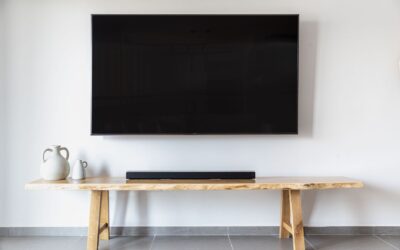
You just unboxed a new Sony TV, and the picture is stunning. But the built-in speakers leave you wanting more. Whether you’re watching blockbuster movies, catching up on dialogue-heavy dramas, or gaming, the right soundbar can transform your experience. In this guide, we have carefully evaluated seven top soundbars specifically chosen to pair perfectly with Sony TVs. From Sony’s own premium models to value-packed options from TCL and Amazon, you will find the ideal upgrade for your home theater.


Buying Guide
Connectivity and Compatibility
The best soundbar for your Sony TV should offer seamless connectivity. Look for HDMI ARC or eARC support to ensure one-cable audio return and control of your soundbar with the TV remote. Bluetooth streaming is a bonus for playing music from your phone.
Many Sony TVs also support Sony’s own audio sync features. Models like the Sony BRAVIA Theater Bar 5 integrate effortlessly with BRAVIA TVs for a unified experience. If you prefer a wired connection, optical input works as a reliable backup.Sound Quality and Surround Effects
For an immersive cinematic experience, prioritize soundbars with Dolby Atmos and DTS:X support. These technologies create a three-dimensional soundstage without requiring multiple speakers. The Sony HT-S400 uses S-Force PRO Front Surround to simulate surround from a single bar, while the TCL S45H uses AI Sonic calibration to adapt to your room.
Power output matters, but not everything. A well-tuned soundbar with a dedicated subwoofer, like the wireless sub included with the Sony BRAVIA Theater Bar 5, delivers deep bass that adds weight to explosions and music.
Dialogue Clarity
Clear dialogue is essential for news, dramas, and sports. Look for a dedicated center channel speaker or a voice enhancement mode. The BRAVIA Theater Bar 5 has a center speaker that keeps voices crisp. The Sony S100F includes a Voice Enhancement feature for hushed dialogue. Just as a microfiber cleaning cloth keeps your screen streak-free, a soundbar with excellent dialogue clarity keeps every word distinct.
Size and Design
Measure your TV stand or wall space before choosing. Compact soundbars like the Amazon Fire TV Soundbar (24 inches wide) fit easily under most TVs, while larger options like the TCL S45H (31.89 inches) require a bit more room. Wall-mountable designs with a flat back, such as the Sony HT-S400, let you keep the bar flush against the wall.
Final Thoughts
After evaluating all seven models, our top recommendations cater to different priorities. For the best overall cinematic experience with deep bass and clear dialogue, the Sony BRAVIA Theater Bar 5 is an outstanding choice that pairs naturally with Sony TVs. If you prefer an affordable yet capable option that still delivers Dolby Atmos and room calibration, the TCL S45H 2.0 Sound Bar offers remarkable value. Whichever you choose, your Sony TV will finally sound as good as it looks.
Related Guides
- Best Soundbar for LG TV
- Best Soundbar for TCL TV
- Best Soundbar For Sony TV
- Best Soundbars for Hearing Impaired
Frequently Asked Questions
Do I need a soundbar that supports Dolby Atmos for my Sony TV?
Not necessarily. Dolby Atmos adds overhead effects, but many Sony TVs already process Atmos. If you watch a lot of movies with spatial audio, a Dolby Atmos soundbar like the ULTIMEA Poseidon M60 or TCL S45H will elevate your experience. Otherwise, standard surround sound models work well.
Can I use any soundbar with a Sony TV?
Yes, most soundbars work via HDMI ARC or optical. However, Sony’s own soundbars and select third-party models offer extra integration, such as controlling the soundbar from the TV’s Quick Settings menu. The Sony HT-S400 and BRAVIA Theater Bar 5 shine in this area.
What is the best budget soundbar for a Sony TV in 2026?
For under $100, the Sony S100F 2.0ch Soundbar provides reliable clarity and compact design. The Amazon Fire TV Soundbar is another solid budget pick with DTS Virtual:X. Both are excellent for small rooms and easy setup.
How do I connect a soundbar to my Sony TV without HDMI ARC?
Use an optical cable (Toslink) from the TV’s optical output to the soundbar. Most soundbars include a optical cable. You will need to adjust the TV audio settings to “external speakers” or “audio system.” Bluetooth can work as a wireless alternative if your TV supports it.