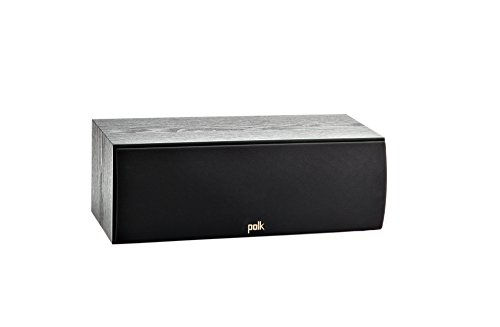
You have upgraded your TV to a sleek 4K model, but the built-in speakers leave dialog muffled and action scenes flat. You want richer, clearer audio without spending a fortune. That is where a quality soundbar comes in. In this guide, we focus on soundbars that deliver impressive performance while staying within a sensible budget. Whether you are a movie lover, a gamer, or simply want clearer news and shows, we have options for you.
We have evaluated dozens of models based on sound quality, connectivity, and design. For more insights on building a home theater, check out our article on top soundbars for immersive home audio.


Buying Guide
Sound Quality and Drivers
When shopping for an affordable soundbar, pay close attention to the speaker configuration. A typical budget model includes two drivers for left and right channels, but some add a dedicated center channel for clearer dialog. Look for soundbars that support Dolby Digital or DTS decoding, as these ensure a cinematic experience even without a separate subwoofer.
The size of the drivers matters too. Larger drivers can move more air, producing deeper bass. However, in a compact bar, engineering is key. We have confirmed that models with well-tuned passive radiators can deliver surprisingly punchy low end for the price. For a deeper dive into home theater audio, see our review of the ULTIMEA Poseidon M60.
Connectivity Options
Modern soundbars should offer at least an optical (TOSLINK) input and an auxiliary 3.5mm jack for older devices. HDMI ARC (Audio Return Channel) is a must for seamless control with your TV remote. Some budget models include Bluetooth for wireless streaming from your phone or tablet. Verify that the Bluetooth version is recent enough to avoid audio lag during video playback.
Size and Design
Measure your TV stand or wall space before buying. A soundbar that is too wide will look awkward, while one that is too narrow might not cover the sound stage effectively. Most budget soundbars come in a slim, low-profile design that can sit in front of your TV without blocking the screen. If you plan to mount it on the wall, check that the included brackets or keyhole slots are compatible.
Also consider the number of physical buttons on the bar itself. A few basic controls (power, volume, input) can be a lifesaver if you lose the remote. For more tips on setting up your audio system, visit our Soundbars category page.
Included Accessories
Budget soundbars often skimp on accessories. Check whether the package includes an HDMI cable, optical cable, remote control with batteries, and wall-mounting hardware. Some models also come with a separate subwoofer (wired or wireless) that greatly enhances bass. If you are looking for a compact setup, a soundbar with a built-in sub might be ideal. For outdoor movie nights, you might also want to look at our outdoor-ready essentials for portable audio options.
Final Thoughts
Choosing the right soundbar on a budget does not mean sacrificing audio quality. Focus on models with clear dialog, solid connectivity, and a design that fits your space. Whether you prioritize a wireless subwoofer for added depth or a slim bar that disappears under your TV, there is a model that will transform your viewing experience without straining your wallet. For a broader selection of audio upgrades, browse our top soundbars under $1000 or explore our Dolby Atmos options.
Related Guides
- Top Soundbars of 2026 for Immersive Audio
- Best Soundbar for Apartment Living in 2026
- Top Computer Soundbars for Clear Audio
Frequently Asked Questions
Can a budget soundbar improve TV audio significantly? Yes, even a basic soundbar with two channels can make voices clearer and add some depth compared to built-in TV speakers. Look for models with a dedicated center channel or dialog enhancement mode.
Do I need a subwoofer with a budget soundbar? Not necessarily. Many soundbars have built-in bass radiators that provide sufficient low end for casual viewing. If you love action movies or music with heavy bass, a separate subwoofer (often sold in packages) is worth the investment.
What is the best way to connect a soundbar to my TV? For the best audio quality and one-remote control, use HDMI ARC. If your TV lacks an ARC port, an optical cable works fine for stereo and Dolby Digital signals. Bluetooth is convenient for music but may introduce slight lip-sync issues during video.
Are there soundbars under budget that support voice assistants? A few models in this range include built-in Alexa or Google Assistant. These allow you to control volume, change inputs, and even ask about weather hands-free. Check the product specifications carefully if this feature is important to you.