

🔥 TV Black Friday Deals 2026: picks worth watching →
If you are a gamer, you know the frustration of screen tearing and stuttering during fast-paced action. Variable Refresh Rate (VRR) syncs your TV’s refresh rate with your console or PC, eliminating those visual artifacts for buttery-smooth gameplay. This guide covers the best TVs with VRR for 2026, whether you are on a PS5, Xbox Series X, or a high-end gaming rig. For more console-specific advice, check out our guide to the best TVs for console gaming.


Buying Guide
Refresh Rate and VRR Range
The native refresh rate determines how smoothly motion appears. For VRR to work well, look for a TV that supports a wide VRR range (e.g., 48 to 144 Hz or higher). Models like the TCL 85-Inch QM64L Series offer a native 144 Hz panel with VRR, while the Hisense 85″ U7 Mini-LED goes up to 165 Hz native and VRR 330. These high refresh rates are ideal for competitive gaming and fast sports. For more on high-refresh gaming, see our best TVs for PC gaming guide.
Panel Technology: Mini-LED vs QLED
Panel type affects contrast, brightness, and color accuracy. Mini-LED TVs like the iFFALCON 55″ 4K MiniLED and the Hisense 85″ U7 deliver deep blacks and high peak brightness with local dimming zones. QLED models (including Hi-QLED from Hisense) offer vibrant colors and wide viewing angles. Choose Mini-LED for HDR gaming in bright rooms, and QLED for balanced performance at a lower cost.
HDMI 2.1 and Connectivity
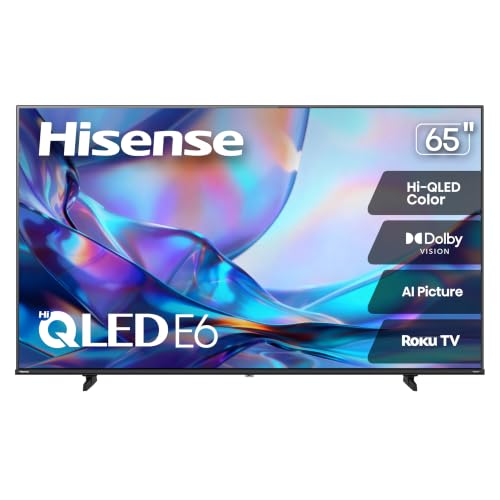
To take full advantage of VRR at 4K 120 Hz or higher, you need HDMI 2.1 ports. The iFFALCON 55″ features four HDMI 2.1 ports, two of which support 4K at 144 Hz. This allows you to connect a PS5, Xbox Series X, PC, and soundbar simultaneously. Other models like the Hisense E6SR series include VRR and ALLM but may have fewer HDMI 2.1 inputs. For a detailed look at gaming features, read our best TVs for gaming and movies article.
Smart Platform and Voice Control
Your TV’s operating system determines app availability and ease of use. The TCL 85-Inch QM64L runs Amazon’s Fire TV with Alexa+ built in, while the iFFALCON uses Google TV with both Alexa and Google Assistant. Hisense models offer Roku (E6SR series) or Google TV (U7 series). Consider which ecosystem matches your smart home setup. For more category insights, visit our TVs category page.
Final Thoughts
After reviewing these top contenders, we recommend the TCL 85-Inch QM64L Series for its massive Mini-LED display, 144 Hz native refresh, and deep local dimming that delivers stunning HDR performance for both movies and competitive gaming. If you prefer a smaller screen with cutting-edge gaming features, the Hisense 85″ U7 Mini-LED ULED 4K UHD Best offers a native 165 Hz refresh, anti-reflection coating, and a powerful AI processor that automatically optimizes picture quality. Both models excel in VRR support and will keep your gameplay smooth and immersive for years to come.
Frequently Asked Questions
What is VRR and why do I need it?
VRR (Variable Refresh Rate) synchronizes your TV’s refresh rate with the frame rate output of your gaming console or PC. This eliminates screen tearing, stuttering, and input lag, providing a smoother and more responsive gaming experience. It is especially important for fast-paced games like shooters and racing sims.
Do I need HDMI 2.1 for VRR?
Not necessarily. VRR can work over HDMI 2.0, but to achieve 4K at 120 Hz or higher with VRR, HDMI 2.1 is required. Most modern gaming consoles and high-end PCs use HDMI 2.1 for optimal VRR performance. For console gaming, see our best TVs for console gaming guide.
Can VRR work with PS5 and Xbox Series X?
Yes, both the PS5 and Xbox Series X support VRR over HDMI. The PS5 added VRR support via a firmware update, while Xbox Series X has had it since launch. Ensure your TV’s VRR range covers the console’s output (typically 48 to 120 Hz) for the best experience.
What refresh rate should I look for in a VRR TV?
For most gamers, a native 120 Hz refresh rate with VRR is sufficient. However, if you play competitive titles at high frame rates (e.g., 144 fps on PC), look for a TV with a native 144 Hz or 165 Hz panel. Higher refresh rates reduce motion blur and improve responsiveness.


