

Imagine this: you’re about to head out the door, and your phone is nearly dead. You grab your charger, plug it in, and wait… and wait. That old brick just doesn’t cut it anymore. In 2026, you need a USB C charger that matches your fast-paced life. Whether you’re powering the latest Samsung Galaxy S26 Ultra, an iPhone 17 Pro, or a MacBook Pro, a quality USB C charger makes all the difference. This guide covers top picks from brands like Anker, Niubil, QZIIW, and others to help you find the perfect match for your devices. We’ll walk you through key features, compatibility, and safety, so you can charge with confidence. For more on expanding your connectivity, check out our guide on the best USB C hub with HDMI.






Buying Guide
Power Output and Speed
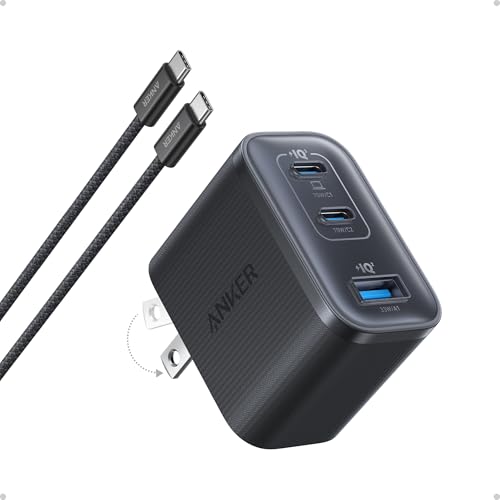
The wattage of a charger determines how fast it can fill your device’s battery. For smartphones, a 20W charger like the Anker Phone Charger, 20W USB C Charger Block is sufficient for quick top-ups. However, if you need to charge a laptop or a high-capacity phone battery, look for 45W, 65W, or even higher. The Anker Nano 70W Max 3-Port Fast Charger USB C can power a MacBook Pro to 50% in just 35 minutes. Higher wattage also means you can charge multiple devices simultaneously without sacrificing speed.
Number of Ports
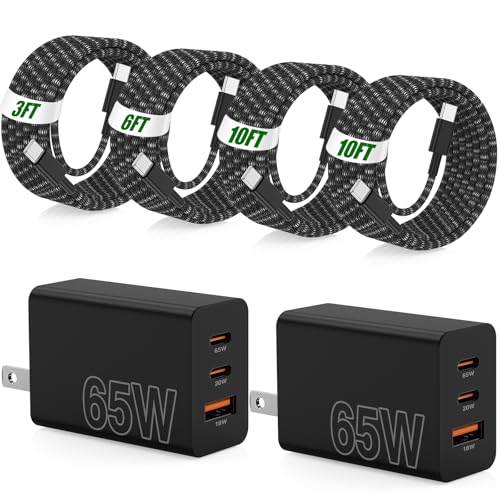
Consider how many devices you need to charge at once. Single-port chargers are compact but limit you to one device. Multi-port options, such as the Anker 65W Max 3-Port USB C Charger Block or the 60W Super Fast Charger USB C, allow you to charge a phone, tablet, and earbuds simultaneously. If you travel often or have a family, a charger with three or four ports can be a game-changer.
Compatibility and Safety
Ensure the charger supports the fast charging protocols your devices use, such as Power Delivery (PD) or Qualcomm Quick Charge. Many modern chargers, like those from Anker, include safety features like overvoltage protection and temperature control. The QZIIW Super Fast Samsung Charger Type C is designed with smart chips to regulate current and prevent overheating. Always choose a charger with certified safety measures to protect your valuable electronics.
Portability and Build Quality
If you’re always on the move, a compact charger is essential. The Anker Nano 70W Max 3-Port Fast Charger USB C is 41% smaller than a standard 70W charger, making it easy to slip into a pocket. Look for foldable plugs and durable materials. Some chargers, like the Anker Zolo USB C Charger Block, are designed with travel in mind and include multiple ports in a small form factor.
For more insights on connectivity, explore our review of the best USB C hub for MacBook.
Final Thoughts
After evaluating a range of USB C chargers, we recommend the Anker Nano 70W Max 3-Port Fast Charger USB C for its exceptional power, compact size, and safety features, making it ideal for charging laptops and phones quickly. For those needing a versatile multi-device solution, the QZIIW Super Fast Samsung Charger Type C offers dual ports and excellent compatibility with both Samsung and Apple devices at a great value. Whichever you choose, upgrading to a quality USB C charger in 2026 is a smart move for faster and safer charging.
Frequently Asked Questions
What is the best wattage for a USB C charger in 2026?For smartphones, a 20W to 45W charger is sufficient. For laptops, consider 65W or higher. The Anker Nano 70W Max 3-Port Fast Charger USB C is versatile for both.
Can I use a USB C charger with non-USB C devices?Yes, but you may need a cable with the appropriate connector (e.g., USB-C to Lightning for older iPhones). The charger itself is compatible with any device that charges via USB-C.
Are multi-port chargers safe?Yes, when designed with safety features like overvoltage and temperature protection. Models like the QZIIW Super Fast Samsung Charger Type C include smart chips for safe charging.
How do I know if a charger is compatible with my device?Check the charger’s supported protocols (e.g., PD, QC) and compare with your device’s requirements. Most modern USB C chargers are backward compatible. For more tips, read our guide on the best USB C hub for laptop.


