

Picture this: you are relaxing on the couch with your iPad, and you suddenly need to print a boarding pass, a school worksheet, or a family photo. You want a printer that pairs instantly with your tablet, no cables, no computer required. That is exactly what we have evaluated in this guide: the best printers for iPad that deliver wireless simplicity and solid performance. Whether you need a compact portable model for travel or an all-in-one for your home office, we have selected ten top contenders from Canon, Brother, Epson, HP, and ETIKEZ. Read on to find your perfect match.
For more on wireless printing options, check out our roundup of the best Bluetooth printers that pair seamlessly with mobile devices.





Buying Guide: What to Look for in an iPad Printer
Wireless Connectivity and AirPrint Support
The most critical feature for an iPad printer is effortless wireless connectivity. You want a model that supports Apple AirPrint, which lets you print directly from apps like Safari, Mail, and Photos without installing extra software. Many printers also offer a dedicated app (like Canon PRINT or Brother Mobile Connect) that gives you more control over settings and ink levels. Dual-band Wi-Fi (2.4 GHz and 5 GHz) ensures a stable connection even in busy homes.
If you prefer a wired connection for specific tasks, our guide to the best USB printers covers models that offer both wireless and USB options.
Portability and Footprint
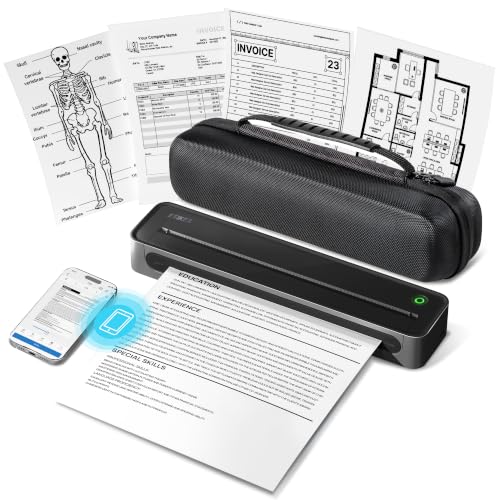
Not everyone has a dedicated desk for a printer. If you plan to move your printer between rooms or take it on trips, a compact and lightweight design is key. Models like the Canon PIXMA TR160 Color Wireless Portable Printer and the ETIKEZ D90E Inkless Portable Thermal Printer are small enough to slip into a backpack. For a stationary home office setup, a slightly larger all-in-one with a paper tray and scanner may be more practical.
Print Quality and Cost Efficiency
Your iPad photos and documents deserve crisp, vibrant output. Inkjet printers like those from Canon and Epson excel at photo printing thanks to multi-ink systems. For monochrome text-heavy tasks, a laser printer from Brother delivers sharp, fast results at a low cost per page. If you print frequently, consider a supertank model like the Epson EcoTank ET-2800 Wireless Color All-in-One that comes with bottles of ink replacing dozens of cartridges.
For a deeper look at specific brands, see our reviews of Canon printers, Epson printers, and HP printers.
Final Thoughts
Choosing the right printer for your iPad comes down to how you print most often. For on-the-go portability and stunning color photos, we recommend the Canon PIXMA TR160 Color Wireless Portable Printer with its lightweight build and five-ink hybrid system. If your needs are mostly black-and-white documents for homework or office work, the Brother HL-L2405W Wireless Compact Monochrome laser printer offers speed, reliability, and an incredibly low cost per page. Both models support AirPrint and mobile apps, making your iPad printing experience smooth and enjoyable.
Frequently Asked Questions
Can I print directly from my iPad without a computer?
Yes, most modern wireless printers support Apple AirPrint, which allows you to print directly from your iPad without any computer. You just need both devices connected to the same Wi-Fi network. Some printers also offer a direct Wi-Fi mode that works even without a router.
What printer works best with iPad for photo printing?
For high-quality photo prints, inkjet printers with multiple color cartridges are ideal. The Canon PIXMA TR160 uses a five-ink hybrid system that produces rich, borderless photos up to 8.5″ x 11″. Alternatively, the Epson EcoTank ET-2800 delivers vivid prints with its cartridge-free ink system and very low ongoing costs.
Do I need a special app to print from an iPad?
Many printers offer a free companion app (like Canon PRINT, Brother Mobile Connect, or HP Smart) that provides extra features such as scanning, ink monitoring, and cloud printing. However, AirPrint works directly from apps that support the print function, so you often do not need a separate app. For more advanced tasks, the app can be very handy.
Are portable printers good for iPad use?
Portable printers are excellent for iPad users who need to print on the go. Models like the ETIKEZ D90E use thermal technology and require no ink, making them lightweight and mess-free. They connect via Bluetooth and can fit into a backpack, perfect for students, travelers, or notaries.

