

🔥 TV Black Friday Deals 2026: picks worth watching →
If you need three monitors for trading, coding, or creative work, a graphics card that supports multiple displays is essential. Not every GPU can handle three screens at once, especially if you need different resolutions or refresh rates. This guide covers the best graphics cards for three monitors in 2026, spanning budget-friendly options for office tasks to more capable cards for professional use. Whether you are building a compact HTPC or a full desktop workstation, we have picks that deliver reliable multi-monitor output. For a broader look at multi-display setups, see our guide on graphics cards for multiple monitors.




Buying Guide
Multi-Monitor Ports and Resolution Support
For three monitors, you need a card with at least three video outputs. Most cards here offer HDMI, DisplayPort, or VGA combinations. Check that the ports match your monitors and that the card can drive each display at the resolution you need. For example, the Glorto GeForce GT 730 4G Low Profile Graphics supports up to 2560×1600 per output, while the VisionTek Radeon HD 7750 can push 4K UHD. If you plan to use three 1080p screens, even budget cards work well.
Form Factor and Installation
Many triple monitor setups use small form factor (SFF) PCs or HTPCs. Low profile cards like the QTHREE GeForce GT 730 4GB and the ARDIYES GT 740 4GB fit easily in compact cases. They come with half-height brackets and require no external power, making installation simple. If you have a standard tower, full-height cards like the Xynsviu RX560 offer more flexibility. Always verify your case clearance and power supply wattage before buying.
Performance and Power Efficiency
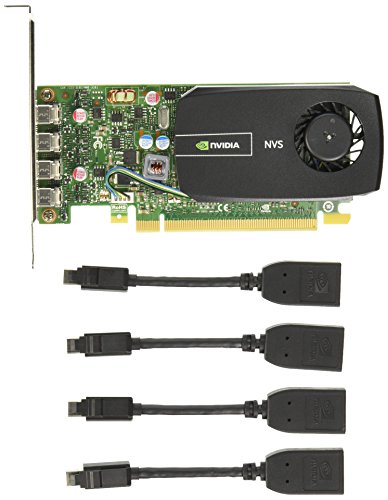
For basic productivity (web browsing, office apps, stock trading), a low-power card like the NVIDIA NVS 510 (35W) or the Glorto GT 730 is sufficient. These cards run cool and quiet. If you need light gaming or video playback, the VisionTek HD 7750 or the ARDIYES GT 740 with GDDR5 memory offer better performance. All cards listed draw power directly from the PCIe slot, so no extra cables are needed. For a deeper dive into dual monitor setups, check our best graphics cards for dual monitors guide.
Compatibility and Driver Support
All reviewed cards support Windows 11 and 10, and most also work with Linux. The Glorto and QTHREE cards automatically install drivers via Windows Update. The VisionTek HD 7750 supports older OS versions like Windows 7 and XP, making it a good choice for legacy systems. For professional environments, the NVIDIA NVS 510 offers certified drivers for stability. Always check the manufacturer’s website for the latest drivers.
Final Thoughts
After evaluating the top options, we recommend the Glorto GeForce GT 730 4G Low Profile Graphics for budget-conscious users who need a reliable triple monitor card for office work and light media. For those who want expandability and higher resolution support, the VisionTek Radeon HD 7750 2GB GDDR5 is a solid choice, capable of driving up to six displays with 4K output. Both cards deliver stable multi-monitor performance without breaking the bank.
Frequently Asked Questions
Can any graphics card support three monitors?
Not all graphics cards can handle three monitors. You need a card with at least three video outputs and support for multi-display technology like NVIDIA Surround or AMD Eyefinity. All the cards in this roundup are verified to work with three monitors out of the box.
What is the minimum VRAM for a triple monitor setup?
For standard productivity tasks with three 1080p monitors, 2GB of VRAM is sufficient. If you run 4K displays or graphics-intensive applications, 4GB is recommended. The cards we list range from 2GB to 4GB, covering both scenarios.
Do I need a powerful GPU for three monitors?
Not if you only use office software, web browsing, or stock trading. A low-power card like the NVIDIA NVS 510 or the Glorto GT 730 works perfectly. For gaming or video editing across three screens, a more powerful card like the VisionTek HD 7750 is better. See our Cards category for more options.
How do I connect three monitors to one graphics card?
Simply plug each monitor into a video port on the card using the appropriate cable (HDMI, DisplayPort, or VGA). Most modern cards automatically detect the displays. You may need to enable extended desktop mode in your operating system’s display settings. Some cards require active adapters for certain port combinations.

