

You have a Windows 10 desktop or laptop, but the built-in audio leaves you wanting. Maybe you hear static, miss surround sound cues in games, or cannot connect your studio microphone. Upgrading your sound card is a simple fix that transforms everything from music production to movie nights. This guide covers the best Windows 10 compatible sound cards for 2026, including internal PCIe options and external USB adapters for every budget and setup. Whether you are a competitive gamer, a podcaster, or someone who just wants clearer audio, we have you covered. For a deeper look at how sound cards differ across operating systems, check out our roundup of best sound cards for Mac if you also use Apple devices.



Buying Guide
Internal vs. External Sound Card
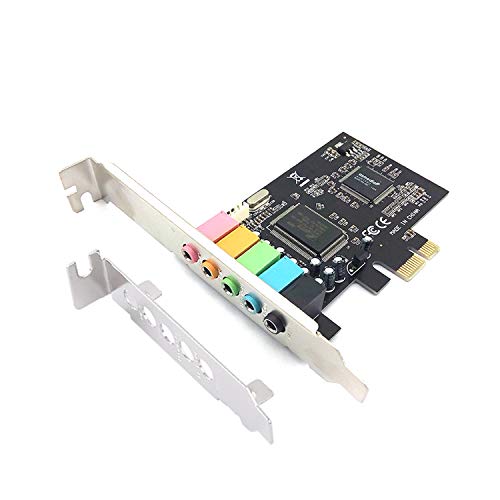
The first big decision is whether to install an internal card (PCIe or PCI) or use an external USB sound adapter. Internal cards like the Creative Sound Blaster Audigy Fx Pro Hi-Res PCIe offer lower latency and direct connection to your motherboard, ideal for gaming and professional audio work. They require an available slot inside your PC case, so check your motherboard’s expansion options before buying.
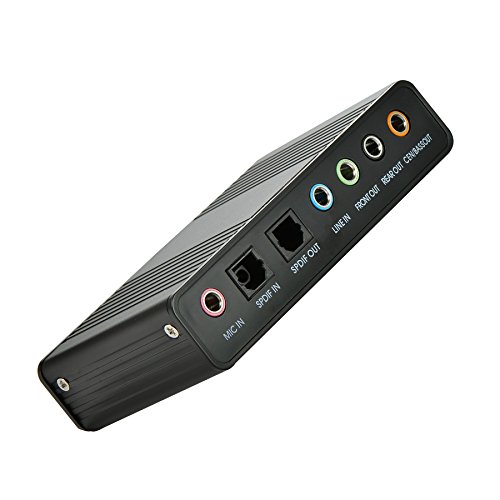
External sound cards, such as the StarTech 7.1 USB Audio Adapter, plug into any USB port and work with laptops and desktops alike. They are portable, easy to set up, and often include features like headphone amps and surround sound processing. Choose an external card if you value flexibility and do not want to open your PC.
Channel Configuration: Stereo, 5.1, or 7.1
Think about how you use audio. For casual listening and voice calls, a stereo (2.0) sound card like the SABRENT USB External Stereo Sound Card Adapter is sufficient and affordable. If you watch movies or play games that support surround sound, consider a 5.1 or 7.1 channel card. For example, the Cubilux 7.1 USB Surround Sound Card delivers immersive audio for a home theater experience.
Most affordable internal cards, such as the Minhe 4.1 Channel PCI Sound Card, provide 4.1 channels, which is a good middle ground. Ensure your speaker system matches the card’s output; otherwise, you may not benefit from the extra channels.
Sampling Rate and Bit Depth
For audiophiles and music creators, higher sampling rates and bit depths matter. Cards like the Creative Sound Blaster Audigy Fx Pro support up to 32-bit/384 kHz, which can reproduce high-resolution audio with exceptional clarity. The Cubilux 7.1 USB card also handles up to 384 kHz for headphones.
Most standard users will be fine with 48 kHz/16-bit, which is the baseline for DVD-quality sound. Always check the specifications if you work with professional audio software or have a high-end headphone setup. For more insights, read our guide on best sound cards for vocal recording if you record vocals.
Final Thoughts
Choosing the right sound card for Windows 10 boils down to your needs: if you want pristine high-resolution audio and low latency for gaming or music creation, the Creative Sound Blaster Audigy Fx Pro Hi-Res PCIe is our top pick with its sturdy design and advanced software. For a budget-friendly, plug-and-play external solution that works with any laptop or desktop, the StarTech 7.1 USB Audio Adapter offers reliable 7.1 surround sound and easy setup.
Frequently Asked Questions
Will any sound card work with Windows 10?
Most modern sound cards, including all nine on our list, are compatible with Windows 10. Always check the product description for Windows 10 support before buying. Many internal cards like the Padarsey PCIe 5.1 Internal Sound Card include drivers that work with Windows 10 out of the box.
Do I need an internal or external sound card for my Windows 10 PC?
It depends on your setup. Internal cards offer better performance for gaming and professional applications, but require an open PCIe slot. External USB sound cards are ideal for laptops or desktops with no available slots, and they are easy to move between devices. Both types function well with Windows 10.
Can I use a Windows 10 sound card for recording music?
Yes, many sound cards support line-in and microphone inputs for recording. However, for serious music production, consider a dedicated audio interface. For more advice, see our guide on best sound cards for recording guitar.
What is the difference between 5.1 and 7.1 surround sound in a sound card?
5.1 surround sound uses five main speakers and one subwoofer, while 7.1 adds two extra rear speakers for more immersive audio. Both are supported by many Windows 10 sound cards. Choose 5.1 for most home setups, or 7.1 if you have a dedicated home theater system.

