🔥 TV Black Friday Deals 2026: picks worth watching →
You just unboxed your Steam Deck, loaded up your favorite titles, and then hit the dreaded notification: storage full. The built-in SSD fills up fast with modern games, and you need a reliable way to expand without breaking the bank. That is where micro SD cards step in. They offer a simple, affordable way to carry dozens of extra games, save files, and emulated classics. In this guide, we review three of the top micro SD cards for Steam Deck in 2026 to help you pick the one that matches your gaming habits and budget.
Whether you are looking for high-capacity storage for your entire library or a budget-friendly card for a few essentials, we have you covered. If you use your Steam Deck on the go, you might also appreciate advice on keeping your gear safe, similar to our thoughts on reliable storage for outdoor cameras. Let us dive into the top contenders.



Buying Guide: What to Look for in a Steam Deck Micro SD Card
Choosing the right micro SD card for your Steam Deck involves more than just picking the largest capacity. Factors like read and write speeds, app performance ratings, and durability play a big role in your gaming experience. Below are the key criteria to keep in mind when shopping.
Read and Write Speeds
The Steam Deck reads games directly from the micro SD card during gameplay. Faster read speeds mean quicker load times and smoother open-world transitions. Look for cards with at least 100 MB/s read speed; the models we reviewed reach up to 245 MB/s. Write speed matters when you install new titles or transfer files, so a card with decent write performance saves you time.
If you also use memory cards for cameras or dashcams, our guide on best SD cards for security cameras covers similar speed considerations for continuous recording.
App Performance Rating (A1 vs. A2)
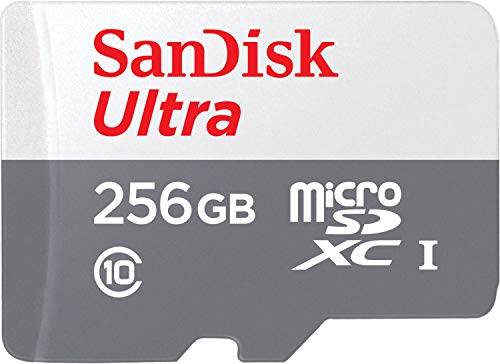
Application Performance Class (A1 or A2) indicates how well a card handles random read and write operations. For gaming, an A2 rating is preferred because it provides faster random access, which translates to snappier app launches and smoother gameplay. The Lexar 1TB Play card is rated A2, while the Sandisk 128GB Ultra is A1. That difference matters if you frequently switch between games or run demanding titles.
Capacity and Durability
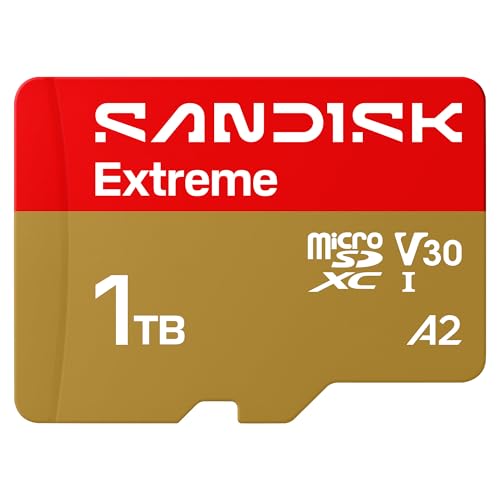
Steam Deck games can range from a few hundred megabytes to over 100 GB. A 128GB card is enough for a few titles, but a 1TB card lets you keep your entire library at your fingertips. Also consider durability: the SanDisk Extreme card is rated temperature proof, waterproof, shock proof, and X-ray proof. That peace of mind is valuable when you take your Deck on the road. For similar rugged advice, check our tips on micro SD cards for security cameras.
Compatibility with Steam Deck
All three cards use the UHS-I interface, which the Steam Deck supports natively. No special adapters are needed. Just pop the card into the slot on the bottom of the Deck and format it via the system settings. Both Sandisk and Lexar are trusted brands with millions of satisfied users, so compatibility is virtually guaranteed.
Final Thoughts
After evaluating speed, capacity, durability, and value, our overall recommendation leans toward two outstanding options. For gamers who want maximum storage and top-tier performance, the SanDisk 1TB Extreme microSD UHS-I Card delivers blazing-fast read and write speeds paired with rugged durability, making it ideal for large game libraries and heavy use. If you are after a more budget-friendly but still very capable solution, the Lexar 1TB Play Micro SD Card offers excellent A2-rated speed and a generous 1TB capacity at a lower price point, perfect for expanding your Deck without overspending. Either choice will transform your handheld gaming experience.
Frequently Asked Questions
Can I use any micro SD card in the Steam Deck?
Yes, the Steam Deck supports UHS-I micro SD cards. Cards with UHS-II or higher may physically fit but will only run at UHS-I speeds because the Deck does not support the faster interface. We recommend sticking with UHS-I cards for best compatibility and value.
What is the maximum micro SD card capacity supported by the Steam Deck?
The Steam Deck officially supports micro SD cards up to 2TB. In 2026, 1TB cards are the largest readily available and offer a great balance of cost and capacity. You can use a 2TB card if you find one, but 1TB is more common and affordable.
Do I need an A2 rated card for gaming?
Not strictly, but an A2 rated card provides faster random read and write performance, which can reduce game loading times and improve in-game asset streaming. For the best experience on the Steam Deck, an A2 card like the Lexar 1TB Play is a smart choice. An A1 card like the Sandisk 128GB Ultra still works well for less demanding games.
How do I format a micro SD card for Steam Deck?
Insert the card into the Deck, then go to Settings > System > Format SD Card. The Deck will automatically format it to the ext4 file system, which is optimized for Linux and SteamOS. Always format before use to avoid errors.