🔥 TV Black Friday Deals 2026: picks worth watching →
Your tablet is a portable powerhouse for streaming, gaming, note-taking, and creative work, but limited built-in storage can quickly become a bottleneck. Adding a microSD card is the simplest way to expand capacity without upgrading your device. In this guide, we evaluate the best micro SD cards for tablets in 2026, focusing on real-world speed, reliability, and compatibility with Android tablets, Chromebooks, and even Windows laptops. Whether you need room for offline movies, high-res photos, or app libraries, our picks have you covered.
If you are also shopping for smartphone storage, check out our roundup of the top micro SD cards for android for additional options optimized for mobile devices.


Buying Guide: What to Look for in a Tablet microSD Card
Not all microSD cards perform equally in tablets. Speed ratings, capacity, and application performance matter more when you run apps directly from the card. Here are the key criteria we used to evaluate these products.
Read and Write Speeds
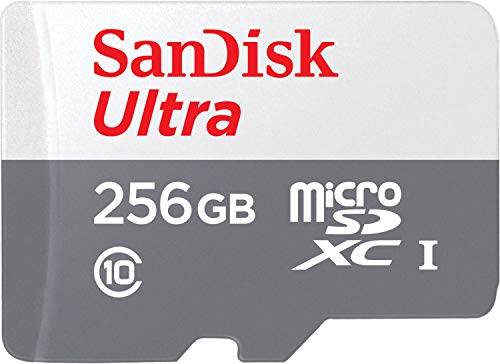
Fast read speeds reduce loading times for large files and apps. Look for cards rated at least 100MB/s read for smooth full HD video playback and quick file transfers. Cards like the SANDISK 256GB Ultra microSD UHS-I Card achieve up to 195MB/s read speeds when paired with a compatible reader, making them ideal for media-heavy use.
Write speed is equally important if you record 4K video or shoot burst photos on your tablet. A U3 or V30 rating guarantees minimum write speeds of 30MB/s. For general app usage, even a U1 card works well, but U3 provides extra headroom.
Application Performance Class (A1 / A2)
Tablets that allow app installation on external storage benefit from A1 or A2 rated cards. A2 cards deliver higher random read and write IOPS, resulting in snappier app launches and multitasking. The SANDISK 128GB Ultra microSD UHS-I Card is rated A1, which is sufficient for most users, while the Amazon Basics 512GB microSDXC Card features A2 for enhanced app performance.
If you plan to install multiple games or productivity apps, a card with A2 certification is a wise investment. Our guide to Android SD cards covers more details on app performance ratings.
Capacity and Device Compatibility
Tablets support different maximum capacities. Most modern Android tablets accept cards up to 1TB, but older models may cap at 128GB or 256GB. The Amazon Basics 512GB microSDXC Card offers generous space for video libraries, while the 128GB and 256GB SanDisk options are safe bets for standard use. Always verify your tablet’s specification before purchasing.
For devices with limited built-in storage, a card reader like the acer SD Card Reader USB C can help transfer files quickly between your tablet and a computer. This accessory is not a storage card itself but a handy tool for offloading content.
Durability and Warranty
MicroSD cards used in tablets often travel in bags or pockets. Shockproof, waterproof, and temperature-resistant construction adds peace of mind. The Amazon Basics 512GB card is rated IPX6 waterproof and X-ray-proof, while SanDisk cards come with a 10-year limited warranty. A longer warranty indicates confidence in reliability. For rugged use cases, see our roundup of top microSD cards for single board computers where durability is critical.
Final Thoughts
For most tablet owners, the SANDISK 256GB Ultra microSD Card + Adapter offers the best balance of proven reliability, A1 app performance, and high read speeds that keep your device feeling responsive. If you need maximum capacity for offline movie collections or large app installs, the Amazon Basics 512GB microSDXC Card with its A2 rating and rugged build delivers exceptional value. Pair either card with a acer SD Card Reader USB C for effortless file management between devices.
Frequently Asked Questions
Can I use a microSD card in any tablet? Most Android tablets and Chromebooks include a microSD slot, but iPads and some budget tablets do not. Check your device specifications for a card slot and supported capacity. For phones with slots, see our list of best SD cards for Android phones.
What is the difference between A1 and A2 microSD cards? A2 cards have higher random read and write speeds for running apps directly from the card. A1 cards are still good for basic app usage, but A2 provides a smoother experience with larger games and multitasking. In 2026, A2 is becoming the standard for demanding tablet users.
How do I transfer files from a microSD card to my computer? You can remove the card and insert it into a built-in card reader, or use a USB-C reader like the acer SD Card Reader USB C for fast data transfer. Many laptops also have full-size SD slots, but microSD cards usually require an adapter.
Will a faster microSD card drain my tablet’s battery? No, the speed class of the card does not affect battery drain. However, running apps from the card may increase background activity slightly. For most users, the difference is negligible. Our Cards category has more tips on optimizing storage.