

🔥 TV Black Friday Deals 2026: picks worth watching →
Your Fire Tablet is a portal to endless entertainment, but limited storage can quickly put a damper on your fun. Whether you are downloading the latest games, saving movies for a long trip, or snapping photos with the built-in camera, running out of space is frustrating. The solution is simple: a high-quality microSD card designed to work seamlessly with your device. In this guide, we focus on the best SD cards for Fire Tablet in 2026, highlighting three top SanDisk options that balance speed, capacity, and reliability. If you are also curious about expanding storage on other devices, check out our roundup of best microSD cards for tablets for broader recommendations.


Buying Guide: What to Look for in a Fire Tablet SD Card
Choosing the right microSD card for your Fire Tablet involves more than just picking the largest capacity. Speed, compatibility, and intended use all matter. Below are the key criteria we used to evaluate these cards.
Amazon Certification for Flawless Performance
Not all microSD cards are created equal when it comes to Amazon Fire devices. A “Made for Amazon” certification means the card has been rigorously reviewed and confirmed to work perfectly with Fire Tablets and Fire TV devices. This eliminates guesswork and ensures you get reliable performance for app installation, media playback, and file transfers. Our top pick carries this certification, giving you peace of mind.
Speed Ratings for Smooth App and Video Performance
Speed is crucial for a lag-free experience. Look for Class 10 or UHS-I (U1, U3) ratings. For Fire Tablets, a card with A1 or A2 rating is even better because it optimizes app loading times. The cards we recommend offer read speeds up to 195MB/s, which is plenty for Full HD video recording and playback. If you often use your tablet for gaming or multitasking, prioritize higher speed classes. For more on speed considerations, see our guide to best SD cards for tablets.
Capacity That Fits Your Lifestyle
Fire Tablets support microSD cards up to 1TB, but your ideal capacity depends on how you use your device. A 128GB card is great for casual users who store a few movies and apps. For heavy users who download entire seasons or install many games, 256GB or even 512GB offers breathing room. The SanDisk options we review span these sweet spots, so you can choose based on your storage needs without overspending.
Durability and Data Protection
Your Fire Tablet goes with you everywhere, so your storage card should handle life’s bumps. SanDisk microSD cards are built with shock, temperature, water, and x-ray resistance. This durability ensures your photos, videos, and apps stay safe even if you drop your tablet or leave it in a hot car. It is a feature that adds long-term value, especially for families with kids. For more durable storage options, explore our Cards category.
Final Thoughts
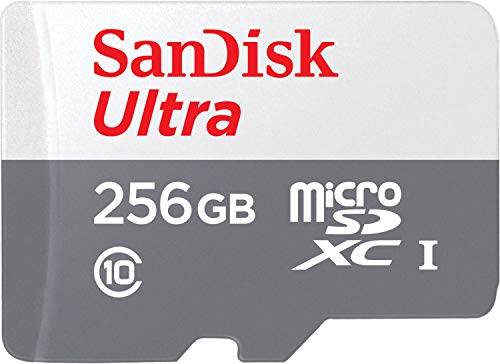
After evaluating these three SanDisk microSD cards, we recommend the Made for Amazon SanDisk 256GB microSD Memory Card for Fire Tablet users who want guaranteed compatibility and ample space for apps and media. For those on a budget or with lighter storage needs, the SANDISK 128GB Ultra microSD UHS-I Card offers excellent speed and reliability at a more accessible capacity. Both cards deliver the performance your Fire Tablet deserves, so you can enjoy your content without worrying about space.
Frequently Asked Questions
Can I use any microSD card in my Fire Tablet?
Most microSD cards will physically fit, but for the best performance and reliability, we recommend using a card that is certified “Made for Amazon” or at least a high-quality brand like SanDisk. Cards without proper certification may cause slower app loading or occasional errors.
How do I install a microSD card in my Fire Tablet?
Insert the card into the microSD slot, usually located on the side or under the kickstand of your Fire Tablet. The device will automatically detect it. You may be prompted to format the card, which is normal. After that, you can set it as internal storage or portable storage depending on your needs.
Will a faster microSD card improve app performance on my Fire Tablet?
Yes, especially if you choose a card with an A1 or A2 speed rating. These cards are optimized for app storage and can significantly reduce loading times for games and applications. For everyday use, even a Class 10 card will work well, but for heavy multitasking, a faster card is beneficial.
What is the maximum storage capacity my Fire Tablet supports?
Most Fire Tablets from 2018 onward support microSD cards up to 1TB. However, it is always a good idea to check your specific model’s specifications. For a list of compatible devices, refer to our guide on best micro SD cards for Android tablets, which includes Fire devices.



