

🔥 TV Black Friday Deals 2026: picks worth watching →
Picture this: you’re on a crucial video call for work or catching up with family across the country, and your old webcam delivers a blurry, poorly lit image that distracts from the conversation. We’ve all been there, struggling with outdated hardware that undermines your professional presence or personal connections. That’s where Logitech shines, offering a range of webcams that bring clarity and simplicity to your setup. Whether you’re remote working, streaming, or just staying in touch, our guide to the best Logitech webcams in 2026 will help you find the perfect match for your needs.




Buying Guide: What to Look for in a Logitech Webcam
Resolution and Frame Rate
Resolution determines how sharp and detailed your video appears. For most users, Full HD (1080p) at 30 frames per second (fps) delivers crisp images for calls and streaming. If you need smoother motion, like for recording fast-paced content or gaming, consider a model that supports 60fps. 4K webcams offer exceptional clarity but require more bandwidth and processing power. For a deeper look at high-frame-rate options, check out our guide on best 60fps webcams for smooth streaming.
Low-Light Performance
Lighting can make or break your video quality. Logitech’s RightLight technology automatically adjusts exposure and brightness to compensate for dim rooms or backlighting. Features like auto exposure and HDR help you look natural even in challenging conditions. If you often work in varied lighting, prioritize a webcam with robust light correction, such as the Logitech Brio series.
Microphone Quality
Your audio is just as important as your video. Built-in microphones with noise-canceling technology filter out background sounds like typing or street noise, ensuring your voice comes through clearly. Dual omnidirectional mics pick up sound from a range of distances, making them ideal for group calls or when you move around. For more insights, read our best 1080p webcams under $100 guide to see how audio features vary across models.
Field of View and Privacy
Field of view (FOV) determines how much of your environment is visible. A narrow FOV (around 65 degrees) is great for focused solo calls, while a wide FOV (up to 90 degrees) works for group meetings or showing your desk setup. Privacy shutters are essential for peace of mind when you’re not on camera. Many Logitech models come with integrated or attachable covers.
Final Thoughts
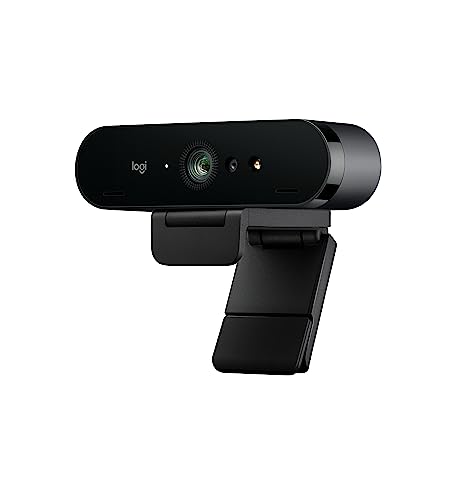
After evaluating the top Logitech webcams for 2026, we stand by our picks for their balance of quality and value. For a reliable, affordable option that covers all bases for remote work and casual calls, the Logitech Brio 101 Full HD 1080p Webcam offers excellent autolight adjustment and a built-in mic at a great price. If you’re ready to invest in the best for professional streaming or high-end video calls, the Logitech Brio Ultra 4K HD Webcam for Streaming delivers spectacular 4K resolution with advanced light correction and noise-canceling audio, making every interaction feel polished and immersive. Whichever you choose, upgrading your webcam is a simple step that transforms your video experience.
Frequently Asked Questions
What is the best Logitech webcam for Zoom calls?
The Logitech Brio 101 Full HD 1080p Webcam is a top choice for Zoom with its autolight balance and plug-and-play compatibility. For higher-end needs, the Logitech Brio Ultra offers 4K resolution and Windows Hello support. Check our guide on top logitech webcams for zoom meetings for more details.
Are Logitech webcams compatible with Mac?
Yes, most Logitech webcams work with Mac and other platforms like Windows and ChromeOS. Models like the HD Pro Webcam C920 are plug-and-play on Mac for video calls. For specific recommendations, see our best logitech webcams for mac list.
Do Logitech webcams have built-in microphones?
Yes, many Logitech webcams, including the Brio 101 and Brio Ultra, include built-in microphones with noise-canceling technology. The dual omnidirectional mics on higher-end models capture clear audio from up to several feet away, reducing background noise for better conversations.
How do I set up a privacy shutter on a Logitech webcam?
Most newer Logitech webcams come with an integrated slide cover or an attachable privacy shade. For models like the Brio 101, simply slide the cover over the lens when not in use. For attachable shades, clip them onto the camera body and flip them down for privacy.


