

Imagine you are in a critical video call with a client, but your grainy, dim webcam makes you look unprofessional. Or you are a streamer ready to go live, yet your camera struggles with autofocus and poor lighting. This Logitech MX Brio 4K webcam review cuts through the noise to help you choose the perfect webcam for your setup, whether you are a remote worker, a content creator, or a business professional. We have evaluated eight top Logitech models, from the budget-friendly Brio 101 to the premium MX Brio Ultra HD 4K, to give you clear buying advice. For more context on webcam features, check out our guide on the best webcam with mic.

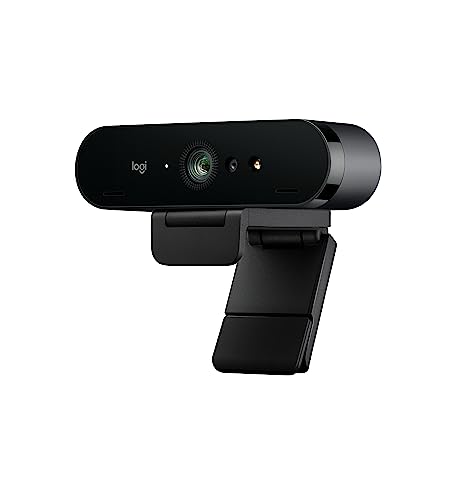


Buying Guide
Resolution and Frame Rate
Resolution determines how sharp your video looks. For most users, Full HD (1080p) at 30 fps is adequate for calls and streaming. However, if you want the best clarity for professional meetings or content creation, a 4K webcam at 30 fps or 1080p at 60 fps offers smoother motion and finer detail. The Logitech MX Brio models excel here, with 70% larger pixels for superior image quality.
When choosing, consider your internet speed and computer performance. 4K video requires more bandwidth and processing power. If you frequently stream or record, a higher frame rate like 60 fps reduces motion blur. For everyday calls, 1080p is often sufficient.
Lighting and Audio Features
Good lighting can make or break your video quality. Look for webcams with auto light correction and HDR technology, such as Logitech’s RightLight feature. This ensures you look clear even in low-light or backlit environments. For audio, dual beamforming microphones with noise reduction are essential for clear communication, especially in noisy spaces.
Models like the Logitech MX Brio Ultra HD 4K and the Logitech Brio Ultra 4K HD Webcam for Streaming include advanced audio and lighting features. These are ideal for professionals who need to be heard and seen clearly. For more tips, see our article on the best webcam with noise cancelling microphone.
Field of View and Privacy
The field of view (FOV) determines how much of your environment is captured. A wider FOV (90 degrees) is great for group calls or showing your desk, while a narrower FOV (65 degrees) keeps the focus on you. Many Logitech webcams offer adjustable presets via software. Privacy is also critical; look for models with integrated privacy shutters or shades to block the lens when not in use.
For solo work, a 78-degree FOV is a good balance. The Logitech Brio 501 and MX Brio models include auto-framing, which keeps you centered as you move. A physical privacy cover is a simple but effective feature for peace of mind.
Compatibility and Software
Ensure the webcam works with your operating system and video platforms. Most Logitech webcams support Windows, macOS, and Chrome OS, and are certified for Zoom, Microsoft Teams, and Google Meet. Some models also offer software like Logi Options+ or Logi Tune for customizing settings like zoom, color, and manual focus.
For business users, the Logitech MX Brio 705 for Business 4K Webcam includes remote management via Logitech Sync, ideal for IT deployment. If you use Windows Hello, look for models with infrared sensors for facial recognition login. Compatibility with streaming platforms like Streamlabs is also a plus for creators.
Final Thoughts
After evaluating these Logitech webcams, we recommend the Logitech MX Brio Ultra HD 4K Webcam Collaboration for professionals and streamers who demand the best image quality with AI-enhanced features, and the Logitech 4k Webcam for a solid balance of 4K resolution and value. Both deliver outstanding video and audio, ensuring you look and sound your best on every call or stream.
Frequently Asked Questions
What is the best Logitech webcam for streaming in 2026?
For streaming, the Logitech MX Brio Ultra HD 4K Webcam Collaboration is our top pick. It offers 4K at 30 fps or 1080p at 60 fps, AI-enhanced image quality, and dual beamforming microphones for clear audio. It also works with popular streaming platforms like Streamlabs.
Do Logitech webcams work with Nintendo Switch 2?
Yes, several Logitech webcams, including the Logitech C920x HD Pro PC Webcam Full 1080p/30fps, Logitech Brio 501 Full HD Webcam Auto Light, Logitech MX Brio Ultra HD 4K Webcam Collaboration, and Logitech Brio 101 Full HD 1080p Webcam, are compatible with Nintendo Switch 2’s new GameChat mode. Check the product details for confirmation.
What is the difference between Logitech Brio and MX Brio?
The MX Brio series is Logitech’s premium line, featuring a more advanced image sensor with larger pixels for sharper detail, AI-enhanced face visibility, and dual beamforming noise-reducing microphones. The standard Brio models offer excellent 4K or 1080p video at a lower price point, with features like RightLight and adjustable FOV. For most users, the Brio Ultra 4K HD Webcam for Streaming is a great middle ground.
How do I choose between 1080p and 4K webcam?
Choose 1080p if you primarily make video calls or stream at lower resolutions, and your internet or computer cannot handle 4K. Choose 4K if you need the highest clarity for professional presentations, content creation, or if you plan to crop or zoom in post-production. The Logitech MX Brio models offer both options in one device.




