

You sit down for an important video call, your laptop camera flickers, and the tiny built-in speaker makes your colleagues sound like they are in a tin can. Sound familiar? A dedicated webcam with integrated speakers solves both problems, delivering sharp video and clear audio without cluttering your desk with extra gadgets. In this guide, we have evaluated eight all-in-one webcams that combine a camera, microphone, and speaker into one tidy package. Whether you are a remote worker, a student, or a family member keeping in touch, these devices make every call feel more professional. For a broader look at all-in-one options, check out our roundup of the best webcam with speaker and microphone for 2026.

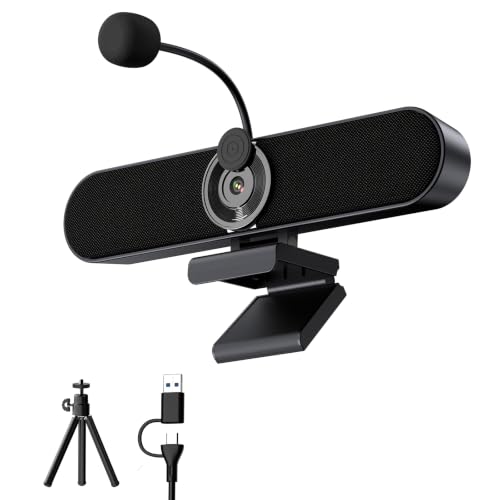


Buying Guide: What to Look for in a Webcam with Speakers
Video Resolution and Sensor Quality
The camera is the star of the show. Most modern webcams offer at least 1080p Full HD, which is plenty for crisp video calls. Some models, like the TONGVEO 3-in-1 4K Webcam with Microphones, step up to 4K for ultra-detailed streaming and recording. If you often work in low light, look for automatic low-light correction or a larger sensor. The EMEET C980 PRO 3-in-1 4K version includes low-light adjustment to keep you visible even in dim rooms.
Audio Quality: Speakers and Microphones
Built-in speakers vary widely. Dual 5W speakers, like those on the Inwa 2K Webcam, deliver fuller sound for music and dialogue. Microphone arrays with noise cancellation, such as the four-mic setup on the EMEET C980 PRO, filter out background chatter so your voice comes through clearly. For a comparison of microphone performance across brands, see our logitech webcam vs EMEET analysis.
Field of View and Adjustability
A narrow field of view (around 60°) works for solo calls, while a wider angle (90° or more) captures groups or whiteboards. The EMEET C980 PRO offers an adjustable 60° to 98° field of view, giving you flexibility. Clip-on designs and tripod threads let you position the camera exactly where you need it, whether on a monitor or a desk.
Extra Features That Matter
Privacy shutters, plug-and-play USB connectivity, and compatibility with Zoom, Teams, and Google Meet are standard on most models. Some, like the TONGVEO, add AI auto-tracking and a remote control for hands-free operation. If you need a versatile option for family calls, our guide to best webcams for families highlights models that work well for everyone.
Final Thoughts
After reviewing these eight webcams, our top recommendation for most people is the AIRHUG 3 in 1 1080P Webcam with Microphone, which offers a perfect balance of crisp video, a powerful 5W speaker, and a compact design that fits any workspace. For those who want higher resolution without breaking the bank, the ROCWARE RC08 2K Webcam with Speaker delivers sharp 2K video, a Harman-tuned speaker, and effective noise reduction, making it a smart choice for remote professionals on a budget.
Frequently Asked Questions
Do I really need a webcam with built-in speakers?
If you regularly join video calls, a webcam with integrated speakers eliminates the need for separate external speakers and a microphone. It keeps your desk tidy and ensures audio and video are synced without extra cables. For 2026, many all-in-one models rival dedicated audio gear in clarity.
What resolution is best for video calls?
1080p is the sweet spot for most platforms like Zoom and Teams, offering clear detail without hogging bandwidth. 2K and 4K webcams, such as the Inwa 2K or TONGVEO 4K, provide extra sharpness for recording or larger screens, but require a stronger internet connection. For a deeper dive, read our best webcam with mic guide that covers resolution trade-offs.
Can I use these webcams with multiple platforms?
Yes, almost all webcams with speakers are plug-and-play and work with Windows, Mac, Linux, and apps like Zoom, Skype, Google Meet, and Microsoft Teams. Just connect via USB and select the camera and speaker in your app’s settings. No drivers are needed for 2026 models.
How do I set up a webcam with speakers?
Simply plug the USB cable into your computer, clip the camera onto your monitor or place it on a desk, and adjust the angle. In your video call app, choose the webcam as your camera and the built-in speaker as your audio output. Most models include a privacy cover for the lens when not in use.



