🔥 TV Black Friday Deals 2026: picks worth watching →
You’re on back-to-back calls, juggling a noisy background and a scratchy microphone. The wrong headset can turn a simple meeting into a frustrating experience. We’ve gathered the top contenders for your home office or corporate desk—focusing on crystal-clear audio, all-day comfort, and hassle-free controls. Whether you need a wired USB plug-and-play model or a wireless Bluetooth companion for hybrid work, this guide covers seven of the best office headsets available in November 2026. For a deeper dive into wired options, check out our review of the best USB headsets.





Buying Guide: What to Look for in an Office Headset
Comfort and Weight
If you spend hours on calls, a heavy or tight headset can cause fatigue. Look for lightweight designs (under 150 grams) with padded headbands and breathable ear cushions. Models like the Lenovo USB-A Wired Stereo Headset (just 140 grams) and the Logitech Zone 301 (122 grams) prioritize comfort without sacrificing durability. Memory foam earpads and adjustable headbands are essential for prolonged wear.
Noise Cancellation: Mic vs. Ear
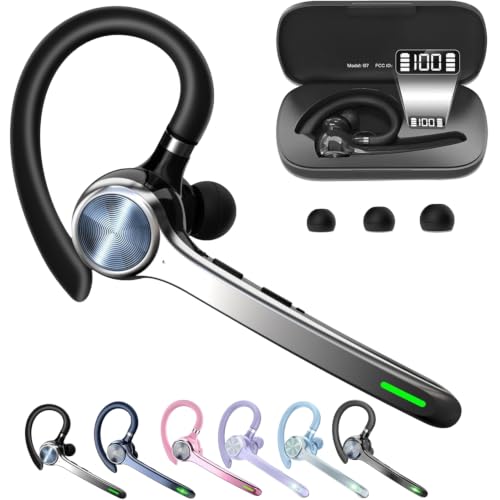
Offices are noisy—keyboards clacking, colleagues chatting, traffic outside. A headset with environmental noise cancellation (ENC) on the microphone ensures your voice is heard clearly. Some models, like the Upgrade ANC & ENC Wireless Headset, also offer active noise cancellation (ANC) for your ears, blocking out distractions so you can focus. For a broader look at noise-cancelling options, see our best noise cancelling headsets.
Connectivity and Compatibility
Decide between wired USB headsets (simple plug-and-play with no battery worries) and wireless Bluetooth headsets (freedom to move around). Many wireless models now include a USB dongle for stable connections even on older PCs. Look for dual pairing capability so you can switch between your laptop and phone seamlessly. For wireless options, check our top picks for wireless headsets with mic.
Controls and Microphone Type
Intuitive in-line controls, mute buttons, and a flexible boom mic can save time during meetings. Flip-to-mute features (like on the Angteela Upgrade model) let you instantly silence yourself without fumbling. A unidirectional or noise-canceling microphone improves call clarity. Many headsets also integrate with major platforms like Teams, Zoom, and Google Meet right out of the box.
Final Thoughts
After evaluating these models, the Lenovo USB-A Wired Stereo Headset for PC/Laptop stands out as a budget-friendly wired choice for anyone who needs a lightweight, no-fuss headset with AI-powered noise cancellation. For professionals who need freedom to move during calls, the Logitech Zone 301 Wireless Bluetooth Headset offers excellent audio quality, long battery life, and a comfortable fit. Whichever you choose, a great office headset will elevate your daily communication and help you stay productive.
Related Guides
Frequently Asked Questions
1. Are wired or wireless office headsets better for daily use?Wired headsets (USB) offer unlimited talk time and zero latency, making them ideal for stationary setups. Wireless headsets give you the freedom to walk around, but require charging. For most users, a wireless model like the Logitech Zone 301 is a great compromise. For more on connectivity, see our guide to Bluetooth headsets with mic.
2. Do I need noise cancelling for an office headset?If you work in a noisy environment—open office, cafe, or home with distractions—a headset with ENC (microphone noise cancellation) is highly recommended. Models like the Soothielec Wireless Headset with ENC block background sounds effectively. For ear noise cancellation, consider the Angteela Upgrade with ANC.
3. Can I use a gaming headset for office calls?You can, but gaming headsets often have exaggerated bass and bulky designs. Office headsets prioritize voice clarity and comfort for long hours. The JIAMQISHI USB Headset and Logitech H390 are purpose-built for VoIP calls and conferencing platforms.
4. How do I know if a headset is compatible with my computer?Most USB headsets work with any PC or Mac without drivers. Wireless headsets with a USB dongle are the safest bet. Check for compatibility with your operating system and apps like Teams or Zoom before purchasing. Our best headsets with mic review includes compatibility details.