🔥 TV Black Friday Deals 2026: picks worth watching →
You have the perfect laptop for YouTube editing, but something still feels off. Maybe your audio sounds muffled, your timeline feels cramped on a small screen, or you waste minutes fumbling for hotkeys. The right accessories can turn a good editing setup into a great one. In this guide, we review six carefully selected products that address these pain points: wireless lavalier microphones, high-resolution portable monitors, a stream controller, and a complete podcast kit. Whether you are a solo vlogger or a multi-person production team, these tools will help you edit faster, hear every detail, and see true color accuracy.
If you are still hunting for the perfect laptop, check out our roundup of best laptops for YouTube to see which models pair best with these accessories.


Buying Guide: What to Look For in YouTube Editing Accessories
Audio Quality That Captures Every Nuance
Your audience will forgive a slightly soft image, but they will click away the second the audio sounds distant or tinny. For YouTube editing, you need a microphone that delivers clear, noise-free dialogue. Wireless lavalier systems like the BOYA BY-XM6-K5 offer stable 2.4GHz transmission, OLED displays for monitoring, and a charging case that keeps you recording all day. Look for features like mono/stereo switching and real-time monitoring to ensure your voice tracks match your video perfectly.
For more advice on building a creator laptop setup, read our best laptops for content creators guide.
Display Accuracy and Screen Real Estate
Color grading and timeline precision demand a monitor that shows true colors and plenty of pixels. A portable 4K display like the Yodoit 4K Portable Monitor or the SOTSU FlipAction Elite 16″ gives you a second screen with wide color gamut (145% sRGB or 100% DCI P3) and high contrast. The Yodoit model even reaches 1200 nits for outdoor use. If you frequently switch between landscape and portrait mode for vertical video editing, the SOTSU monitor’s pivot rotation and height adjustment are game changers.
Pair these with a laptop that can drive 4K output; see our picks for best laptops for content creation.
Workflow Efficiency with a Stream Controller
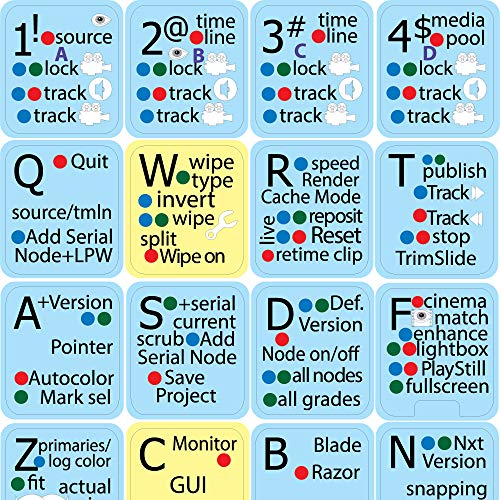
Editing involves dozens of repetitive actions: cutting clips, adjusting audio levels, switching scenes. A stream controller like the SOOMFON Stream Controller Studio Control Deck 15 puts 15 customizable LCD keys at your fingertips. You can map one key to “add marker,” another to “toggle mute,” and a third to launch your export preset. The side dashboard shows CPU and memory usage, so you know when your laptop is struggling. This tool works with OBS Studio, Twitch, YouTube, and even Philips Hue lights.
For a laptop that can keep up with a demanding workflow, check our NIMO 15.6 AI creator laptop review.
Complete Podcast and Recording Setup
If you record with a co-host or conduct interviews, a two-microphone podcast bundle like the MAONO PD200W Hybrid Wireless Podcast Equipment simplifies your rig. It supports wireless, USB, and XLR connections, so you can go cable-free or plug directly into your laptop. The cardioid capsule and three-stage noise cancellation keep background noise out. Each mic records to its own track, making post-production editing a breeze.
For drawing and sketching workflows, see our best laptops for drawing guide.
Final Thoughts
To get the most out of your YouTube editing laptop, focus on the two areas that matter most: audio and display. The BOYA BY-XM6-K5 Wireless Lavalier Microphone gives you studio-quality voice capture with the convenience of a charging case, while the Yodoit 4K Portable Monitor provides a sunlight-readable 4K canvas with rich color accuracy. Add a stream controller to speed up your edit, and you will wonder how you ever worked without them.
Frequently Asked Questions
What is the best microphone for YouTube editing in 2026?
The BOYA BY-XM6-K5 Wireless Lavalier Microphone is a top choice for its stable wireless signal, OLED display, and compact charging case. It delivers clear audio for vlogs, interviews, and voiceovers.
Do I need a portable monitor for video editing?
If you work on location or need extra screen space for timelines and previews, a 4K portable monitor like the Yodoit or SOTSU models is invaluable. They provide accurate colors and high brightness for outdoor use.
How can a stream controller improve my editing workflow?
A stream controller like the SOOMFON Studio Control Deck 15 lets you assign one‑touch shortcuts for common editing tasks, such as cutting clips, adjusting audio, or switching scenes. This reduces mouse clicks and speeds up your edit.
What podcast equipment is best for YouTube creators in 2026?
The MAONO PD200W Hybrid Wireless Podcast Equipment is a complete kit for two people. It offers wireless, USB, and XLR connectivity, plus individual track recording for easy editing. For more on laptop choices, see our best laptops for 3D modeling in 2026 guide.