

🔥 TV Black Friday Deals 2026: picks worth watching →
Are you searching for a reliable Lenovo laptop that balances performance, portability, and value? Whether you are a student managing virtual classrooms, a professional juggling spreadsheets, or a home user streaming media, picking the right model can be overwhelming. This guide covers two standout Lenovo laptops—the Lenovo Flagship Chromebook and the Lenovo V15 Gen 4 Business Laptop—along with a practical accessory for on-the-go users. We have assessed each device based on real-world needs to help you find the best Lenovo laptop for your routine. For more budget-friendly options, check out our roundup of affordable laptops for students.




Buying Guide for Lenovo Laptops
Performance and Processor
The heart of any laptop is its processor. For everyday tasks like browsing, streaming, and document editing, an entry-level chip such as the MediaTek Kompanio 520 in the Chromebook handles multitasking efficiently. If you need power for demanding applications or heavy multitasking, the AMD Ryzen 5 7430U in the V15 Gen 4 delivers superior speed and responsiveness. Look for at least 4GB of RAM for basic use, but 8GB is preferable for smooth operation with multiple programs open. For additional guidance on student laptops, see our top picks for students.
Display and Portability
A quality display reduces eye strain and improves productivity. The Chromebook features a 14-inch Full HD touchscreen with IPS technology, ideal for interactive learning or presentations. Its lightweight design (under 3 pounds) makes it easy to carry. The V15 Gen 4 offers a 15.6-inch FHD anti-glare display with 300 nits brightness and an 88% screen-to-body ratio, perfect for immersive work or entertainment. If portability is your priority, the Chromebook wins; if you prefer a larger canvas, the V15 is the better choice.
Build Quality and Battery Life
Durability matters, especially for students and travelers. The V15 Gen 4 is military-grade certified, surviving temperature extremes, humidity, and shocks. The Chromebook, while not ruggedized, is well-built for daily commutes. Battery life on the Chromebook is excellent thanks to the efficient MediaTek processor, while the V15 offers solid endurance for a full workday. Always verify battery claims through verified reviews.
Connectivity and Security
Modern laptops need ample ports. The Chromebook includes USB-A, USB-C, a microSD slot, and a headphone jack. The V15 Gen 4 goes further with USB-A, USB-C, USB 2.0, HDMI, Ethernet, and a Kensington lock slot. Both devices feature a webcam privacy shutter, and the V15 adds TPM 2.0 encryption for data protection. For connecting peripherals, the V15 is the clear winner. If you are exploring other brands, our best dell laptops provides alternative options.
Final Thoughts
After evaluating performance, display quality, build, and security, the best Lenovo laptop for you depends on your specific needs. For students or casual users who value extreme portability and a touchscreen, the Lenovo Flagship Chromebook is a fantastic choice with its lightweight frame and Chrome OS simplicity. For professionals or power users who require a robust processor, a larger screen, and business-grade security, the Lenovo V15 Gen 4 Business Laptop delivers exceptional value. Both models represent the best of Lenovo’s lineup for 2026, ensuring you get a reliable companion for years to come.
Frequently Asked Questions
What is the best Lenovo laptop for students in 2026?
For most students, the Lenovo Flagship Chromebook offers an outstanding balance of affordability, portability, and ease of use. Its touchscreen and long battery life make it ideal for note-taking and research. If your coursework requires Windows software, consider the V15 Gen 4 for its full desktop capabilities.
Can the Lenovo Chromebook run heavy software like Adobe Photoshop?
The Chromebook runs Chrome OS, which supports web-based and Android apps. It is not designed for heavy desktop software like Adobe Photoshop. For such tasks, the V15 Gen 4 with its AMD Ryzen processor and Windows operating system is the better choice.
Is the Lenovo V15 Gen 4 good for video editing?
The V15 Gen 4 can handle light to moderate video editing with its powerful Ryzen 5 processor and integrated Radeon graphics. For professional-grade editing, you may want a laptop with a dedicated GPU, but for casual projects it performs admirably.
Does the Lenovo laptop bag fit laptops up to 15.6 inches?
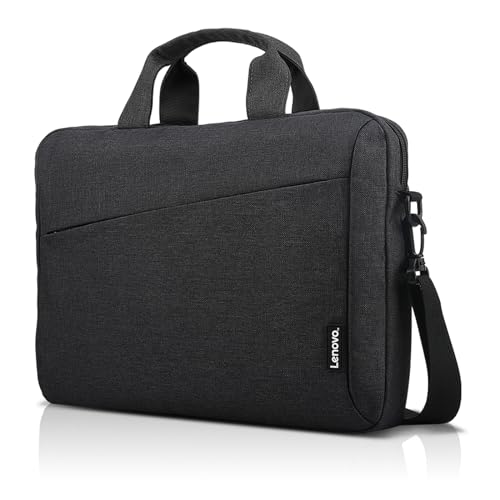
Yes, the Lenovo Laptop Bag T210 is designed to comfortably hold laptops up to 15.6 inches in its integrated compartment. It also has pockets for accessories and a main compartment for books, making it a practical companion for the V15 Gen 4 or other large devices.



