

🔥 TV Black Friday Deals 2026: picks worth watching →
You have decided it is time to upgrade your tablet, but Apple offers so many models that picking the right one can feel overwhelming. Whether you need a device for note-taking, creative work, or everyday streaming, the best Apple tablets deliver exceptional performance and longevity. In this guide, we break down four top-tier iPads to help you find the perfect match for your lifestyle. If you are also curious about alternatives, check out our best Samsung tablets of 2026 for a broader perspective.




Buying Guide: How to Choose the Best Apple Tablet
Performance and Processor
The chip inside your iPad determines how smoothly it handles apps, games, and multitasking. Apple’s A16 chip in the standard iPad 11-inch offers a noticeable boost over previous generations, making it ideal for daily tasks and light creative work. For heavier workflows like video editing or running AI-powered apps, the M4 chip in the iPad Air delivers desktop-class performance. If you are a student who primarily uses note-taking apps and browsing, the A16 is plenty. For professionals, the M4 is a game changer. We have also evaluated best Samsung tablets for students if you want a comparison.
Display Quality and Size
All modern iPads feature stunning displays, but there are nuances. The 11-inch Liquid Retina display on the iPad and iPad Air offers True Tone and wide color, making media consumption and drawing a joy. The older 10.2-inch Retina display on the eighth-generation iPad is still excellent but lacks the same color accuracy and reflectivity. If you plan to use your tablet outdoors or for color-sensitive work, prioritize the Liquid Retina panel. The 11-inch size hits a sweet spot between portability and screen real estate.
Connectivity and Storage
Think about how you will use your iPad on the go. The Wi-Fi only models are perfect for home and office use, while the cellular variants let you stay connected anywhere with a data plan. The iPad 11-inch A16 comes in both Wi-Fi only and Wi-Fi + 5G versions, giving you flexibility. Storage is equally important: 128GB is the new baseline for most users, but if you store many apps, games, or files, consider 256GB or higher. The iPad Air M4 supports up to 1TB. For those who need a budget-friendly option, the renewed eighth-generation iPad offers 32GB, but you will likely need cloud storage.
Accessories and Ecosystem
Apple’s ecosystem is a major reason to choose an iPad. All the models we reviewed support Apple Pencil (USB-C or first generation) and keyboard attachments. The Magic Keyboard Folio transforms the iPad into a laptop-like device, while the Apple Pencil makes note-taking and drawing feel natural. If you already own an iPhone or Mac, the seamless integration with iCloud, Handoff, and Universal Clipboard is a huge plus. For productivity-focused users, see our best samsung tablets for work for an alternative.
Final Thoughts
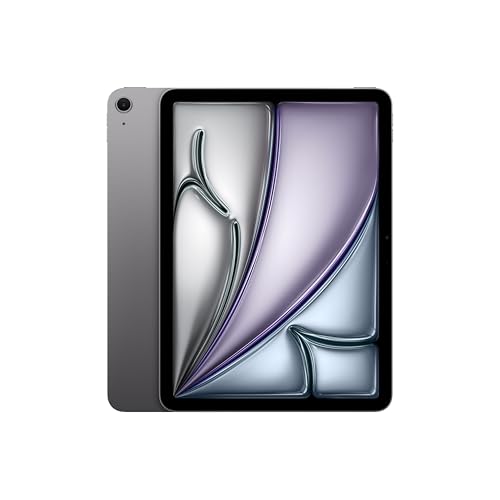
After evaluating these four Apple tablets, our top recommendation for most people is the Apple iPad 11-inch: A16 chip, 11-inch Model (Wi-Fi only) because it combines a modern processor, excellent display, and generous 128GB storage at a compelling price. For those who need raw power for creative or professional work, the Apple iPad Air 11-inch (M4) is the clear winner, offering M4 performance and Wi-Fi 7 connectivity. Both models will serve you well for years, and whichever you choose, you are getting a premium tablet experience.
Related Guides
Frequently Asked Questions
Which Apple tablet is best for students in 2026?
For students, the Apple iPad 11-inch with A16 chip and 128GB storage offers the best balance of performance and value. It supports Apple Pencil for note-taking and has all-day battery life. If you need a lower upfront cost, the renewed eighth-generation iPad is still capable for basic tasks, but we recommend the newer model for longevity.
Is the iPad Air M4 worth the extra cost?
Yes, if you are a creative professional, developer, or power user who runs demanding apps like video editors or 3D modeling tools. The M4 chip delivers exceptional speed, and the Liquid Retina display with P3 wide color is a joy for design work. For casual use, the standard iPad is sufficient.
Should I buy a Wi-Fi only or cellular iPad?
If you frequently work or stream outside of Wi-Fi coverage, the cellular version is worth it. For home and office use, Wi-Fi only is fine. The iPad 11-inch A16 comes in both variants, so choose based on your mobility needs. Remember that cellular models cost more upfront and require a data plan.
Are renewed iPads a good option in 2026?
Renewed iPads, like the eighth-generation model we reviewed, can be a great budget-friendly choice if you are okay with slightly older hardware. They are inspected and certified to work like new, but you miss out on features like Liquid Retina display and the latest chips. For basic browsing and media, they are fine; for future-proofing, buy a new model.


