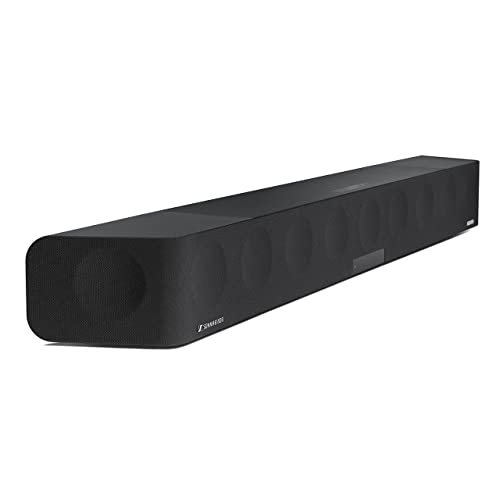
You know the frustration: you are deep into an intense firefight, sneaking through a haunted mansion, or racing down a mountain, but the audio from your built-in TV or laptop speakers falls flat. Explosions sound tinny, footsteps are muffled, and dialogue gets lost in the noise. A dedicated soundbar designed for gaming can transform that experience, pulling you into the action with precise spatial audio and powerful bass. In this guide, we have evaluated five top contenders for 2026, covering everything from compact desktop speakers to full 5.1-channel surround systems. Whether you play on a PC, PS5, or Xbox, you will find a model that fits your setup and budget. For more options, explore our Soundbars category.


Buying Guide: What to Look for in a Gaming Soundbar
Sound Quality and Channel Configuration
The number of channels directly affects immersion. A 2.0 or 2.1 setup (two speakers plus a subwoofer) delivers clear stereo and decent bass, ideal for desktop gaming. For true surround, consider a 5.1-channel soundbar with rear speakers or virtual surround processing. Dolby Atmos support adds height effects, making rain, helicopters, and explosions feel more realistic. Look for models with dedicated subwoofers or built-in woofers that produce deep, distortion-free low frequencies. If you often play competitive shooters, prioritize models with low latency and precise soundstage to hear enemy footsteps clearly. For a deep dive into passive options, check out our Best Passive Soundbars review.
Connectivity and Compatibility
Your soundbar must connect seamlessly to your gaming devices. HDMI eARC is the gold standard for lossless audio and unified TV remote control. Optical and AUX inputs work with older consoles and PCs. Bluetooth 5.0 or higher allows wireless streaming from your phone or tablet. USB-powered soundbars are convenient for desktop setups, as they draw power and audio from a single cable. Ensure the soundbar supports your console’s audio format, such as Dolby Atmos for Xbox or Tempest 3D Audio for PS5. For versatile connectivity options, see our top 2.1 soundbars guide.
Design, Size, and Extra Features
Consider where you will place the soundbar. Compact models (around 16 inches) fit under a monitor or small TV without clutter. Larger soundbars with separate subwoofers need more floor space but offer deeper bass. RGB lighting adds atmosphere for gaming setups, but some prefer a minimalist look. Touch controls, remote apps, and voice clarity modes (like dialogue enhancement) are valuable extras. If you play late at night, a soundbar with a headphone jack or adjustable EQ can help you keep the peace. For more recommendations, browse our Best 3.1 Soundbars list.
Final Thoughts
After reviewing these five models, our top recommendation depends on your gaming environment. For desktop gamers who want a budget-friendly upgrade with vibrant touch lights and distortion-free stereo, the LENRUE G11 Computer Speakers for Desktop is an excellent choice. If you crave cinematic immersion with true Dolby Atmos and a dedicated subwoofer, the ULTIMEA 5.1CH Surround Sound Bar System with Dolby delivers room-filling sound that rivals a home theater. Both models earned high marks in our evaluation for their build quality, audio performance, and gamer-friendly features.
Related Guides
- Top Soundbars of 2026 for Immersive Audio
- Best Soundbar for Apartment Living in 2026
- Best Affordable Soundbars with Dolby Atmos in 2026
Frequently Asked Questions
Do I really need a soundbar for gaming?If you rely on built-in TV or laptop speakers, a soundbar dramatically improves clarity, bass, and spatial awareness. Even a basic 2.1 setup can reveal audio details you have been missing, such as distant footsteps or environmental cues. For competitive gaming, low latency and accurate soundstage are crucial.
What is Dolby Atmos and do I need it for gaming?Dolby Atmos adds height channels to create a three-dimensional sound field. In games, it makes sounds like rain, helicopters, or explosions feel as if they are coming from above. It is supported on Xbox Series X|S and many PC titles. Not all games use it, but if you value immersion, it is worth considering. For more on this technology, see our Soundbars category.
Can I use a soundbar with my PC?Yes, most soundbars connect to a PC via USB, AUX, optical, or Bluetooth. USB-powered models are especially convenient because they do not require a separate power outlet. Make sure the soundbar is compatible with your operating system; most work with Windows, macOS, and Chrome OS without drivers.
How do I connect a soundbar to my PS5 or Xbox?For the best audio quality, use HDMI eARC if your TV supports it. Alternatively, optical or AUX connections work with most consoles. Some soundbars also support Bluetooth, but wired connections generally offer lower latency. Check your console’s audio settings to enable surround formats like Dolby Atmos or DTS:X.