🔥 Soundbar Black Friday Deals: picks worth watching →
If your TV’s built-in speakers leave dialogue muffled and action scenes flat, you are not alone. Many modern televisions sacrifice audio quality for slim designs. The solution? A soundbar with HDMI ARC. This connection simplifies your setup, letting you control volume and power with a single remote. In this guide, we review the best soundbars with HDMI ARC for 2026, covering options from trusted brands like TCL, Bose, and BESTISAN. Whether you want a budget-friendly upgrade or premium clarity, we have you covered. For more on smart audio options, check out our guide to best smart soundbars.




Buying Guide: What to Look for in a Soundbar with HDMI ARC
HDMI ARC and eARC Compatibility
HDMI ARC (Audio Return Channel) lets your TV send audio to the soundbar through the same HDMI cable that carries video. eARC, the enhanced version, supports higher bitrate audio like Dolby TrueHD. For most users, standard ARC is sufficient, but if you have a 4K Blu-ray player or stream high-resolution audio, look for eARC support. All models in this roundup include at least HDMI ARC, ensuring seamless integration with modern TVs.
Sound Quality and Dialogue Clarity
Not all soundbars are created equal. Some emphasize deep bass, while others prioritize clear speech. If you watch a lot of news or dialogue-heavy shows, consider a model with a dedicated center channel or dialogue enhancement mode. For movie enthusiasts, Dolby Atmos and DTS:X provide a more immersive soundstage. We have evaluated each product for its ability to deliver crisp vocals and balanced audio across different content types.
Connectivity Options
Beyond HDMI ARC, look for Bluetooth, optical, and AUX inputs to connect older devices. Bluetooth 5.0 or higher ensures stable streaming from your phone or tablet. Some soundbars also include USB ports for playing music directly. For a clutter-free setup, wireless subwoofers and satellite speakers are a plus. Learn more about versatile connectivity in our best wireless soundbars article.
Design and Size
Measure your TV stand or wall space before buying. A soundbar that is too wide may stick out, while one that is too tall can block the TV’s infrared sensor. Most soundbars in this list are under 3 inches tall and fit neatly under a TV. Some offer wall-mounting kits for a clean look. If you plan to add a subwoofer later, check that the soundbar has a dedicated output.
Final Thoughts
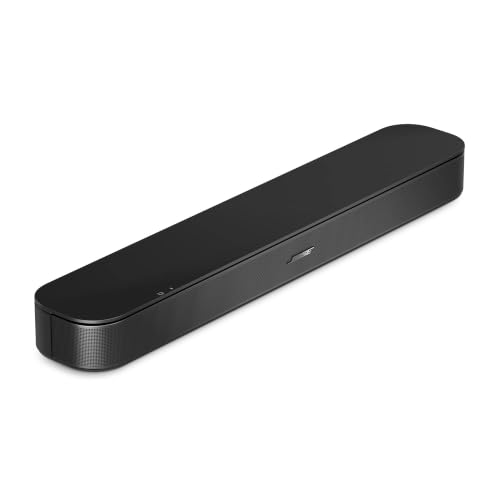
After reviewing the top contenders, our recommendation splits into two clear use cases. For budget-conscious shoppers who want impressive Dolby Atmos performance and room calibration, the TCL S45H 2.0 Sound Bar for Smart TV delivers extraordinary value. If you prioritize crystal-clear dialogue and a premium build from a trusted audio brand, the Bose TV Speaker (2nd Gen) is an excellent investment. Both connect easily via HDMI ARC and will transform your daily viewing experience.
Related Guides
- Top Soundbars of 2026 for Immersive Audio
- Best Soundbar for Apartment Living in 2026
- Top Computer Soundbars for Clear Audio
Frequently Asked Questions
What is HDMI ARC and why do I need it?
HDMI ARC (Audio Return Channel) allows your TV to send audio to a soundbar through the same HDMI cable that carries video from your TV to the soundbar. This eliminates the need for a separate optical cable and lets you control volume with your TV remote. It simplifies your setup and reduces cable clutter.
Can I use a soundbar without HDMI ARC?
Yes, you can use optical, AUX, or Bluetooth connections. However, HDMI ARC provides the best audio quality and allows for easy control. If your TV lacks HDMI ARC, optical is a good alternative. For more on connection options, see our best WiFi soundbars.
Do I need an HDMI cable for ARC?
Yes, you need a standard HDMI cable (category 2 or higher) that supports ARC. Most soundbars include an HDMI cable in the box. For eARC, you may need a high-speed HDMI cable to handle higher bandwidth. Always check the product specifications.
How do I set up a soundbar with HDMI ARC?
Connect the HDMI cable from the soundbar’s HDMI OUT (ARC) port to your TV’s HDMI ARC port. Then, on your TV, enable HDMI ARC or eARC in the audio settings. The soundbar should automatically detect the signal. If not, try switching the TV’s audio output to external speakers. Most modern TVs recognize ARC devices instantly.