

🔥 TV Black Friday Deals 2026: picks worth watching →
You already ask your Google Home speaker to play music, set timers, and control your lights. But when you want to watch a movie or catch the game, your TV should respond to your voice just as naturally. Whether you need a streaming stick, a full smart TV, or a projector that works with Google Assistant, this guide covers the best TVs for Google Home integration. We have evaluated top models including the Google TV Streamer, Chromecast with Google TV, and built-in Google TV displays from TCL and Xiaomi. Find the perfect match for your smart home setup. Explore our full TV category for more options.





Buying Guide: What to Look For
Google TV vs. Chromecast vs. Built-In Smart Platform
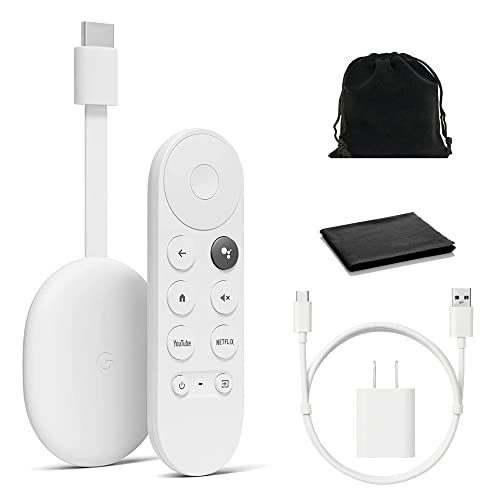
The first decision is how you want your Google Home system to connect. A Google TV Streamer 4K (like the Google model) plugs into any HDMI port and gives you the full Google TV interface with voice search and personalized recommendations. If you already own a regular TV, this is the easiest upgrade. The Chromecast with Google TV offers similar functionality in a dongle form, with the same voice controls and app support. For a cleaner setup, a TV with Google TV built-in (like the TCL QM6K series) eliminates extra hardware and keeps one remote for everything. Each route works, but built-in Google TV simplifies the user experience.
Resolution, HDR, and Picture Quality
Your Google Home commands are only as good as the image they bring to life. For the sharpest detail, choose a device that outputs true 4K with HDR support. The Google TV Streamer and Chromecast with Google TV handle Dolby Vision, HDR10+, and other formats. The TCL QM6K television goes further with QD-Mini LED technology and a 144Hz refresh rate, making it ideal for sports and gaming. When comparing models, look for native 4K panels and wide color gamut. If you are upgrading an older TV, a streaming stick with strong HDR processing can make a big difference. For more on picture quality, see our guide on best TVs for upscaling.
Voice Control and Smart Home Integration
The core advantage of a Google Home compatible TV is hands-free control. Every product in this list includes a voice remote with a dedicated Google Assistant button. You can search for shows, adjust volume, switch inputs, or even ask for the weather without touching a remote. Some models, like the Google TV Streamer, also allow you to cast content from your phone. For the most seamless experience, ensure your TV or streaming device supports Google’s ecosystem natively. The voice remotes from brands like LOUTOC and BENACES work as reliable replacements if your original remote is lost. Older users may appreciate the simplicity of voice navigation, check our recommendations for best TVs for seniors.
Final Thoughts
After reviewing the top contenders, two products stand out for different needs. For viewers who want the purest Google TV experience without buying a new television, the Google TV Streamer 4K – Fast Streaming delivers snappy performance, Dolby Vision support, and effortless voice control through your existing setup. If you are ready to upgrade your entire display, the TCL 65 Inch Class QM6K Series combines a gorgeous Mini LED QLED panel with built-in Google TV, letting you control your entire smart home from one screen. Both options integrate flawlessly with Google Home, making your living room smarter and more entertaining from the moment you plug them in.
Related Guides
Frequently Asked Questions
Can I use any TV with Google Home?
Yes, any TV can work with Google Home if you connect a Google TV streaming device like the Chromecast with Google TV or Google TV Streamer. The TV itself does not need to be smart, the streaming device provides the Google Assistant voice control and smart home integration.
What is the difference between Google TV and Chromecast with Google TV?
Google TV is the software interface that organizes content from multiple apps, while Chromecast is the hardware name. The Chromecast with Google TV is a specific device that runs Google TV. The newer Google TV Streamer 4K offers faster performance and more storage compared to the original Chromecast model.
Do I need a smart TV to use Google Home?
No. You can use any TV with an HDMI port and add a Google TV streaming device. This gives you voice control, app access, and Google Home integration without buying a new television. Many users prefer this approach for flexibility.
How do I set up Google Home with my TV?
Plug your Google TV streamer or Chromecast into an HDMI port, connect to Wi-Fi, and follow the on-screen prompts to sign in with your Google account. Then open the Google Home app on your phone to link the device. You can then use voice commands like “Hey Google, play Stranger Things on Netflix” on your TV.



