

Are you tired of juggling a laptop, a notebook, and a phone just to get through your daily tasks? Whether you are a student taking notes in class, a professional sketching ideas on the go, or a parent looking for a versatile device for the family, a tablet with a keyboard and pen can simplify your life. These 2-in-1 devices combine the portability of a tablet with the productivity of a laptop, plus the precision of a stylus for drawing or note-taking. In this guide, we review three affordable options that deliver solid performance without breaking the bank. For more budget-friendly picks, check out our list of top budget tablets.




Buying Guide: What to Look for in a Tablet with Keyboard and Pen
Operating System and Performance
The operating system determines the apps you can use and how smoothly the tablet runs. Most budget tablets run Android, which offers a vast library of apps and a user-friendly interface. Look for a tablet with at least 3GB of RAM and a quad-core processor to handle multitasking, streaming, and light productivity. The models we reviewed run Android 15, ensuring access to the latest features and security updates.
Display Quality and Size
A 10-inch screen is the sweet spot for portability and usability. A 10.1-inch HD display with 1280×800 resolution provides crisp text and vibrant colors for reading, watching videos, or sketching. An IPS panel ensures wide viewing angles, and an eye-protection mode can reduce strain during long sessions. If you plan to use the tablet for drawing, a responsive touchscreen is essential.
Battery Life and Connectivity
A long-lasting battery is crucial for all-day use. Look for a tablet with a battery capacity of at least 6000mAh, which can deliver 6-8 hours of mixed use. USB-C charging is convenient and fast. For connectivity, Wi-Fi 6 support ensures faster and more stable internet connections, especially in crowded networks. Bluetooth is also important for connecting the keyboard, mouse, and stylus wirelessly.
Included Accessories and Build Quality
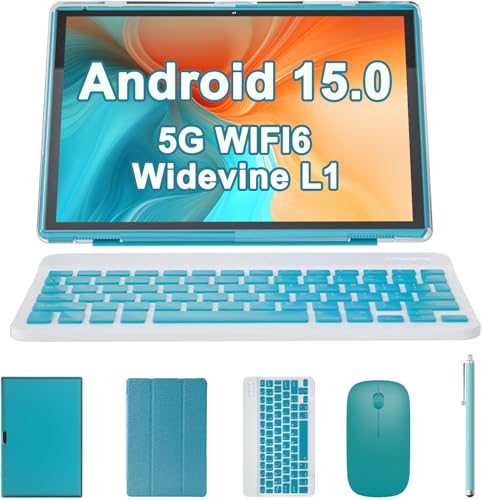
The best value comes from bundles that include a keyboard, mouse, stylus, and protective case. A Bluetooth keyboard with a full-size layout makes typing comfortable, while a flexible stylus with a fine tip allows for precise writing and drawing. A durable case protects the tablet during travel. Check that the keyboard and stylus connect easily and are responsive. For more tips on choosing a tablet, see our guide on best budget tablets.
Final Thoughts
Choosing the right tablet with keyboard and pen comes down to your specific needs. If you want a complete package with a sleek design and a responsive stylus, the RUIQIAI Android 15 | Tabalet with Keyboard offers excellent value with its 2-in-1 functionality and 6000mAh battery. For those who prefer a slightly more powerful configuration with 8GB of expandable RAM and an included wireless mouse, the Android Tablet 2 in 1 with Keyboard Case Mouse from ZZB is a strong contender. Both provide a versatile, budget-friendly way to boost your productivity and creativity on the go.
Frequently Asked Questions
Can I use a tablet with keyboard and pen for drawing?
Yes, many tablets with a stylus are suitable for drawing, note-taking, and sketching. The models we reviewed come with a flexible stylus that works well for casual drawing and handwriting. For professional digital art, you may want a tablet with a higher pressure sensitivity, but these budget options are great for beginners or hobbyists.
How long does the battery last on these tablets?
Most tablets in this category feature a 6000mAh battery that provides up to 6-8 hours of mixed use, depending on screen brightness and tasks. This is enough for a full day of classes, meetings, or travel. Charging via USB-C is quick and convenient.
Do these tablets support external storage?
Yes, the tablets we reviewed support expandable storage via a microSD card, up to 1TB. This allows you to store more apps, videos, photos, and documents without worrying about internal space. It’s a handy feature for media lovers and heavy users.
Are these tablets good for video calls and online learning?
Absolutely. With 2MP front and 8MP rear cameras, these tablets handle video calls on Zoom, Google Meet, or Skype with clarity. The 10.1-inch screen provides a comfortable viewing area for online classes or virtual meetings. For more options, explore our best tablets under $50 list.


