You are deep into a homeschool morning, and your child needs a fresh set of math worksheets. You hit print, but the old printer spits out faded pages and then flashes a low-ink warning. Sound familiar? A reliable, low-cost printer is essential for any homeschool household. This guide covers three top contenders from Epson and Canon, each built to handle the daily demands of printing, scanning, and copying. Whether you need to print dozens of worksheets or scan art projects, we have a pick for you. For more general home printing advice, check out our guide to the best printer for home use.


Buying Guide: What to Look for in a Homeschool Printer
Low Running Costs: Ink Efficiency Matters Most
Homeschooling often means high print volumes: worksheets, flashcards, reading logs, and science diagrams. The cost of replacement ink can add up fast. That is why ink efficiency is a top priority. The Epson EcoTank ET-4800 uses high-capacity ink tanks that hold enough ink for thousands of pages, drastically cutting per-page costs. Traditional cartridge printers like the Canon PIXMA TS4320 are more affordable upfront, but their cartridges run out quicker. For a deep dive into ink subscription alternatives, see our HP Instant Ink review.
Versatility: Print, Scan, Copy, and Duplex
A homeschool printer should do more than just print. You will need to scan completed assignments, copy workbook pages, and print double-sided to save paper. The Canon PIXMA TR7120 features an auto document feeder (ADF) for scanning multiple pages at once and automatic duplex printing. The Epson EcoTank ET-4800 also includes a scanner and copier, but lacks an ADF. The Canon PIXMA TS4320 is a simpler all-in-one with duplex printing, making it a solid budget choice for families with lighter needs.
Ease of Use and Wireless Connectivity
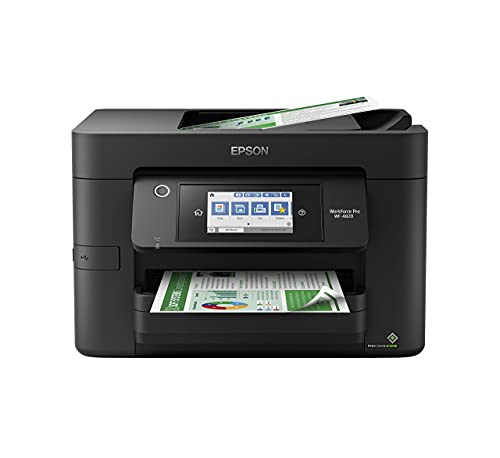
You do not want to wrestle with setup every time you need to print. All three models offer wireless connectivity via Wi-Fi, allowing you to print from a laptop, tablet, or phone. The Canon models support dual-band Wi-Fi for stable connections, while the Epson has a color display for easy navigation. If you are new to printers, our guide to the best printers for beginners can help you get started.
Final Thoughts
After evaluating each model for print volume, features, and long-term value, we recommend the Epson EcoTank ET-4800 Wireless Color All-in-One for families who print heavily and want to minimize ink costs, and the Canon PIXMA TR7120 Wireless Color Inkjet Printer for those who need versatile scanning and duplex printing at a reasonable price. Both will keep your homeschool running smoothly without constant ink interruptions.
Frequently Asked Questions
What is the best printer for homeschooling on a budget?
The Canon PIXMA TS4320 offers a low entry cost with reliable print quality, automatic duplex printing, and wireless connectivity. It is a great choice if your homeschool printing volume is moderate and you want to keep upfront costs low.
Do I need a printer with an auto document feeder for homeschool?
If you frequently scan multi-page worksheets or tests, an auto document feeder (ADF) saves time. The Canon PIXMA TR7120 includes an ADF, while the Epson EcoTank ET-4800 does not. For families who scan only single pages, the Epson works fine.
Is an ink tank printer better than a cartridge printer for homeschool?
Ink tank printers like the Epson EcoTank ET-4800 have much lower cost per page because they use refillable tanks instead of cartridges. For high-volume homeschool printing, an ink tank printer can save you hundreds over time. Cartridge printers are cheaper upfront but cost more per page.
Can I print wirelessly from my tablet or phone?
Yes, all three printers support wireless printing from smartphones and tablets via Wi-Fi. You can print directly from apps or use the manufacturer’s mobile printing app. This is especially convenient for printing digital worksheets or online resources during your homeschool day.