

Whether you are a student juggling multiple assignments, a professional managing demanding workloads, or a creative diving into design and editing, finding the best laptop with 16GB RAM and 512GB SSD is crucial for seamless performance. This sweet spot of memory and storage ensures your system can handle multitasking, large files, and future software updates without lag. In this guide, we have evaluated seven top contenders across various categories, from premium 2-in-1 devices to powerful gaming machines, to help you make an informed decision. For more insights on powerful laptops, check out our MSI Katana 15 review for a deeper look at gaming performance.




Buying Guide
Processor Performance
The CPU is the brain of your laptop. For general productivity, an Intel Core i5 or AMD Ryzen 5 is a solid choice, offering a great balance of speed and efficiency. If you need to handle intensive tasks like video editing or 3D rendering, consider an Intel Core i7 or i9, or an AMD Ryzen 7 or 9. For AI-powered features, look for processors with dedicated AI engines like the Snapdragon X2 Plus or Intel Core Ultra series. Our Lenovo IdeaPad Pro 5 review highlights how a strong processor can elevate your workflow.
Display Quality
A high-resolution display with good color accuracy and brightness is essential for a pleasant viewing experience. For creative work, look for OLED or IPS panels with at least 1080p resolution and 300 nits brightness. Touchscreens add versatility, especially for 2-in-1 laptops. Gamers should prioritize high refresh rates like 144Hz for smooth motion. For a creative perspective, our HUION kamvas 13 gen 3 review explores display quality in drawing tablets.
Build Quality and Portability
Consider where and how you will use your laptop. Frequent travelers need a lightweight, durable design with good battery life. Business users might prioritize MIL-STD-810H certification for ruggedness. Gaming laptops often have a more robust build but are heavier. Look for materials like aluminum or magnesium alloy for a premium feel. If you need a rugged device, our guide to laptops with built-in CAC readers offers insights on durable designs.
Connectivity and Ports
Ensure the laptop has the ports you need for your peripherals. Thunderbolt 4 or USB-C with DisplayPort support is ideal for fast data transfer and external monitors. HDMI 2.1 is great for 4K displays. A good selection of USB-A ports, an SD card reader, and an Ethernet port can save you from carrying dongles. For a look at versatile connectivity, our Samsung 12GB RAM smartphone review touches on modern connectivity standards.
Final Thoughts
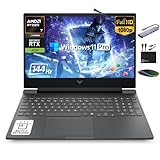
Choosing the best laptop with 16GB RAM and 512GB SSD ultimately depends on your specific needs. For a premium 2-in-1 experience with AI capabilities and a stunning OLED display, the Microsoft Surface Pro (2026) is an outstanding choice for professionals and creatives. If you are a gamer or power user seeking raw performance, the MSI Thin 15 Gaming Laptop with its RTX 4060 graphics and high-refresh-rate display delivers exceptional value. Both models offer the perfect balance of memory and storage for 2026.
Frequently Asked Questions
Is 16GB RAM and 512GB SSD enough for gaming in 2026?
Yes, this combination is sufficient for most modern games. 16GB RAM ensures smooth multitasking and gameplay, while 512GB SSD provides fast load times and enough space for several games. For heavy gamers, consider models with upgradable storage.
Can I upgrade the RAM or SSD on these laptops?
It depends on the model. Some laptops, like the Lenovo V15, have accessible memory and storage slots for upgrades. Others, like the Microsoft Surface Pro, have soldered components and are not upgradable. Always check the specifications before purchasing.
What is the difference between DDR4 and DDR5 RAM?
DDR5 RAM is faster and more power-efficient than DDR4, offering higher bandwidth and better performance for demanding tasks. Many newer laptops in 2026 come with DDR5, which future-proofs your system for upcoming applications.
Which operating system is best for a 16GB RAM laptop?
Windows 11 Pro or Home is the most common choice, offering excellent compatibility and features like Copilot AI. For specific enterprise needs, Windows 11 Pro provides advanced security and management tools. Chrome OS and macOS are also options but are less common with this hardware configuration.



