
🔥 TV Black Friday Deals 2026: picks worth watching →
You’re deep into research mode, comparing ASUS vs Acer gaming laptops, and the specs blur together. Both brands offer powerful machines with the latest Intel and NVIDIA hardware, but they cater to slightly different priorities. This guide breaks down the key differences to help you choose the right one for your gaming and creative needs.
We’ve analyzed six top-tier models from both brands, focusing on performance, display quality, cooling, and overall value. Whether you’re a competitive gamer or a content creator, you’ll find a clear winner for your specific use case. For more on router performance, check our NETGEAR vs ASUS router.




Buying Guide: What to Look for in a Gaming Laptop
When choosing between ASUS and Acer, focus on what matters most for your gaming experience. Here are the key criteria we used to evaluate these laptops.
Performance and Processor
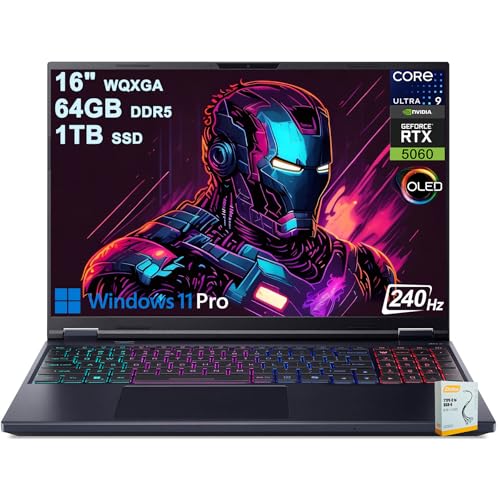
The heart of any gaming laptop is its CPU and GPU. Both brands offer Intel Core Ultra 9 processors, but the graphics card makes the biggest difference. ASUS models often feature higher-tier RTX 5080 or 5090 GPUs, while Acer tends to offer RTX 5060 or 5070 Ti options.
For maximum frame rates in AAA titles, a higher-end GPU is essential. If you’re on a budget, an RTX 5060 can still handle most games at high settings, but you’ll need to dial back some ray tracing features.
Display Quality and Refresh Rate
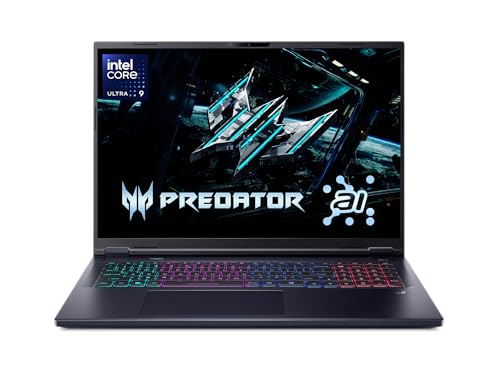
A great display elevates your gaming experience. Look for OLED panels with high refresh rates, like the 240Hz options on Acer Predator models. ASUS offers its ROG Nebula HDR displays with Mini LED technology for exceptional contrast and brightness.
Both brands deliver vibrant colors and smooth motion. If you’re a competitive gamer, a higher refresh rate (240Hz or above) gives you a competitive edge. For content creators, color accuracy (100% DCI-P3) is more important.
Cooling and Build Quality
Intensive gaming generates heat, so effective cooling is vital. ASUS uses its ROG Intelligent Cooling with vapor chambers and liquid metal. Acer features 5th Gen AeroBlade 3D fans for efficient heat dissipation.
Both companies have solid reputations for build quality, but ASUS often feels more premium, especially with its aluminum chassis and RGB lighting. Consider your portability needs: a 14-inch model is easier to carry than an 18-inch powerhouse.
Connectivity and Upgradability
Check the ports and wireless options. Wi-Fi 7 is becoming standard, but some Acer models still use Wi-Fi 6E. Thunderbolt 4 and USB-C are essential for fast data transfer and external displays. Also, see if the RAM and SSD are user-upgradable.
ASUS offers tool-free access to upgrade RAM and SSD, a convenience many users appreciate. Acer models usually have accessible compartments as well. For more on wireless standards, read our TP-Link vs NETGEAR.
Final Thoughts
After comparing these six laptops, it’s clear that both ASUS and Acer deliver exceptional performance. If you want the absolute best graphics and don’t mind a premium price, the ASUS ROG Strix G16 (2026) Gaming Laptop is a top-tier choice with its RTX 5080 and stunning display. For a more balanced option that still offers great value, the Acer Predator Helios Neo 16S AI Gaming Laptop provides excellent performance and a beautiful OLED screen at a more accessible price point.
Frequently Asked Questions
Which is better for gaming, ASUS or Acer?
Both are excellent, but ASUS ROG series typically offers higher-end GPUs and more premium features. Acer Predator provides great performance at a slightly lower cost. Your choice depends on your budget and desired performance level.
Are Acer Predator laptops good for content creation?
Yes, Acer Predator laptops with OLED displays and powerful CPUs are great for video editing and 3D modeling. The color accuracy and processing power handle demanding creative software with ease.
How important is Wi-Fi 7 in a gaming laptop?
Wi-Fi 7 offers faster speeds and lower latency, which is beneficial for online gaming and large downloads. However, Wi-Fi 6E is still sufficient for most users in 2026. Ensure your router supports the standard you choose.
Can I upgrade the RAM and SSD in these laptops?
Most of these models allow RAM and SSD upgrades. ASUS ROG laptops feature tool-free access, while Acer models typically have standard screws. Check the specific model’s manual for details. For more on connectivity, see our guide to mesh router systems.