🔥 TV Black Friday Deals 2026: picks worth watching →
You grab your GoPro, press the power button, and nothing happens. The screen stays dark, the camera remains silent, and frustration sets in. This is a common problem many GoPro owners face, and it can happen for several reasons. In this guide, we’ll explore the most likely causes and provide clear, step-by-step solutions to help you resolve the issue. Whether you’re a beginner or a seasoned user, you’ll find practical advice to get your camera working again. If you’ve recently experienced choppy footage from your GoPro, check out our article on why your GoPro footage is choppy for additional troubleshooting tips.

Buying Guide
Battery Health and Charging
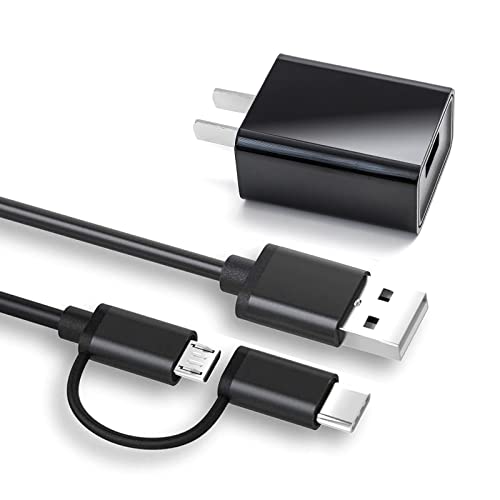
The most common reason a GoPro won’t turn on is a dead or faulty battery. Start by checking if the battery is fully charged. Use the official charger or a reliable USB cable connected to a computer or wall adapter. If the battery doesn’t charge, it may need replacement. Also, ensure the battery contacts are clean and free of debris. For more on device charging issues, see our guide on why your Kindle is not charging.
If you have a spare battery, try swapping it in. This helps determine if the original battery is the culprit. Batteries degrade over time, especially if left unused for long periods. A battery that won’t hold a charge is a clear sign it needs replacing.
Firmware and Software Issues
Outdated or corrupted firmware can prevent your GoPro from booting up. Check the manufacturer’s website for the latest firmware version. If your camera is stuck in a boot loop, a firmware update often resolves it. You can also try a hard reset by removing the battery and memory card, waiting 30 seconds, then reinserting them. This forces the camera to restart fresh.
If the camera still doesn’t respond, consider a factory reset. Note that this erases all settings, so back up any important footage first. After resetting, install the latest firmware using the GoPro app or a computer. For similar software issues with other devices, our article on Fire Stick buffering fixes offers insights into troubleshooting software glitches.
Physical Damage and Connection Problems
Inspect your GoPro for any physical damage, such as cracks, dents, or water ingress. Even a small amount of moisture can short-circuit internal components. If the camera has been dropped or exposed to water, it may need professional repair. Also, check the power button: a stuck or unresponsive button can prevent the camera from turning on. Gently press it several times to see if it frees up.
Loose connections inside the camera can also cause power issues. If you’re comfortable, open the battery compartment and ensure all cables are seated properly. If not, consult a professional. For more on connectivity problems, see our guide on Ring Doorbell offline fixes.
Final Thoughts
When your GoPro won’t turn on, start with the simplest solutions: check the battery, update the firmware, and inspect for damage. Most issues can be resolved at home without professional help. If you’re looking for a comprehensive resource to understand your camera better, the My GoPro Hero Camera (My…) book by Que Publishing is an excellent guide. It covers everything from basic operation to advanced troubleshooting, making it a valuable companion for any GoPro owner. For those who prefer a hands-on approach, this book offers clear explanations and practical tips to keep your camera running smoothly.
Frequently Asked Questions
Why is my GoPro not turning on even after charging?
If your GoPro is fully charged but still won’t turn on, the battery may be faulty or the camera’s power circuit could be damaged. Try a different battery or perform a hard reset by removing the battery and memory card for 30 seconds. If the issue persists, contact GoPro support or a repair service.
How do I force restart my GoPro?
To force restart your GoPro, remove the battery and memory card, wait 30 seconds, then reinsert them. Press and hold the power button for 10 seconds. If the camera doesn’t respond, try connecting it to a charger and repeating the process. For more troubleshooting, refer to the choppy footage guide which includes related tips.
Can a dead battery cause my GoPro to not turn on?
Yes, a dead or deeply discharged battery is the most common cause. Even if the battery shows some charge, it may not have enough power to boot the camera. Always use a fully charged, compatible battery. If the battery is old or damaged, replace it with a new one from the manufacturer or a reputable third party.
What should I do if my GoPro screen is black but the camera is on?
If the camera powers on (you hear sounds or feel vibration) but the screen stays black, try a firmware update or reset. The screen may have a loose connection or be damaged. Check the display settings in the GoPro app, and if needed, consult a repair professional. For more on display issues, see our article on Roku remote problems for similar troubleshooting steps.