

You have a growing collection of photos, documents, and media scattered across multiple devices. Your phone runs out of space, your laptop backup is a mess, and cloud subscription fees keep climbing. A network-attached storage (NAS) drive solves all of that by giving you a single, private hub for your data that you can access from anywhere. But with so many options on the market, finding the right one for your budget can feel overwhelming. That is why we have evaluated two of the most popular models under a reasonable spending limit: the UGREEN NAS DH4300 Plus 4-Bay for Beginners and the Synology DS223 Home & Office Backup Hub. Both are designed for home users, remote workers, and small offices who want reliable storage without a steep learning curve. Whether you are moving away from cloud subscriptions or simply need a central place for your files, this guide will help you choose the best NAS for your needs. For more cleaning and organization tips, check out our top mops for small apartments.



Buying Guide
Number of Bays and Storage Capacity
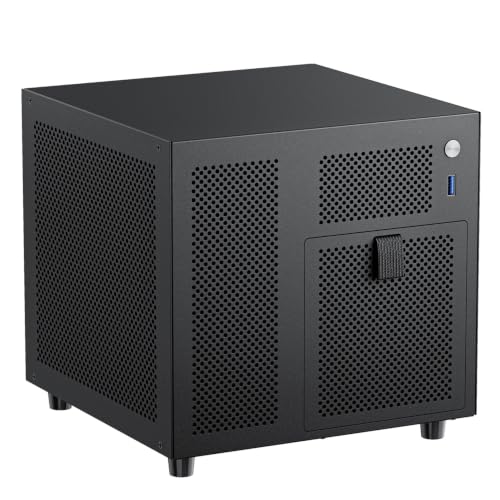
The number of drive bays determines how much storage you can expand later. A 4-bay NAS like the UGREEN DH4300 Plus lets you start with two drives and add more as your data grows. It supports up to 128TB with RAID configurations. For most home users, a 2-bay model like the Synology DS223 is sufficient for backing up computers, phones, and a few cameras. Think about your current data volume and how much you expect to accumulate over the next few years.
Ease of Setup and Use
If you are new to NAS, look for a device with a straightforward setup process. The UGREEN DH4300 Plus offers NFC-based connection and a beginner-friendly app that works on Windows, macOS, Android, iOS, and smart TVs. The Synology DS223 is known for its DiskStation Manager (DSM) software, which provides a polished interface and guided setup. Both models include clear manuals and video instructions, so you can get started in minutes.
Performance and Connectivity
For smooth file transfers and media streaming, a fast network port is essential. The UGREEN DH4300 Plus comes with a 2.5GbE port and 8GB of RAM, allowing it to transfer a 1GB file in about three seconds. It also supports 4K HDMI output for direct media playback. The Synology DS223 has a 1GbE port and 1GB of RAM, which is adequate for everyday backups and file sharing. If you plan to run Docker containers or stream high-resolution video, the UGREEN model offers better performance.
Data Security and Backup Features
Both NAS devices keep your data private and secure. The UGREEN DH4300 Plus is TRUSTe certified and holds the ETSI EN 303 645 certification for IoT security. It stores data locally and offers automatic backups. The Synology DS223 provides automated backup for Macs, PCs, and mobile devices, with support for cloud and external drive destinations. It also includes a surveillance station feature that turns IP cameras into a DIY security system. For more on keeping your home clean and organized, see our reviews of reusable paper towels and microfiber cleaning cloths.
Final Thoughts
Both the UGREEN NAS DH4300 Plus 4-Bay for Beginners and the Synology DS223 Home & Office Backup Hub deliver excellent value for home and small office users. If you need more bays, faster transfer speeds, and the ability to run Docker containers, the UGREEN model is the clear winner. If you prefer a trusted brand with a mature software ecosystem and integrated surveillance capabilities, the Synology DS223 is a solid choice. Either way, you get a private, expandable storage solution that eliminates recurring cloud fees and puts you in full control of your data.
Frequently Asked Questions
Can I use a NAS without an internet connection?
Yes, both the UGREEN DH4300 Plus and Synology DS223 work as local storage devices over your home network. You can access files, stream media, and run backups even when the internet is down. Remote access requires an active internet connection.
Do I need to buy hard drives separately?
Both NAS enclosures are sold without drives. You will need to purchase compatible 3.5-inch or 2.5-inch SATA hard drives or SSDs from a third party. The UGREEN model supports up to 128TB total, while the Synology DS223 supports up to 32TB (with two 16TB drives).
Which NAS is better for beginners?
The UGREEN DH4300 Plus is designed with beginners in mind, featuring NFC quick setup, a user-friendly app, and detailed video instructions. The Synology DS223 also offers a guided setup through DSM, which is intuitive for new users. Both are excellent choices, but the UGREEN model provides more room to grow with four bays.
Can I use a NAS to back up my phone automatically?
Yes, both devices support automatic photo and video backup from your phone. The UGREEN model includes AI-powered photo albums that organize and search your images. For more home organization tips, see our guide on cordless spin scrubbers.



