

You are in the middle of an intense firefight in your favorite battle royale. Every frame matters, and a 60Hz screen can leave you seeing ghosting or tearing at the worst moment. That is why a 120Hz gaming laptop has become the sweet spot for competitive and casual players alike: it offers a significant upgrade over standard displays without the premium of 240Hz or 360Hz panels. In this guide, we have evaluated four leading models from Alienware, ASUS, and KAIGERR to help you find the best 120Hz gaming laptop for your setup and budget in 2026. Whether you want a portable powerhouse or a desktop replacement, our picks cover a range of performance levels and features.
If you are also exploring other refresh rates, check out our roundup of the best 144Hz gaming laptops for an even higher tier of smoothness.




Buying Guide: What to Look for in a 120Hz Gaming Laptop
Graphics Performance and GPU Choice
The graphics card is the heart of any gaming laptop. For 120Hz gaming, you want a GPU that can push high frame rates at the laptop’s native resolution. Entry-level models like the KAIGERR with integrated Radeon graphics can handle esports titles at lower settings, but dedicated NVIDIA GeForce RTX 40-series or 50-series GPUs (like the RTX 5050 or RTX 5060) provide the muscle for modern AAA games at high detail. Look for at least 6GB of VRAM for smooth textures and future-proofing.
Processor and Cooling System
A fast CPU ensures your laptop doesn’t bottleneck the GPU. AMD Ryzen 7 or 9 processors (such as the Ryzen 9 270) and Intel Core 7 chips deliver excellent single-core and multi-core performance. Equally important is the cooling solution: advanced vapor chambers, liquid metal thermal compound, and multiple fans keep temperatures in check during long sessions. The Alienware Aurora series uses a Cryo-Chamber design that focuses airflow where it is needed most, while the ASUS ROG Zephyrus G14 employs ROG Intelligent Cooling with liquid metal.
Display Quality and Refresh Rate Consistency
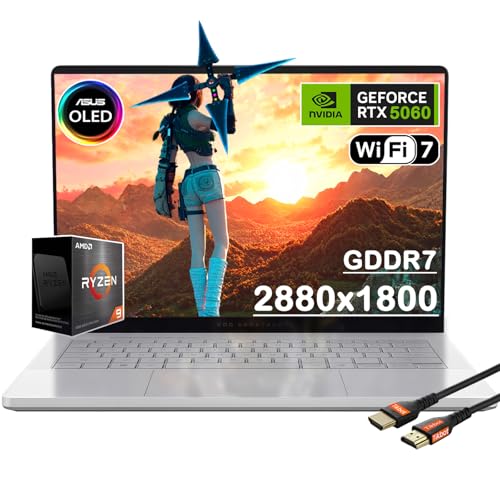
A 120Hz panel should also offer good color accuracy, brightness, and response time. OLED displays, like the one on the ASUS ROG Zephyrus G14, provide deep blacks and vibrant colors with a 0.2ms response time, making fast motion incredibly clear. IPS panels with 300 nits brightness are common and reliable. Ensure the laptop supports variable refresh rate (VRR) technologies like NVIDIA G-Sync to eliminate screen tearing.
Build Quality, Portability, and Connectivity
Gaming laptops need to survive travel and daily use. Aluminum chassis (like the ASUS ROG Zephyrus) offer premium durability without adding much weight. Portability is key if you move between dorm, office, or LAN parties: the Zephyrus G14 is just 3.31 pounds and 0.63 inches thin. Connectivity matters: look for USB-C with DisplayPort, HDMI 2.1, Wi-Fi 6, and at least one USB 3.2 port for peripherals. The KAIGERR model includes a webcam cover slide for privacy, a thoughtful touch.
For more portable options, see our guide to best thin touch screen laptops if you value a slim profile. If you prefer a convertible form factor, explore the best 2 in 1 gaming laptops.
Final Thoughts
After evaluating each model, our recommendation splits into two clear paths. For gamers who want uncompromising performance and a stunning OLED display, the ASUS MUX ROG Zephyrus G14 14″ OLED 3K 120Hz delivers incredible visuals and high frame rates in a portable package. If you are on a tighter budget but still need a reliable 120Hz experience, the KAIGERR Gaming Laptop, Laptop with AMD Ryzen offers competent performance for esports and everyday use. Both laptops represent excellent value in their respective categories, and we are confident whichever you choose will elevate your gaming sessions.
Frequently Asked Questions
Is 120Hz enough for gaming in 2026?
Yes, 120Hz remains a fantastic sweet spot for most gamers. It provides a noticeable improvement over 60Hz, making motion look smoother and reducing input lag. While competitive players may prefer 144Hz or 240Hz, 120Hz is more than sufficient for immersive single-player titles and online multiplayer games.
What is the difference between 120Hz and 144Hz?
The difference is subtle. 144Hz refreshes 24 more times per second than 120Hz, which can slightly reduce motion blur. However, many gamers cannot tell the difference without side-by-side comparison. If you find a good deal on a 120Hz laptop with better overall specs, it is often a smarter buy than a 144Hz model with weaker components.
Can a laptop with integrated graphics run games at 120Hz?
It depends on the game. Lightweight esports titles like League of Legends, Valorant, or CS:GO can often reach 120fps on integrated graphics at low settings. For demanding AAA games, a dedicated GPU is necessary to maintain high frame rates. The KAIGERR model with AMD Radeon graphics can handle older titles at 1080p but will struggle with modern blockbusters.
Do I need a 120Hz display for non-gaming tasks?
Absolutely. A 120Hz refresh rate makes everyday computing feel snappier. Scrolling through web pages, editing documents, and moving windows feels smoother and more responsive. Once you experience a high-refresh-rate display, going back to 60Hz can feel sluggish. It is a quality-of-life upgrade that benefits everyone, not just gamers. For more on touch-screen versatility, read about best touchscreen gaming laptops.


