

You’ve finally decided to upgrade your home theater, and 65 inches is the sweet spot. That size brings a cinematic feel without overwhelming most living rooms. But with so many models promising vibrant colors and smart features, how do you pick the right one for your space and budget? This guide cuts through the noise, focusing on four standout 65 inch TVs that deliver on picture quality, gaming performance, and streaming ease. Whether you are a movie buff, a sports fan, or a competitive gamer, we have a recommendation for you.



Buying Guide for 65 Inch TVs
Picture Quality and Display Technology
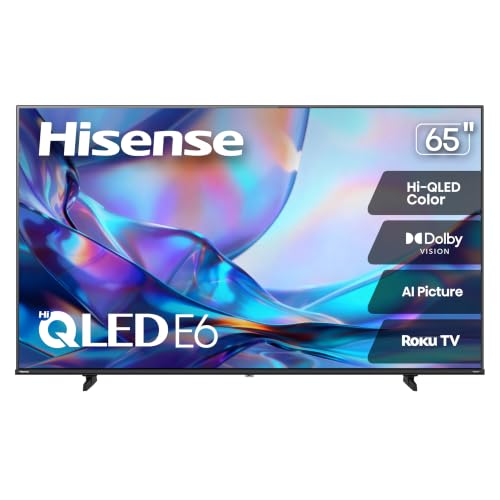
The heart of any TV is its display. For vivid, lifelike colors, look for QLED (Quantum Dot) technology, which offers a wider color gamut than standard LED. Models like the Hisense 65″ Class E6SR Series Hi-QLED 4K UHD and TCL 65″ T7 4K QLED Google TV with 144Hz use this to deliver rich, accurate hues. If you crave deeper blacks and even better contrast, Mini-LED backlighting, as seen in the Roku 65-Inch Plus Series Smart TV, provides superior local dimming. High Dynamic Range (HDR) support, especially Dolby Vision, HDR10, and HLG, ensures you see fine details in both bright and dark scenes.
Smart TV Platform and Streaming
A smart TV should be intuitive and fast. Roku’s platform, found on the Roku 65-Inch Plus Series Smart TV, is renowned for its simplicity, quick setup, and access to thousands of free channels. The Hisense model also uses Roku, offering the same ease. Google TV, built into the TCL 65″ T7, excels at personalized recommendations and integrates seamlessly with Google Assistant. Samsung’s Tizen platform on the Samsung 65-Inch Class Crystal UHD U8000H Series is polished and includes Samsung TV Plus for free content. Choose the interface that feels most natural to you.
Gaming and Motion Handling
If you play console or PC games, prioritize low input lag and smooth motion. Features like Variable Refresh Rate (VRR) and Auto Low Latency Mode (ALLM) reduce screen tearing and stutter during fast-paced action. The Hisense 65″ E6SR includes Game Mode Plus, VRR, and ALLM, making it a solid budget-friendly gaming TV. The TCL 65″ T7 goes further with a native 144Hz panel refresh rate, which is ideal for high-frame-rate gaming on next-gen consoles or high-end PCs. For sports, the Samsung 65″ U8000H features Motion Xcelerator to keep fast-moving action crisp.
For more tips on choosing the right size, check out our guide on the best 42 inch TVs or explore options for the best 32 inch TVs if space is limited.
Final Thoughts
After reviewing the top contenders, the best choice for most viewers is the Hisense 65″ Class E6SR Series Hi-QLED 4K UHD for its outstanding value and rich QLED color, while the TCL 65″ T7 4K QLED Google TV with 144Hz is the winner for gamers seeking the smoothest performance. Both deliver a fantastic 65-inch experience, so you can confidently upgrade your home entertainment.
Frequently Asked Questions
Is a 65 inch TV worth it in 2026?
Absolutely. The 65-inch size remains one of the most popular choices for living rooms because it offers an immersive viewing experience without dominating the room. With prices continuing to drop and features like QLED and 4K becoming standard, it is a smart upgrade for movie nights and daily streaming.
What is the difference between QLED and Mini-LED?
QLED (Quantum Dot LED) uses a layer of quantum dots to enhance color brightness and volume. Mini-LED uses thousands of tiny LEDs for backlighting, allowing for more precise local dimming and deeper blacks. Some TVs, like the Roku Plus Series, combine both Mini-LED and QLED for exceptional picture quality.
Do I need a 144Hz TV for gaming?
For serious gamers with a high-end PC or the latest consoles, a 144Hz panel like the one in the TCL 65″ T7 provides an ultra-smooth experience, especially in fast-paced shooters and racing games. For casual gaming, a standard 60Hz panel with VRR and ALLM will still deliver a great, responsive experience.
How do I set up my new 65 inch TV?
Setting up a modern smart TV is straightforward. Unpack it carefully, attach the stand or mount it on a wall, plug it in, and follow the on-screen instructions. Most models, including the Samsung and Roku, guide you through connecting to Wi-Fi and signing into your streaming apps in minutes. For a deeper dive, explore our category page on TVs.


