

🔥 TV Black Friday Deals 2026: picks worth watching →
Looking for a tablet that balances work, play, and portability? Acer offers a diverse lineup from budget-friendly media tablets to rugged workhorses and AI-powered kickstand models. In this guide, we’ve reviewed the best Acer tablets of 2026, comparing display quality, performance, battery life, and special features to help you choose the right one. For an alternative perspective, see our roundup of top non-Apple tablets.


Buying Guide for Acer Tablets
Display Quality and Size
The display is your window to content, so resolution, brightness, and panel type matter. Acer’s lineup includes IPS, QLED Quantum Dot, and even 90Hz refresh rate options. Larger screens like the 14-inch and 16-inch models are ideal for media consumption, while 10.1-inch and 10.4-inch tablets offer portability. For a broader look at display innovations, check out our ASUS tablet reviews.
If you prioritize color accuracy and viewing angles, the QLED Quantum Dot panels on the Iconia Tab P10 and P11 deliver vivid visuals. The 2K resolution on many models ensures sharp text and detailed video playback.
Performance and Storage
From the Allwinner A733 octa-core in the Iconia A Kickstand to the MediaTek Helio G99 in the P-series, Acer covers a range of processing power. For smooth multitasking and light gaming, 4GB of RAM is sufficient, but 6GB or 8GB options handle heavier workloads. Storage varies from 64GB to 256GB, with microSD expansion on most models. Those needing a productivity powerhouse might also appreciate our Surface tablet recommendations.
Battery Life and Portability
Battery life is crucial for on-the-go use. Acer tablets typically offer 9 to 13 hours of video playback, depending on the model. The slim aluminum designs keep weight under 1.4 pounds, making them easy to carry. The built-in kickstand on the Iconia A series adds hands-free convenience without extra accessories. For a comparable lightweight option, see our Dell tablet picks.
Special Features
Some Acer tablets stand out with unique capabilities. The Iconia A Kickstand features on-device AI for presence sensing, video upscaling, and smile detection. The Enduro T1 is MIL-STD 810G certified and IP54 compliant for rugged environments. Others include Google Kids Space for family-friendly use. If you’re looking for dedicated children’s tablets, our Amazon Fire tablet guide offers alternatives.
Final Thoughts
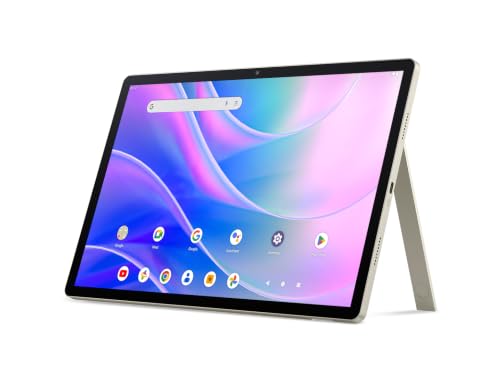
After evaluating the entire Acer tablet lineup, two models stand out for different reasons. The Acer Iconia A Kickstand Tablet impresses with its large 14-inch display, AI features, and built-in kickstand, making it a versatile choice for both entertainment and productivity. For those who need a durable device that can handle drops and dust, the acer Enduro T1 ET108-11A-80PZ Rugged Tablet delivers military-grade toughness at an accessible price. Whichever you choose, Acer offers reliable performance and thoughtful design.
Frequently Asked Questions
Which Acer tablet is best for kids?
Several Acer tablets include Google Kids Space, which curates safe content and lets parents manage screen time. The Iconia Tab P10 and Tab M10 both support this feature. For a dedicated kids’ tablet, you might also explore our Amazon Fire tablet recommendations.
Do Acer tablets support stylus input?
Most Acer tablets use capacitive touchscreens and do not include active stylus support. However, you can use a universal capacitive stylus for basic tasks. For note-taking and drawing, consider a device designed for stylus input, like those in our Surface tablet roundup.
How long do Acer tablet batteries last?
Battery life varies by model. Most Acer tablets offer between 9 and 13 hours of video playback, depending on screen size and processor efficiency. The Iconia Tab P11 leads with up to 13 hours, while the rugged Enduro T1 provides around 9 hours.
Are Acer tablets good for streaming?
Yes, many Acer tablets feature Widevine L1 certification for HD streaming on platforms like Netflix and Disney+. Models with QLED displays and quad speakers, such as the Iconia Tab P11, deliver an immersive viewing experience.


